> ## Documentation Index
> Fetch the complete documentation index at: https://docs.tracecat.com/llms.txt
> Use this file to discover all available pages before exploring further.
# Custom fields and dropdowns
> Store case-specific data with custom fields and add custom case filters with dropdowns.
## Custom fields
Custom fields let you store case-specific data that does not fit into the default case properties.
You can use them for values such as ticket IDs, affected systems, request metadata, or triage notes.
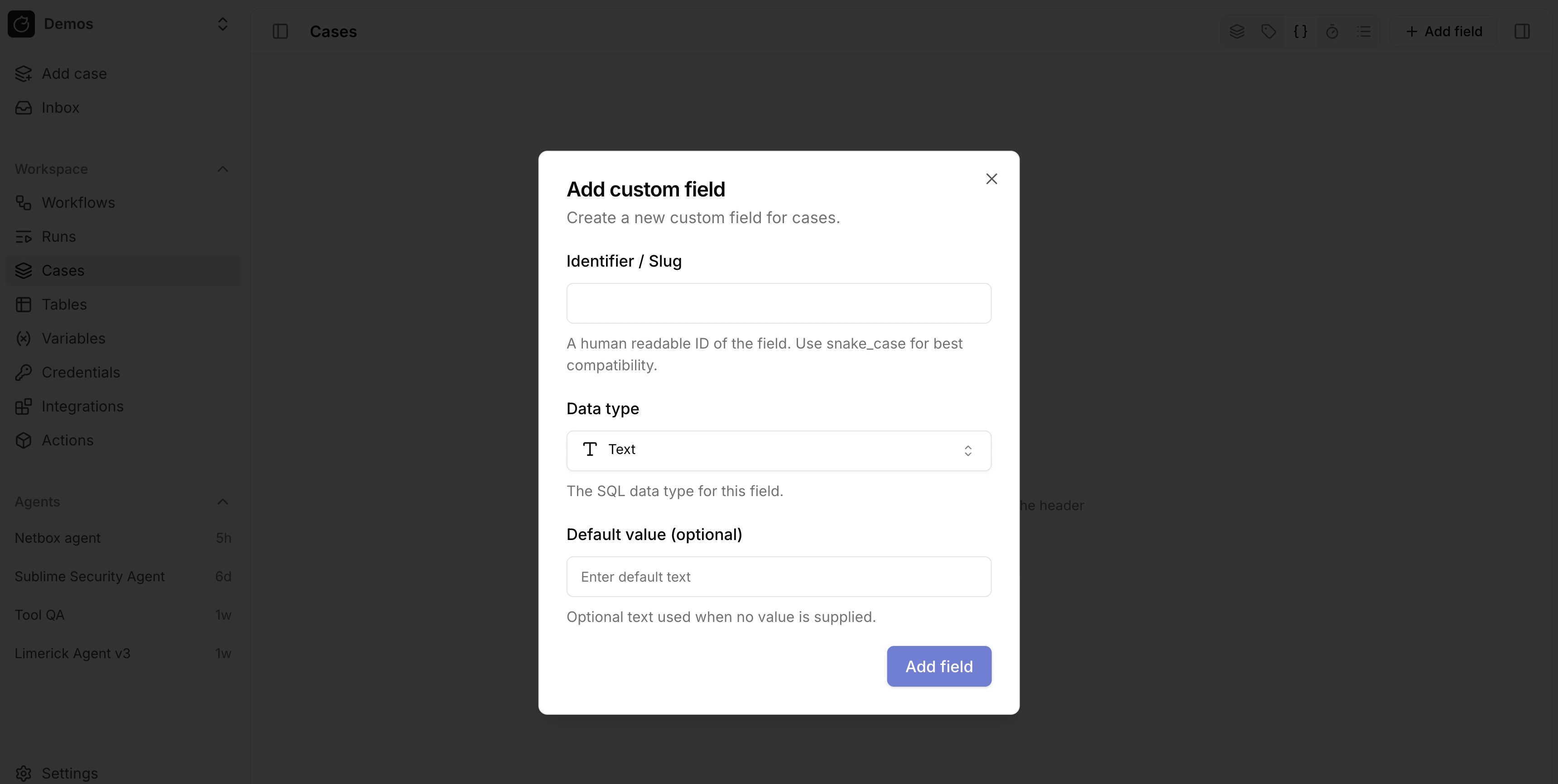 Use custom fields when you need flexible structured data on a case.
Your workflows can read and update them through the `fields` input on case actions.
Case custom fields use the same storage type family as tables: `TEXT`, `INTEGER`, `NUMERIC`, `BOOLEAN`, `DATE`, `TIMESTAMPTZ`, `JSONB`, `SELECT`, and `MULTI_SELECT`.
In the case field picker, raw `JSONB` is currently surfaced through the case-only `URL` kind, and the picker also exposes `Long text`, which is layered on top of `TEXT`.
## Dropdowns
Enterprise
Dropdowns add custom top-level case filters alongside built-in filters such as status, priority, and severity.
You can use them to add workspace-specific classifications such as queue, business unit, incident type, or escalation path.
Use custom fields when you need flexible structured data on a case.
Your workflows can read and update them through the `fields` input on case actions.
Case custom fields use the same storage type family as tables: `TEXT`, `INTEGER`, `NUMERIC`, `BOOLEAN`, `DATE`, `TIMESTAMPTZ`, `JSONB`, `SELECT`, and `MULTI_SELECT`.
In the case field picker, raw `JSONB` is currently surfaced through the case-only `URL` kind, and the picker also exposes `Long text`, which is layered on top of `TEXT`.
## Dropdowns
Enterprise
Dropdowns add custom top-level case filters alongside built-in filters such as status, priority, and severity.
You can use them to add workspace-specific classifications such as queue, business unit, incident type, or escalation path.
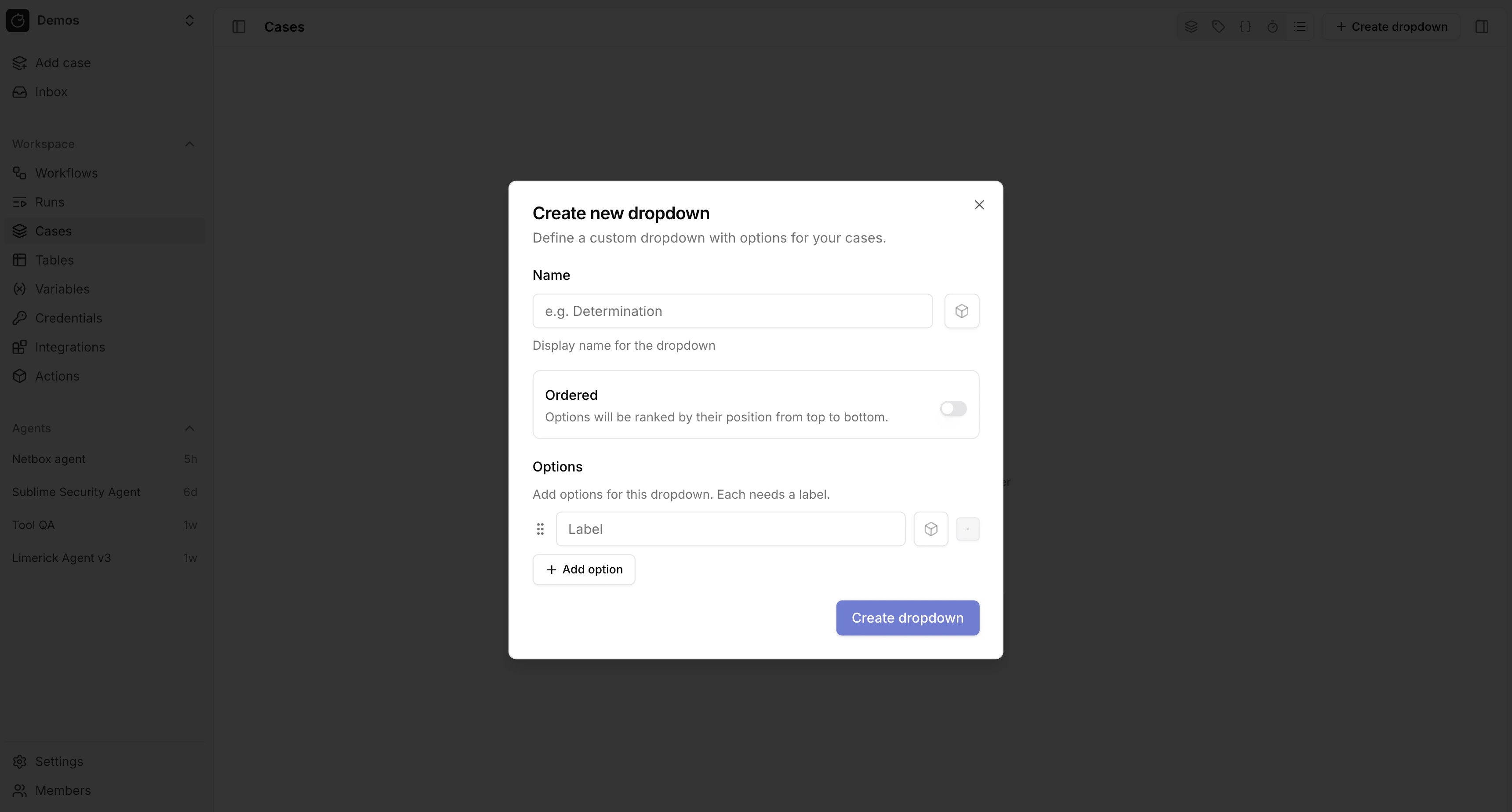 Unlike free-form fields, dropdowns give you a fixed set of options.
This makes them useful when you want consistent filtering, routing, and reporting across your case queue.
## Related pages
* See [Case management](/automations/cases) for an overview of case features.
* See [Cases](/automations/core-actions/case-actions/cases) for the case action inputs that read and update fields.
This documentation is built and hosted on [Mintlify](https://mintlify.com), a developer documentation platform.
Unlike free-form fields, dropdowns give you a fixed set of options.
This makes them useful when you want consistent filtering, routing, and reporting across your case queue.
## Related pages
* See [Case management](/automations/cases) for an overview of case features.
* See [Cases](/automations/core-actions/case-actions/cases) for the case action inputs that read and update fields.
This documentation is built and hosted on [Mintlify](https://mintlify.com), a developer documentation platform.