> ## Documentation Index
> Fetch the complete documentation index at: https://docs.tracecat.com/llms.txt
> Use this file to discover all available pages before exploring further.
# Case durations
> Track elapsed time between case events, such as time to triage or time to resolution.
Enterprise Edition
Durations track elapsed time between case events.
You can use them to measure intervals such as time to triage, time to assign, or time to resolution.
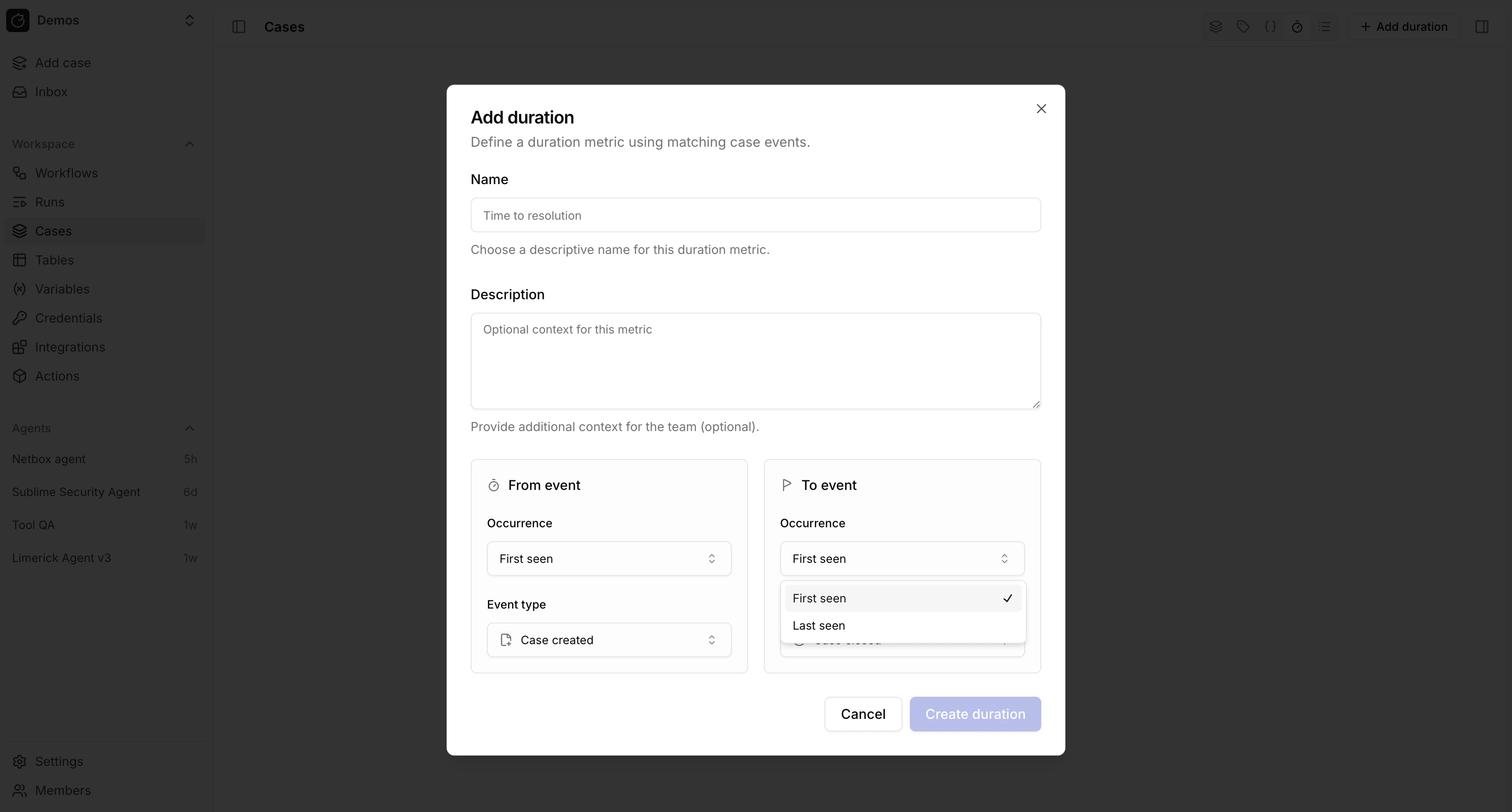 Durations help you understand how cases move through your process.
They are useful when you want operational reporting or workflow triggers based on how long a case has been in a given state.
## Related pages
* See [Case management](/automations/cases) for an overview of case features.
* See [Cases](/automations/core-actions/case-actions/cases) to read case metrics from workflows.
This documentation is built and hosted on [Mintlify](https://mintlify.com), a developer documentation platform.
Durations help you understand how cases move through your process.
They are useful when you want operational reporting or workflow triggers based on how long a case has been in a given state.
## Related pages
* See [Case management](/automations/cases) for an overview of case features.
* See [Cases](/automations/core-actions/case-actions/cases) to read case metrics from workflows.
This documentation is built and hosted on [Mintlify](https://mintlify.com), a developer documentation platform.