> ## Documentation Index
> Fetch the complete documentation index at: https://docs.tracecat.com/llms.txt
> Use this file to discover all available pages before exploring further.
# MCP servers
> Connect remote and stdio MCP servers to Tracecat agents: register tools, scope authentication, and call third-party MCP tools from agent runs.
## Overview
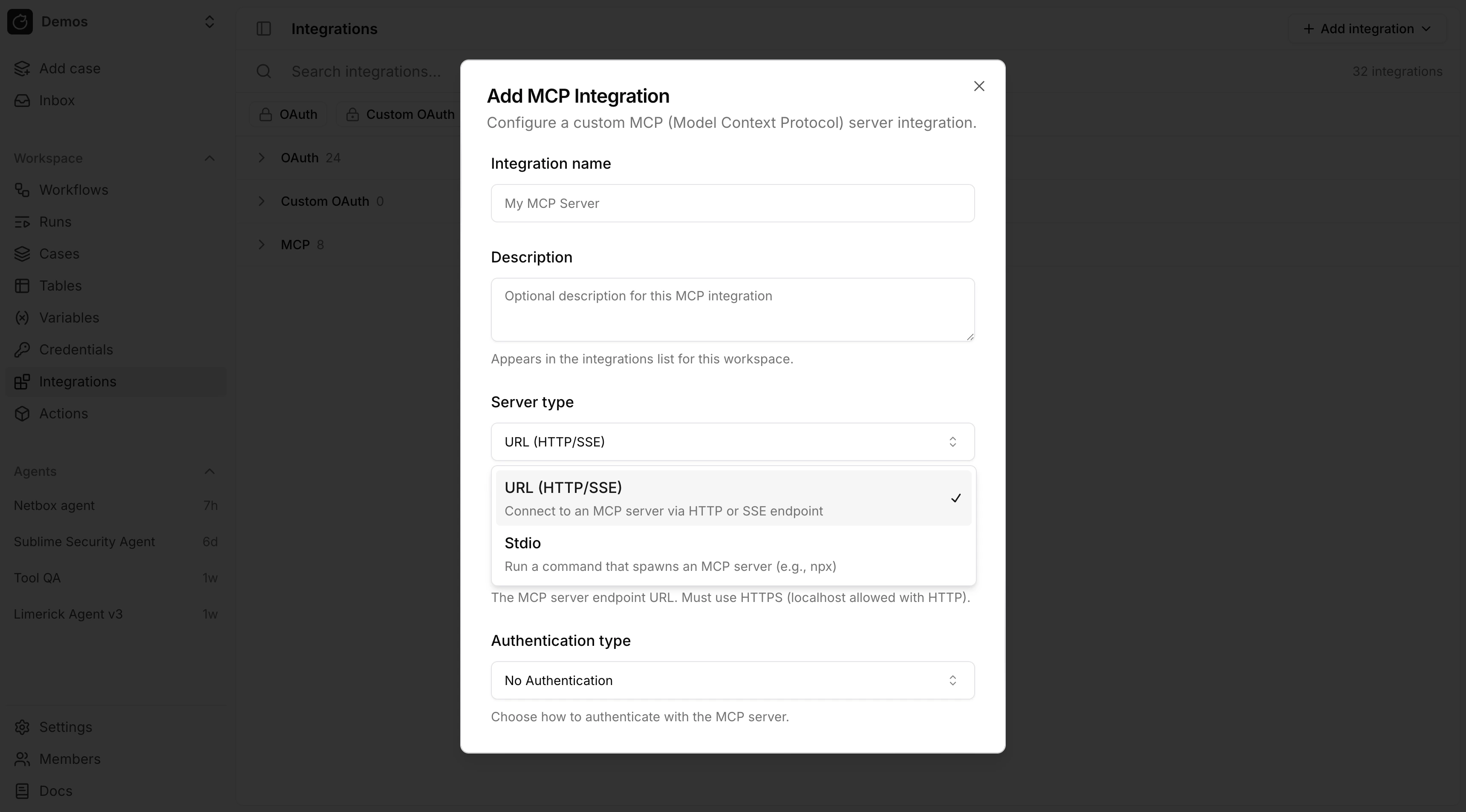
Tracecat supports two MCP integration types:
* Remote MCP over URL (`HTTP` or `SSE`)
* Local MCP over `stdio`
Agents attach MCP integrations from the preset builder.
 ## Remote MCP
Use remote MCP when the server is exposed over a URL.
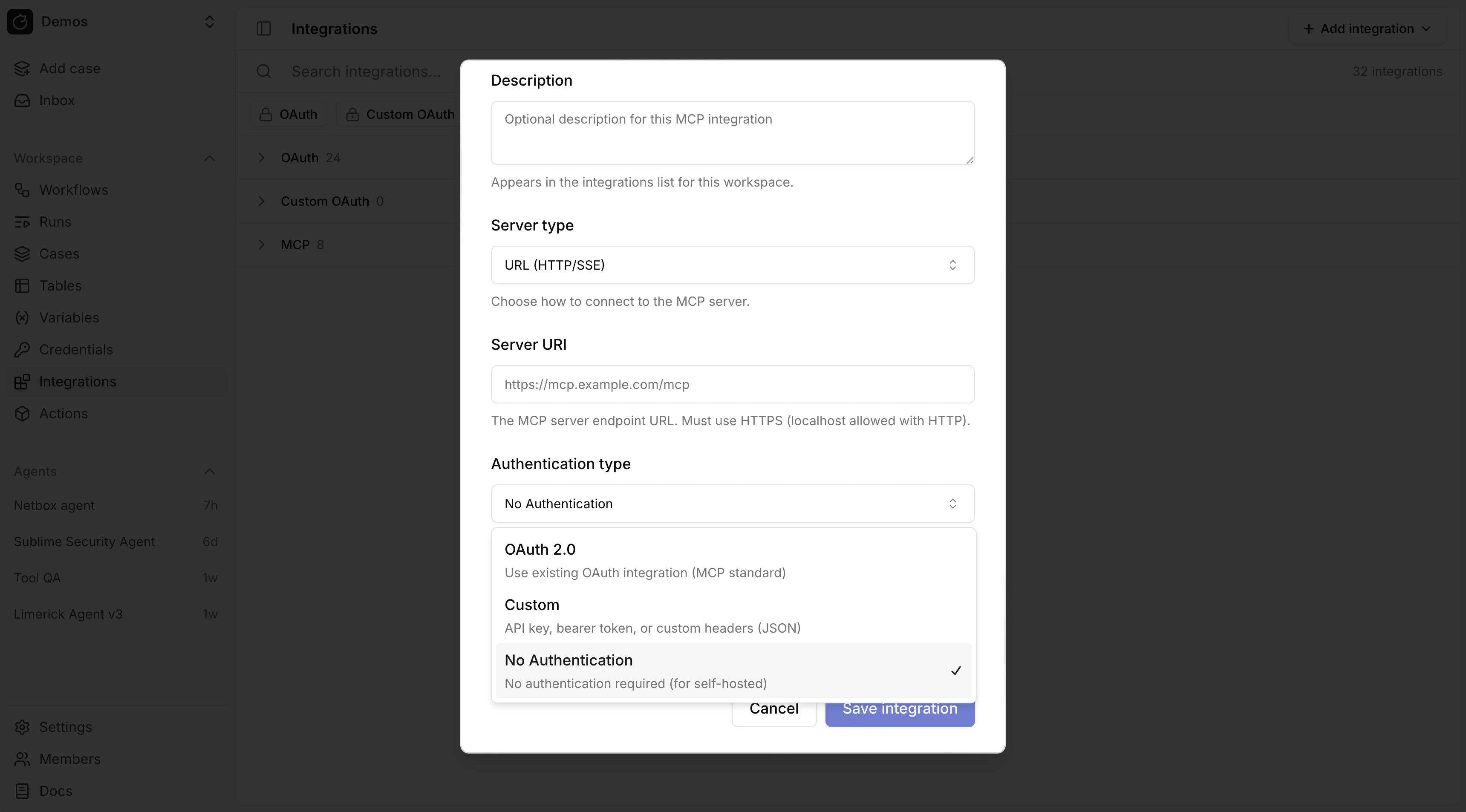
Authentication modes:
* No Authentication
* Custom
* OAuth
## Remote MCP
Use remote MCP when the server is exposed over a URL.
Authentication modes:
* No Authentication
* Custom
* OAuth
 ### OAuth for remote MCP
For remote MCP with OAuth, link the MCP integration to an existing OAuth integration. Tracecat refreshes the token and sets the `Authorization` header automatically.
For a custom remote MCP server, first create a custom OAuth provider in [OAuth](/automations/integrations/oauth-integrations), then attach it to the MCP integration.
### Custom headers for remote MCP
`Custom` authentication stores request headers as JSON.
```json theme={null}
{
"Authorization": "Bearer token123",
"X-API-Key": "abc123"
}
```
Remote MCP custom header JSON does not resolve `${{ SECRETS.* }}` or `${{ VARS.* }}`. Header values are sent as literal strings.
## Stdio MCP
Use `stdio` MCP when Tracecat should launch a local command such as `npx`, `uvx`, or a custom binary.
`stdio` environment variables support Tracecat expressions.
```json theme={null}
{
"GITHUB_TOKEN": "${{ SECRETS.github.TOKEN }}",
"GITHUB_HOST": "${{ VARS.github.host }}"
}
```
Tracecat resolves those expressions from the workflow default environment unless overridden in action control flow.
## Secrets and variables in MCP configuration
Expression support differs by MCP integration type:
* `stdio` environment variables support `${{ SECRETS.* }}` and `${{ VARS.* }}`.
* Remote MCP OAuth mode does not need secret expressions for the bearer token because Tracecat injects the OAuth token automatically.
* Remote MCP custom header JSON does not currently resolve `${{ SECRETS.* }}` or `${{ VARS.* }}`.
## Related pages
* See [OAuth](/automations/integrations/oauth-integrations) for custom OAuth providers and OAuth token expressions.
* See [Secrets](/automations/core-concepts/secrets) for environment-scoped secret resolution.
* See [Variables](/automations/core-concepts/variables) for non-secret values used in `stdio` environment variables.
### OAuth for remote MCP
For remote MCP with OAuth, link the MCP integration to an existing OAuth integration. Tracecat refreshes the token and sets the `Authorization` header automatically.
For a custom remote MCP server, first create a custom OAuth provider in [OAuth](/automations/integrations/oauth-integrations), then attach it to the MCP integration.
### Custom headers for remote MCP
`Custom` authentication stores request headers as JSON.
```json theme={null}
{
"Authorization": "Bearer token123",
"X-API-Key": "abc123"
}
```
Remote MCP custom header JSON does not resolve `${{ SECRETS.* }}` or `${{ VARS.* }}`. Header values are sent as literal strings.
## Stdio MCP
Use `stdio` MCP when Tracecat should launch a local command such as `npx`, `uvx`, or a custom binary.
`stdio` environment variables support Tracecat expressions.
```json theme={null}
{
"GITHUB_TOKEN": "${{ SECRETS.github.TOKEN }}",
"GITHUB_HOST": "${{ VARS.github.host }}"
}
```
Tracecat resolves those expressions from the workflow default environment unless overridden in action control flow.
## Secrets and variables in MCP configuration
Expression support differs by MCP integration type:
* `stdio` environment variables support `${{ SECRETS.* }}` and `${{ VARS.* }}`.
* Remote MCP OAuth mode does not need secret expressions for the bearer token because Tracecat injects the OAuth token automatically.
* Remote MCP custom header JSON does not currently resolve `${{ SECRETS.* }}` or `${{ VARS.* }}`.
## Related pages
* See [OAuth](/automations/integrations/oauth-integrations) for custom OAuth providers and OAuth token expressions.
* See [Secrets](/automations/core-concepts/secrets) for environment-scoped secret resolution.
* See [Variables](/automations/core-concepts/variables) for non-secret values used in `stdio` environment variables.