> ## Documentation Index
> Fetch the complete documentation index at: https://docs.tracecat.com/llms.txt
> Use this file to discover all available pages before exploring further.
# Custom registry
> Sync custom Python and YAML actions into Tracecat through your own registry: version, share, and reuse organization-specific automations across workspaces.
You can build your own actions and use them in agents and workflows through Tracecat's custom registry feature.
## Why use a custom registry
* Version control your code separate from Tracecat
* Reuse your custom actions in multiple agents and workflows
* Easily update your custom actions across all agents and workflows
## Permissions
Custom registry is an organization-level feature and syncs across all workspaces.
You must have the "Organization Admin" role to add and manage the custom registry.
## Installation
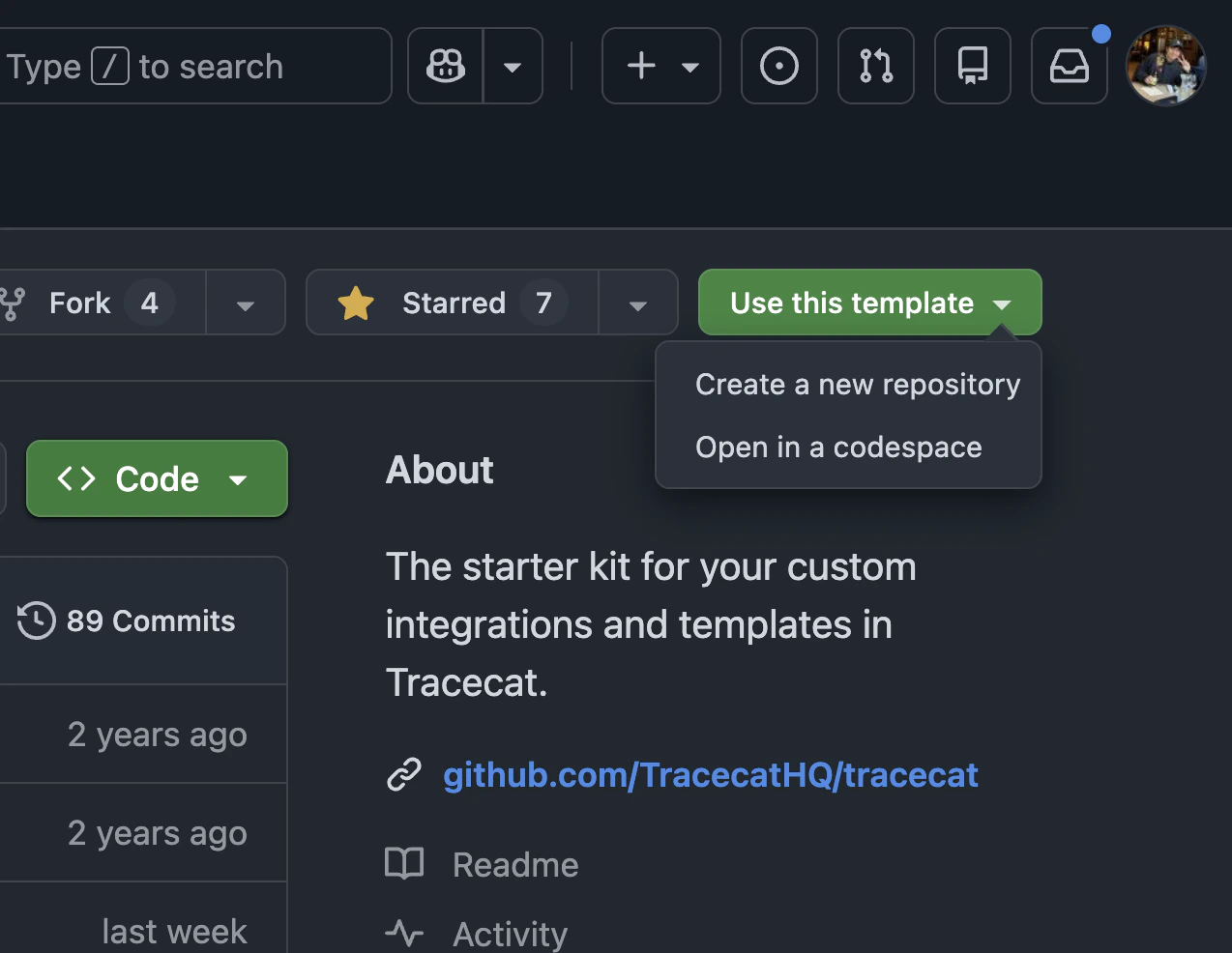
Clone the [custom registry starter kit](https://github.com/TracecatHQ/custom-integrations-starter-kit) from GitHub.
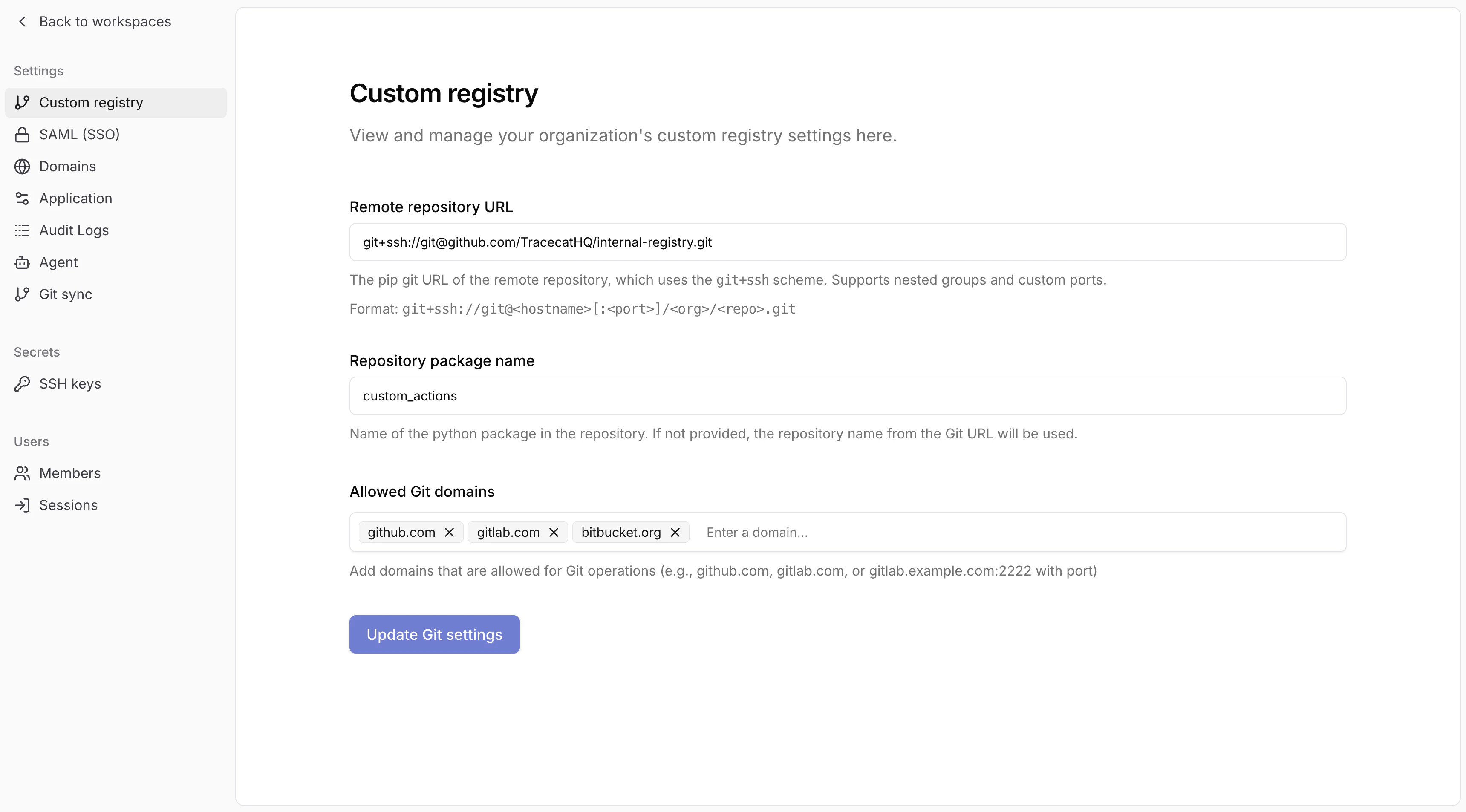
 Go to "/actions" page in the workspace -> "Add registry" button -> "Custom registry" in organization settings.
Configure the remote repository URL, package name, and allowed Git domains.
The package name is the name of the Python package (e.g. the parent folder named `custom_actions` in the starter kit) in the repo.
Go to "/actions" page in the workspace -> "Add registry" button -> "Custom registry" in organization settings.
Configure the remote repository URL, package name, and allowed Git domains.
The package name is the name of the Python package (e.g. the parent folder named `custom_actions` in the starter kit) in the repo.
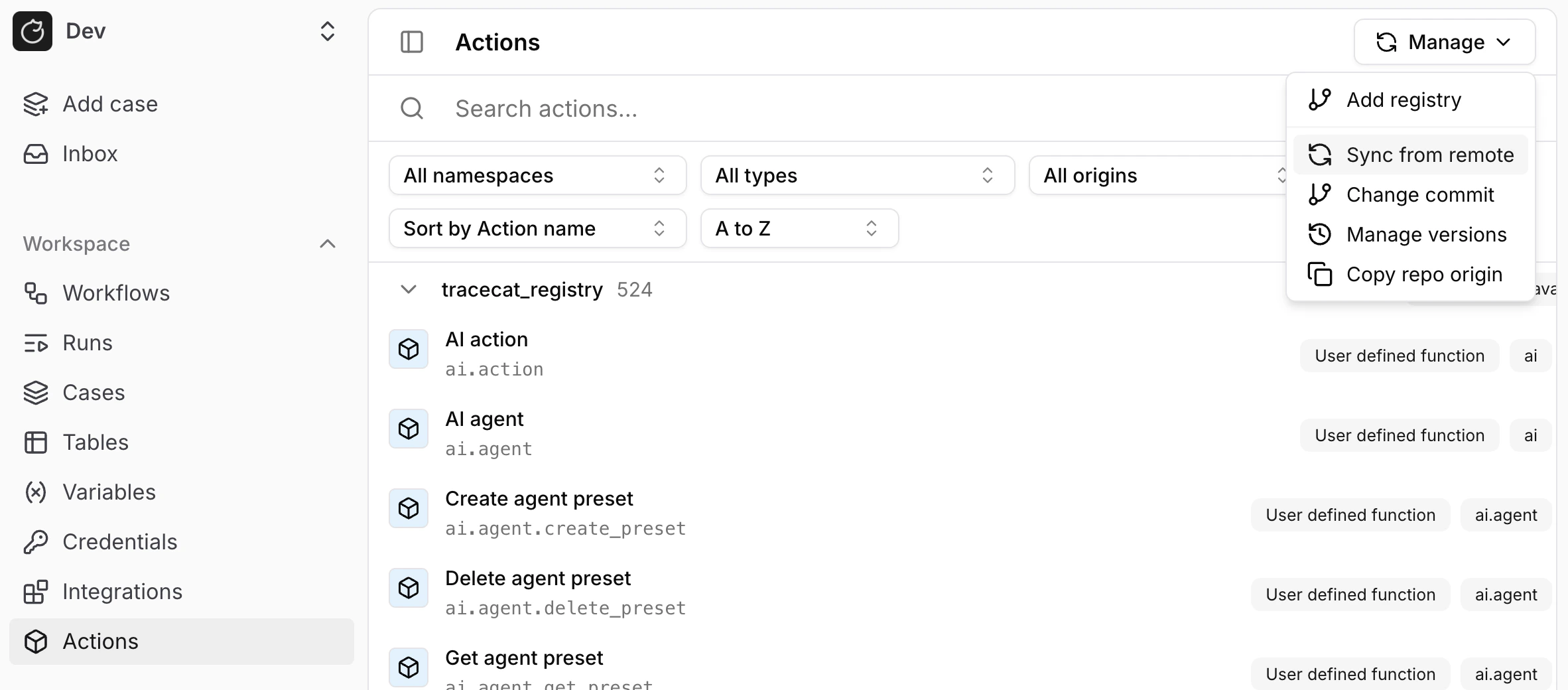
 Click "Sync from remote" button to sync the registry.
 ## Revert changes
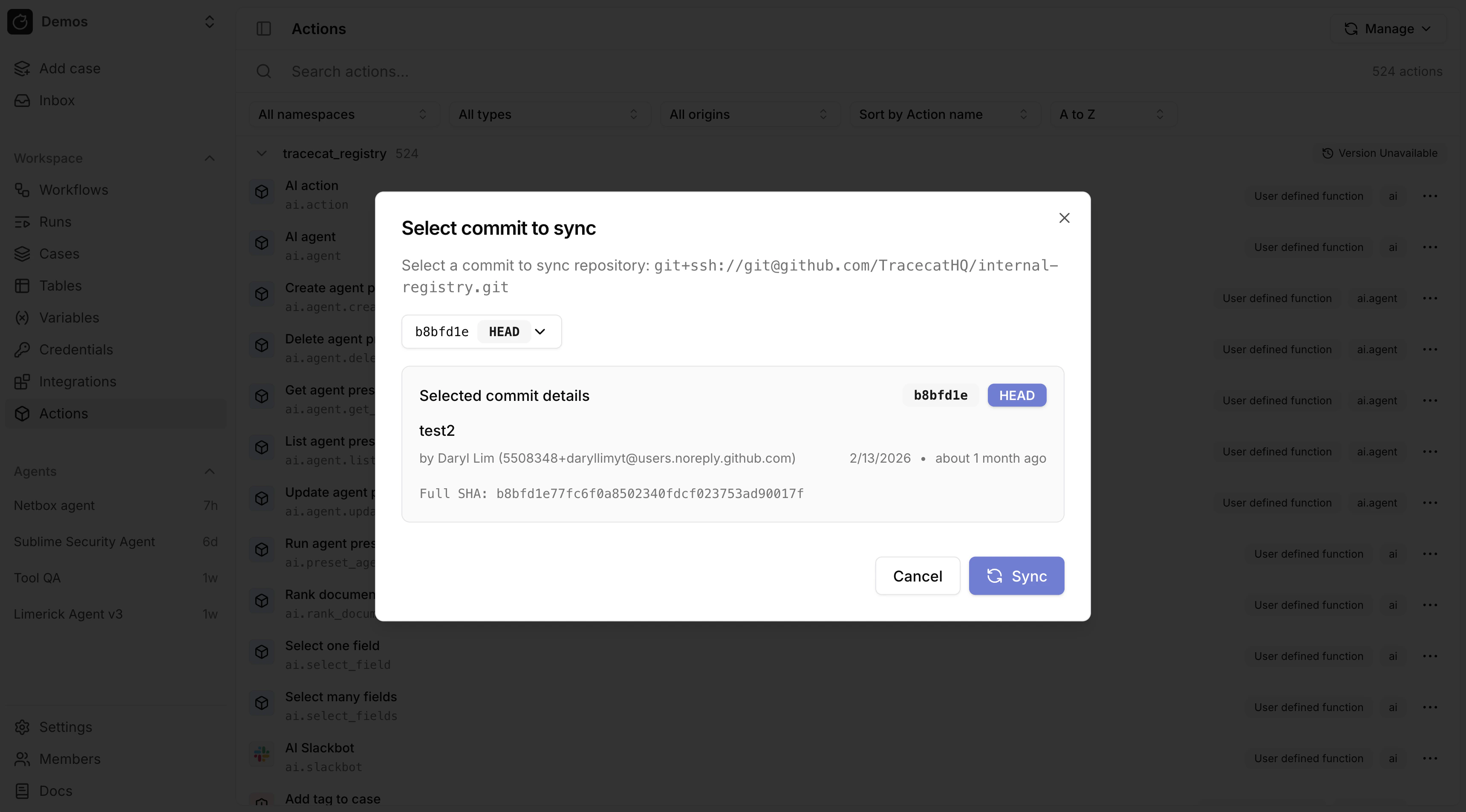
Syncing defaults to the latest commit in the remote repository.
You can change the commit to sync to using the "Change commit" button.
## Revert changes
Syncing defaults to the latest commit in the remote repository.
You can change the commit to sync to using the "Change commit" button.
 ## How custom registry works
When you sync a registry, Tracecat:
* Pulls the latest code from the remote repository
* Converts the package and its dependencies into a tarball using `uv`
* Uploads the tarball to S3-compatible object storage
* Tarballs are stored in the bucket specified in the `TRACECAT__BLOB_STORAGE_BUCKET_REGISTRY` environment variable
Published workflows run actions synced at the time of publication.
When triggered, the Tracecat executor pulls the pinned version of the platform registry and custom registry tarballs from S3.
You must republish a workflow to use the latest platform and custom actions.
Even if there were no changes to the workflow itself.
## FAQ
Yes. Tracecat works with Gitlab and GitHub Enterprise.
Yes. The package name from the starter kit is `custom_actions`.
To rename it, you'll need to rename the:
* `custom_actions` folder to `my_new_package_name`
* Project name in `pyproject.toml` to `my_new_package_name`
Note: Python package names must be snake\_case.
Yes. You can rename the git repo. It does not need to have the same name as the Python package.
You must specify new dependencies in the `dependencies` section of the `pyproject.toml` file.
Yes. For local Docker deployments, you can hot reload custom actions into Tracecat with a local registry.
See [local development](/custom-actions/local-development) for more details.
## How custom registry works
When you sync a registry, Tracecat:
* Pulls the latest code from the remote repository
* Converts the package and its dependencies into a tarball using `uv`
* Uploads the tarball to S3-compatible object storage
* Tarballs are stored in the bucket specified in the `TRACECAT__BLOB_STORAGE_BUCKET_REGISTRY` environment variable
Published workflows run actions synced at the time of publication.
When triggered, the Tracecat executor pulls the pinned version of the platform registry and custom registry tarballs from S3.
You must republish a workflow to use the latest platform and custom actions.
Even if there were no changes to the workflow itself.
## FAQ
Yes. Tracecat works with Gitlab and GitHub Enterprise.
Yes. The package name from the starter kit is `custom_actions`.
To rename it, you'll need to rename the:
* `custom_actions` folder to `my_new_package_name`
* Project name in `pyproject.toml` to `my_new_package_name`
Note: Python package names must be snake\_case.
Yes. You can rename the git repo. It does not need to have the same name as the Python package.
You must specify new dependencies in the `dependencies` section of the `pyproject.toml` file.
Yes. For local Docker deployments, you can hot reload custom actions into Tracecat with a local registry.
See [local development](/custom-actions/local-development) for more details.