> ## Documentation Index
> Fetch the complete documentation index at: https://docs.tracecat.com/llms.txt
> Use this file to discover all available pages before exploring further.
# User management
> Bootstrap the first superadmin, control who can register, and invite users into an organization.
## Overview
A Tracecat account authenticates a person, and an organization membership decides what that account can open. Registration and SSO create accounts. Invitations and superadmin provisioning create memberships.
## First login
Set the first superadmin's email before anyone signs in. Until it is set, nobody can register, and the first account must match it. It takes one case-sensitive email address, so use the exact casing your identity provider sends.
| Deployment | Setting |
| :-------------- | :--------------------------------------------------------------------------- |
| Docker Compose | `TRACECAT__AUTH_SUPERADMIN_EMAIL` in `.env` |
| AWS ECS Fargate | `TF_VAR_auth_superadmin_email`, or `auth_superadmin_email` in your `.tfvars` |
| Kubernetes | `tracecat.auth.superadminEmail` in `values.yaml` |
* Basic auth: sign up with that email, then log in.
* SSO: log in through your identity provider. Tracecat creates the account on first login.
The account becomes superadmin and owner of the default organization.
## Registration
Self-service registration needs `basic` in `TRACECAT__AUTH_TYPES`. Without it the sign-up page shows `Sign up unavailable`. OIDC and SAML create the account on the first successful sign-in.
`TRACECAT__AUTH_ALLOWED_DOMAINS` is a comma-separated list of email domains permitted to create an account, and a blank value permits every domain. Tracecat applies the same list on every OIDC sign-in. SAML sign-in checks the organization's configured domains first. When none are configured, a single-tenant deployment falls back to this list and a multi-tenant deployment rejects the sign-in. An existing basic-auth account signs in with its password regardless of the list.
The first superadmin bypasses the domain list. A blocked email fails with the message `Please enter a valid email address.`
A password must be at least `TRACECAT__AUTH_MIN_PASSWORD_LENGTH` characters long, default `12`.
## Joining an organization
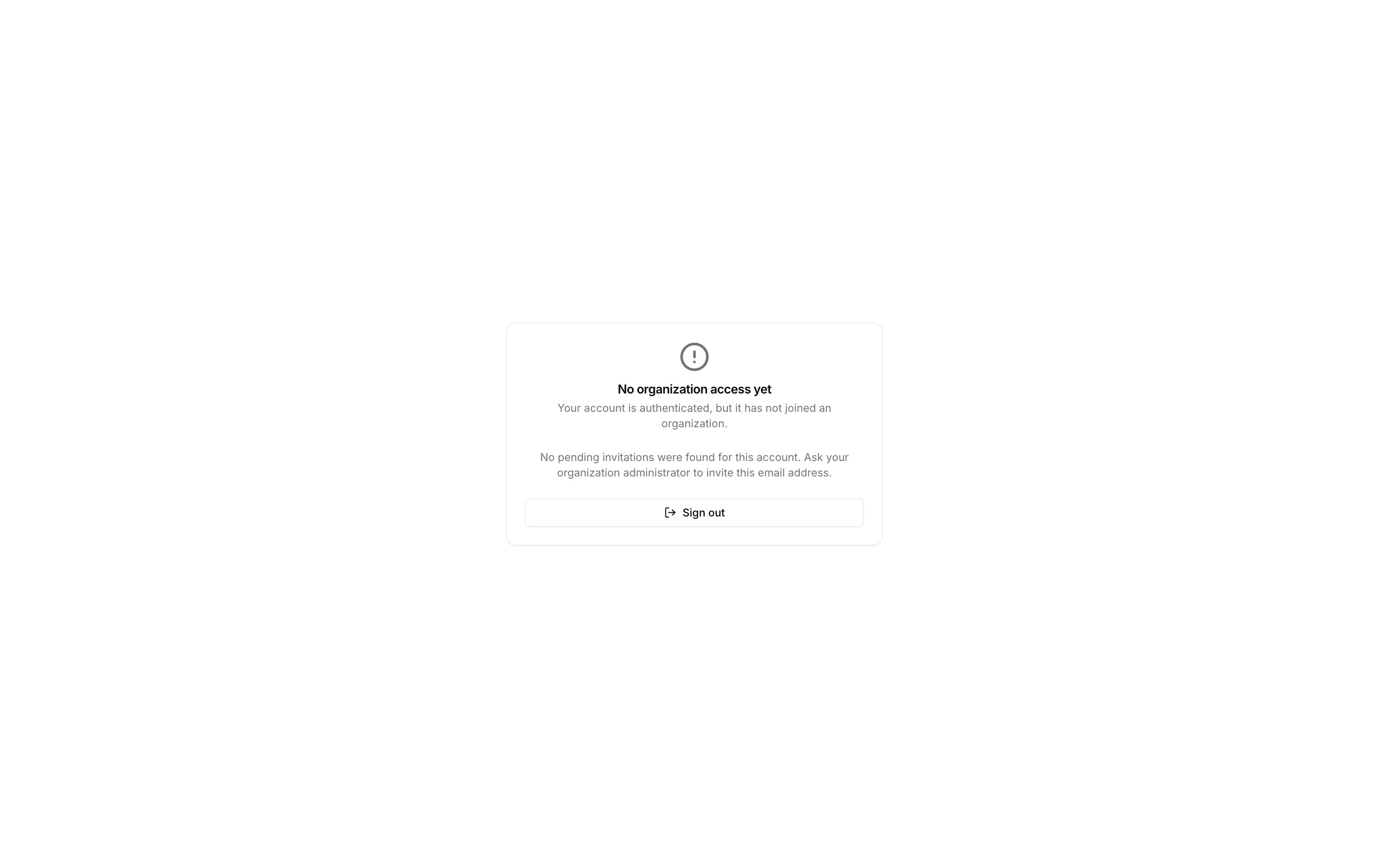
Registration and SSO create the account without an organization membership. Until an invitation or a superadmin grants one, the user sees `No organization access yet` after sign-in. That screen lists any pending invitations for their email and a `Sign out` button.
 In a single-tenant deployment, a superadmin account joins the default organization as `organization-owner` at registration. With `TRACECAT__EE_MULTI_TENANT=true`, no account joins an organization automatically at registration. In both modes, registering through an invitation link joins that invitation's organization.
### Invitations
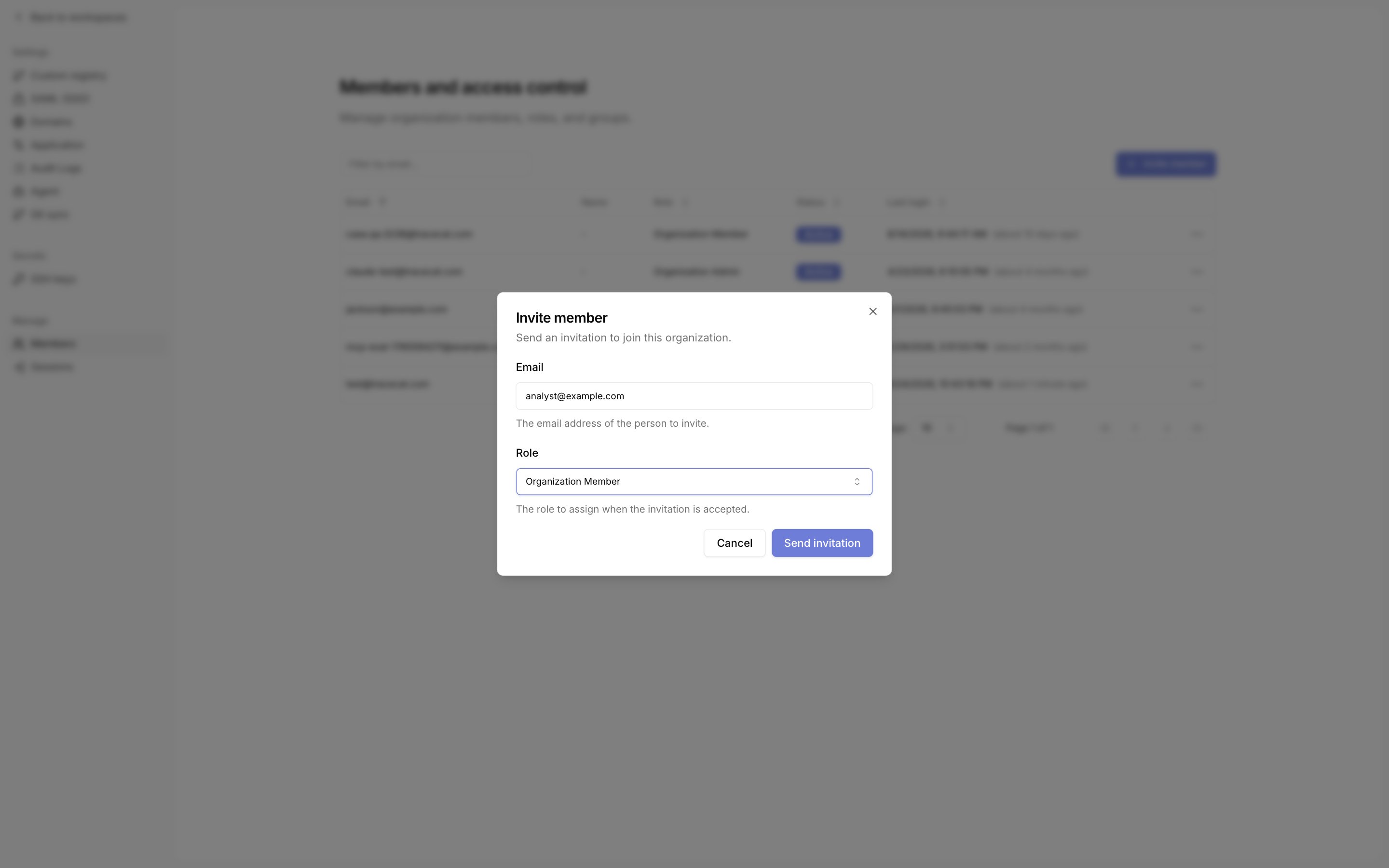
Organization owners and admins invite from the organization Members page with `Invite member`. The dialog takes an email and the role the account receives on acceptance. The invitation stays valid for 7 days.
In a single-tenant deployment, a superadmin account joins the default organization as `organization-owner` at registration. With `TRACECAT__EE_MULTI_TENANT=true`, no account joins an organization automatically at registration. In both modes, registering through an invitation link joins that invitation's organization.
### Invitations
Organization owners and admins invite from the organization Members page with `Invite member`. The dialog takes an email and the role the account receives on acceptance. The invitation stays valid for 7 days.
 You send the link yourself. Open the pending member's row menu, choose `Copy invitation link`, and send it to the invitee.
The link has the form `/invitations/accept?token=`. Tracecat rejects an email that is already a member or already holds a pending invitation.
The invitee opens the link and signs in, or signs up with basic auth. A sign-up started from the link accepts the invitation during registration.
The signed-in email must match the invitation. A used, revoked, or expired link shows `Invitation already accepted`, `Invitation revoked`, or `Invitation expired`.
After acceptance the account holds the invited role organization-wide and lands on `/workspaces`.
### Workspace membership
Workspace admins add existing accounts from the workspace's Members page with `Add member`. The lookup is by email, and an unknown email fails with `Couldn't find a user with this email`. The account receives `workspace-editor` in that workspace.
## Related pages
* See [Basic](/authentication/basic) for email-and-password sign-in, the minimum password length, and changing a password.
* See [Roles and permissions](/manage-platform/rbac) for what each built-in role can do and how organization membership gates workspace access.
* See [Environment variables](/self-hosting/environment-variables) for `TRACECAT__AUTH_SUPERADMIN_EMAIL`, `TRACECAT__AUTH_ALLOWED_DOMAINS`, and `TRACECAT__AUTH_MIN_PASSWORD_LENGTH`.
You send the link yourself. Open the pending member's row menu, choose `Copy invitation link`, and send it to the invitee.
The link has the form `/invitations/accept?token=`. Tracecat rejects an email that is already a member or already holds a pending invitation.
The invitee opens the link and signs in, or signs up with basic auth. A sign-up started from the link accepts the invitation during registration.
The signed-in email must match the invitation. A used, revoked, or expired link shows `Invitation already accepted`, `Invitation revoked`, or `Invitation expired`.
After acceptance the account holds the invited role organization-wide and lands on `/workspaces`.
### Workspace membership
Workspace admins add existing accounts from the workspace's Members page with `Add member`. The lookup is by email, and an unknown email fails with `Couldn't find a user with this email`. The account receives `workspace-editor` in that workspace.
## Related pages
* See [Basic](/authentication/basic) for email-and-password sign-in, the minimum password length, and changing a password.
* See [Roles and permissions](/manage-platform/rbac) for what each built-in role can do and how organization membership gates workspace access.
* See [Environment variables](/self-hosting/environment-variables) for `TRACECAT__AUTH_SUPERADMIN_EMAIL`, `TRACECAT__AUTH_ALLOWED_DOMAINS`, and `TRACECAT__AUTH_MIN_PASSWORD_LENGTH`.