

Slack apps
A Slack app sends Slack activity to Tracecat webhooks. Your workflows reply withtools.slack actions.
Slack expects an
HTTP 200 within 3 seconds. echo=true answers the URL verification challenge. echo=true&empty_echo=true returns the empty 200 Slack expects for interactions and slash commands. empty_echo only applies together with echo=true.
Use one workflow per Slack feature. Each webhook URL starts one workflow.
Slack app settings pages live at https://api.slack.com/apps/<app-id>/<page>. Find the app ID in Basic Information on Slack apps.
App manifest and scopes
The manifest requests these bot token scopes. Edit scopes later inOAuth & Permissions (/apps/<app-id>/oauth).
Remove the slash_commands, event_subscriptions, or interactivity block if you don’t use that feature. See the app manifest reference.
Open the sample Slack app manifest. In a local copy, replace each request URL with its workflow’s webhook URL and keep the matching suffix. Treat each full webhook URL as a credential.
Optional scopes
Optional scopes
Add these only for the
tools.slack actions you use.Create the app
Before you start, publish each workflow, copy its webhook URL (https://<tracecat-host>/api/webhooks/<workflow-id>/<webhook-secret>), and leave webhook API key authentication off. Slack can’t send the x-tracecat-api-key header and must reach Tracecat over public HTTPS.
1
Create the app from a manifest
Open Slack apps, click
Create New App > From a manifest, pick your workspace, and select JSON, and paste your configured manifest.2
Install the app
Open
Install App (/apps/<app-id>/install-on-team) and click Install to Workspace.3
Save the bot token in Tracecat
Copy the
Bot User OAuth Token (xoxb-...) from OAuth & Permissions (/apps/<app-id>/oauth). In Tracecat, set SLACK_BOT_TOKEN on the slack credential.4
Invite the app
In each channel the app should read, run
/invite @<app-name>.Event subscriptions
Run a workflow when something happens in Slack, such as a user mentioning@Tracecat.
1
Turn on events
Open 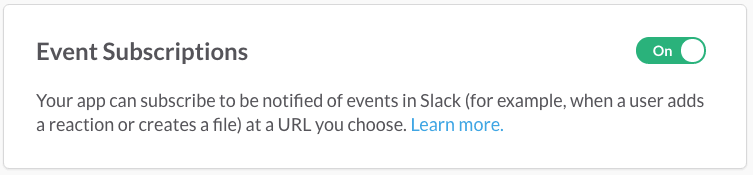
Event Subscriptions (/apps/<app-id>/event-subscriptions) and turn on Enable Events.2
Set the request URL
Paste the webhook URL with 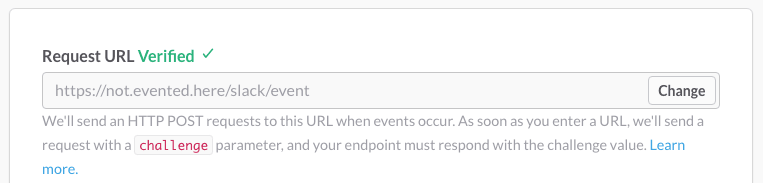
?echo=true. Slack shows Verified when Tracecat echoes the challenge.3
Subscribe to app_mention
Under
Subscribe to bot events, add app_mention, then click Save Changes.app_mention. It only fires when a user mentions the app. Message events such as message.channels start a run for every message in every channel the app is in.
Other common bot events
Other common bot events
TRIGGER.event. The verification request also starts a run, so skip it with run_if:
200 in 3 seconds. Deduplicate on TRIGGER.event_id.
Interactivity
Run a workflow when a user clicks or submits something in a message or modal your workflow posted.1
Turn on interactivity
Open
Interactivity & Shortcuts (/apps/<app-id>/interactive-messages) and turn on Interactivity.2
Set the request URL
Paste the webhook URL with
?echo=true&empty_echo=true, then click Save Changes.action_id or type.
Common interactive components
Common interactive components
Build messages and modals in Block Kit Builder.
payload form field. Parse it with FN.deserialize_json:
block_actions payloads for every field.
Slash commands
Let users run a workflow on demand, such as/tracecat lookup 1.2.3.4.
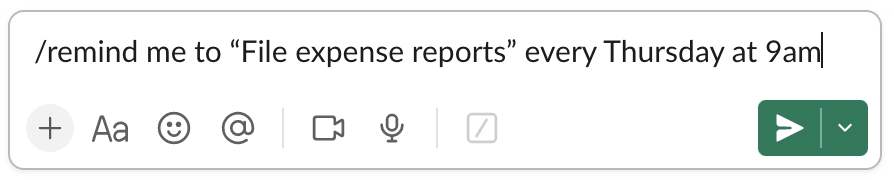
1
Create the command
Open
Slash Commands (/apps/<app-id>/slash-commands) and click Create New Command.2
Set the request URL
Enter the command, such as
/tracecat, and paste the webhook URL with ?echo=true&empty_echo=true. Click Save.3
Reinstall the app
Reinstall the app so Slack adds the
commands scope.TRIGGER:
References
- Events API and request URL verification
- Handling user interaction
- Implementing slash commands
- Block Kit
- App manifest reference
- Scopes reference
- Verifying requests from Slack