

Overview
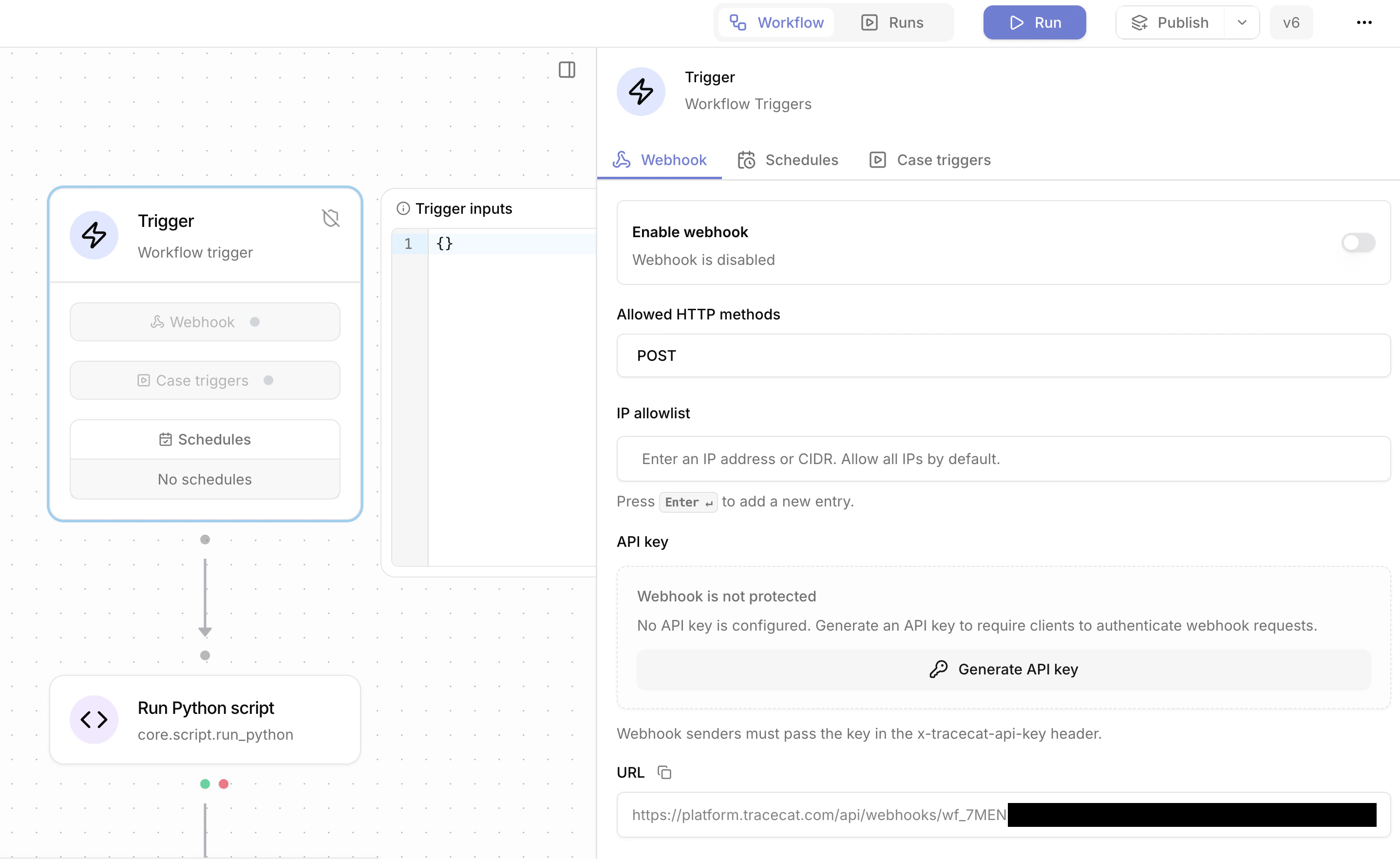
Webhooks start a workflow from an external system. The URL includes the webhook secret.POST is the primary method. GET also works for verification flows. The workflow must be published before the webhook runs.
Using webhook payloads
The request body becomesTRIGGER, for example ${{ TRIGGER.alert_id }}.
Supported request formats
Parsing:- Empty body: no trigger payload is created.
- JSON by default: the body is parsed as JSON and becomes
TRIGGER. - Form payloads with
application/x-www-form-urlencoded: the body is parsed as a dictionary. Form field names become keys onTRIGGER. - NDJSON payloads with
application/x-ndjson,application/jsonlines, andapplication/jsonl: Tracecat starts one workflow run per JSON line.TRIGGERis that line, not the full request body.
Securing webhooks
Allowed HTTP methods
Allowed methods can beGET, POST, or both. Requests that use a method outside the allowed list are rejected.
API key authentication
Webhook API keys are optional. If configured, the sender must includex-tracecat-api-key. The UI supports generate, rotate, revoke, and delete. A revoked key blocks requests until a new key is generated or API key protection is removed.
IP allowlist
Requests can be restricted to specific IPs or CIDR ranges. The allowlist is IPv4-only.Response
Default response:echo=true: add the original request body to the response underpayload.empty_echo=true: return an empty200with no body. Impliesecho=true.vendor=okta: handle Okta verification challenges. See Okta verification.
Synchronous execution with /wait
To run a workflow synchronously and receive itsreturn value in the response, use the /wait endpoint described in Workflows-as-APIs.
Slack event subscriptions
Slack event subscription verification uses?echo=true.
Slack modal close and fast acknowledgements
Slack interactive flows that need a fast empty acknowledgement use?echo=true&empty_echo=true.
Okta verification
Okta verification requests usevendor=okta. Tracecat reads x-okta-verification-challenge and returns: