

Features
Cases
Create, update, search, assign, tag, and delete cases.
Comments
Add comments, replies, and thread lookups.
Attachments
Upload, list, download, and delete case attachments.
Tasks
EE
Add todo items with attachable workflows.
Linked tables
EE
Link structured data to cases.
Metrics
EE
Track custom case metrics.
Working with cases
Use a case when you need a durable investigation record instead of a single workflow run. Your workflows can create or update a case, attach evidence, add comments, and move the case forward as new context arrives.- Track the current owner, severity, priority, and status in one place
- Add comments and replies so analysts and workflows share the same timeline
- Store evidence as attachments instead of passing large blobs between actions
- Link structured rows, tasks, and metrics to keep investigation context organized
Trigger workflows
Enterprise- Type
/in a case comment and select a published workflow. See Comment triggers to run it from the comment. - Set a workflow on a case task and start it from the task. See Case tasks for task setup and Task triggers for the trigger payload.
- Run a workflow automatically when a case event occurs. See Case triggers to select events and tag filters.
/ or start the workflow from a task instead of asking an agent to run it.
Trigger agents
Mention a preset agent
Enterprise Type@ in a comment to have a preset agent investigate the case and reply in the thread. See Mention agents in case comments to configure access and follow the run.
Use the in-case copilot
Open source Use the copilot inside a case to summarize activity and draft next steps. It draws from the case timeline, linked evidence, and workflow output.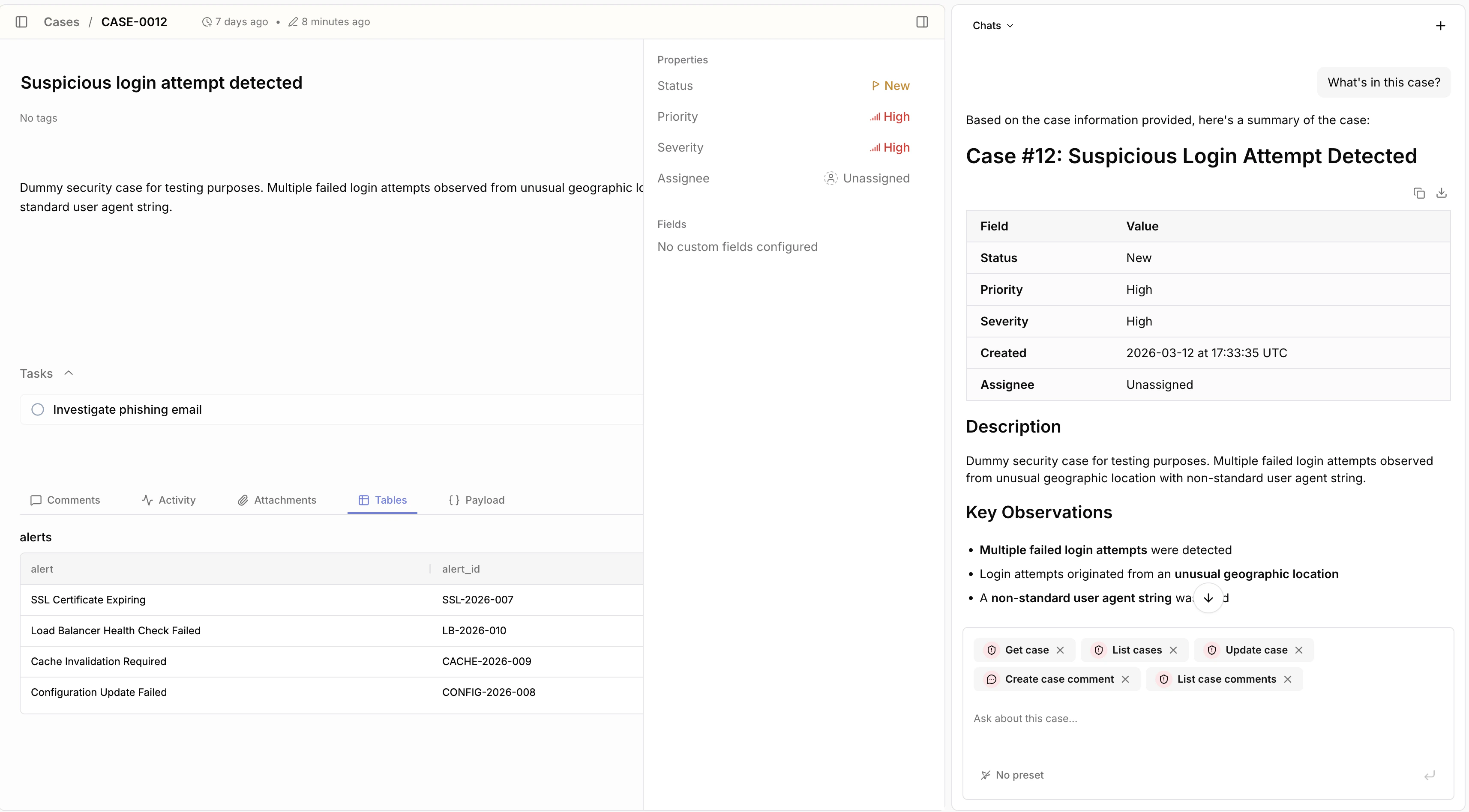
Correlate across cases
Enterprise Enterprise extends the copilot beyond a single case. Use it to correlate related cases, compare investigation history, and surface patterns across incidents.- Correlate repeated alerts across multiple cases
- Spot shared indicators, assets, or actors
- Find similar investigations before you start a new one
- Build broader investigation context across your case queue
Tags
Tags help you group and find related cases. You can use them to label incidents by team, detection source, campaign, environment, or any other shared dimension.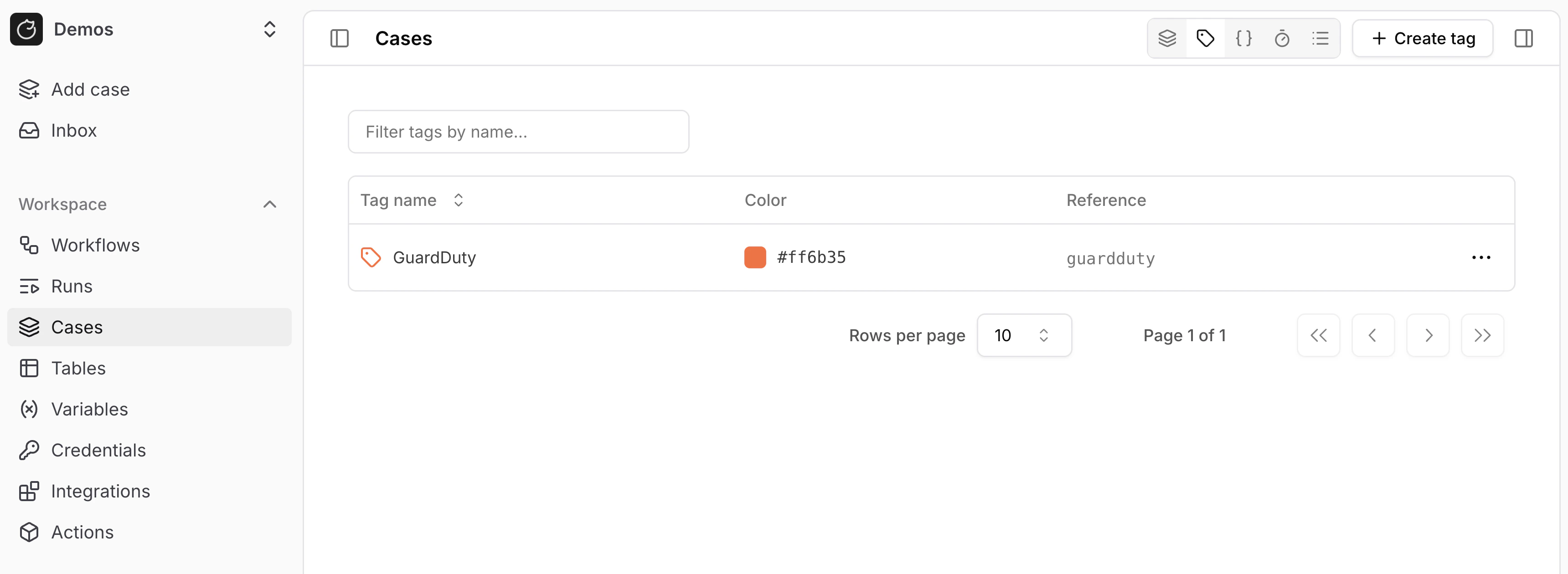
core.cases.create_case and core.cases.update_case.
Custom fields
Custom fields store case-specific data that does not fit into the default case properties, such as ticket IDs, affected systems, or triage notes. See Custom fields and dropdowns for field types and how workflows read and update them.Dropdowns
Enterprise Dropdowns add custom top-level case filters with a fixed set of options, such as queue, business unit, or incident type. See Custom fields and dropdowns to set them up.Durations
Enterprise Durations track elapsed time between case events, such as time to triage or time to resolution. See Case durations for details.Tasks
Enterprise See Case tasks to assign follow-up work, track completion, and start workflows from a task.Linked tables
Enterprise Link table rows to a case to attach structured evidence such as indicators, assets, or external detections. See Linked tables to link and unlink rows and for per-case limits.Case actions
Usecore.cases.* actions when you want your workflows to create or update cases.
Case descriptions and comments support Markdown whether you write them in the case UI or pass them to an action.
Use the description input for case descriptions and the content input for comments and replies.
You can include standard Markdown formatting, Markdown tables, and Mermaid diagrams.
To add a diagram, wrap valid Mermaid syntax in a fenced code block labeled mermaid.
Each group of case actions has its own reference page:
- Cases to create, fetch, update, search, and delete cases, assign users, apply tags, and read metrics
- Comments to add, reply to, update, and list comments and comment threads
- Attachments to upload, list, download, and delete case attachments
- Tasks to create, update, and list case tasks
- Linked rows to link table rows to a case and read them back