

Tables
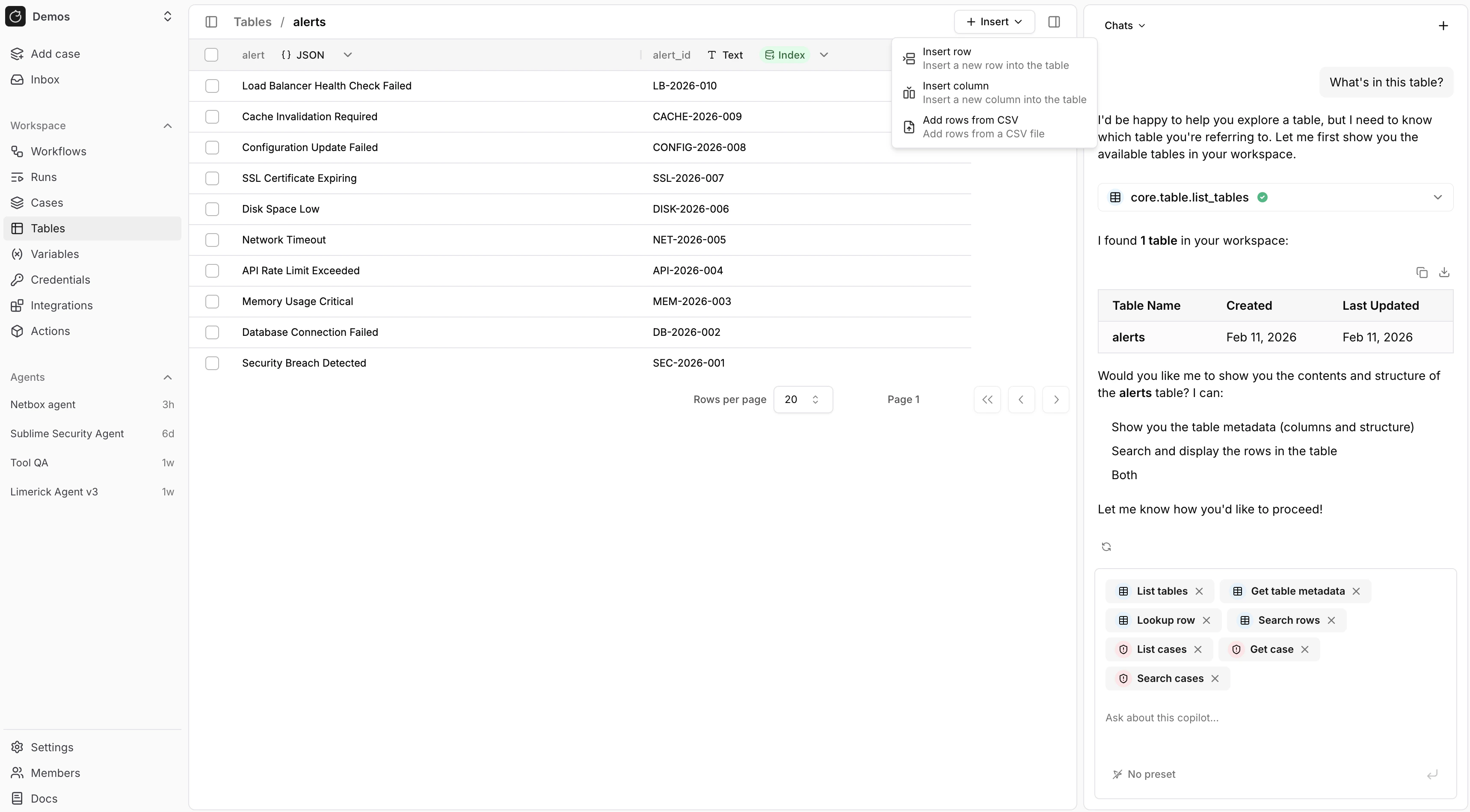
core.table.* actions in a workflow definition.
Use tables when you want to:
- Keep durable records across workflow runs
- Look up known values such as users, hosts, or indicators
- Search and export structured data for investigation or reporting
- Reuse the same dataset across multiple workflows
Columns
Each table has a schema that defines its columns. Choose column types based on the data you want to store and query. When you define columns in the UI or incore.table.create_table, use the same uppercase type values exposed in the custom tables picker:
You can create tables with the following column types:
- TEXT
- INTEGER
- NUMERIC
- BOOLEAN
- DATE
- TIMESTAMPTZ
- JSONB
- SELECT
- MULTI_SELECT
TEXT, INTEGER, NUMERIC, and BOOLEAN for simple fields.
Use DATE or TIMESTAMPTZ for time-based values, JSONB for nested structured data, and SELECT or MULTI_SELECT when the value must come from a fixed list.
Case custom fields use the same storage type family: TEXT, INTEGER, NUMERIC, BOOLEAN, DATE, TIMESTAMPTZ, JSONB, SELECT, and MULTI_SELECT.
In the case field picker, raw JSONB is currently surfaced through the URL kind, and Long text is layered on top of TEXT.
Rows
Rows hold the actual records in a table. You can insert, update, delete, look up, and search rows as your workflows process new events. This works well for data such as:- Asset inventories
- User allowlists
- Enrichment results
- Investigation evidence
- External system references
core.table.lookup.
If you need broader filtering or text search, use core.table.search_rows.
For example, use core.table.lookup when you know the exact value:
core.table.search_rows when you want to search across rows:
core.table.search_rows also filters on row creation time: start_time and end_time bound each row’s created_at timestamp.
The limit ceiling is 200 and larger values raise an error; page with paginate: true and cursor to read more rows, or use core.table.download, which returns up to 1000 rows.
Index and upsert
You’ll often need to deduplicate data or require all values in a column to be unique. You can do that by creating an index and then usingcore.table.insert_row with upsert: true.
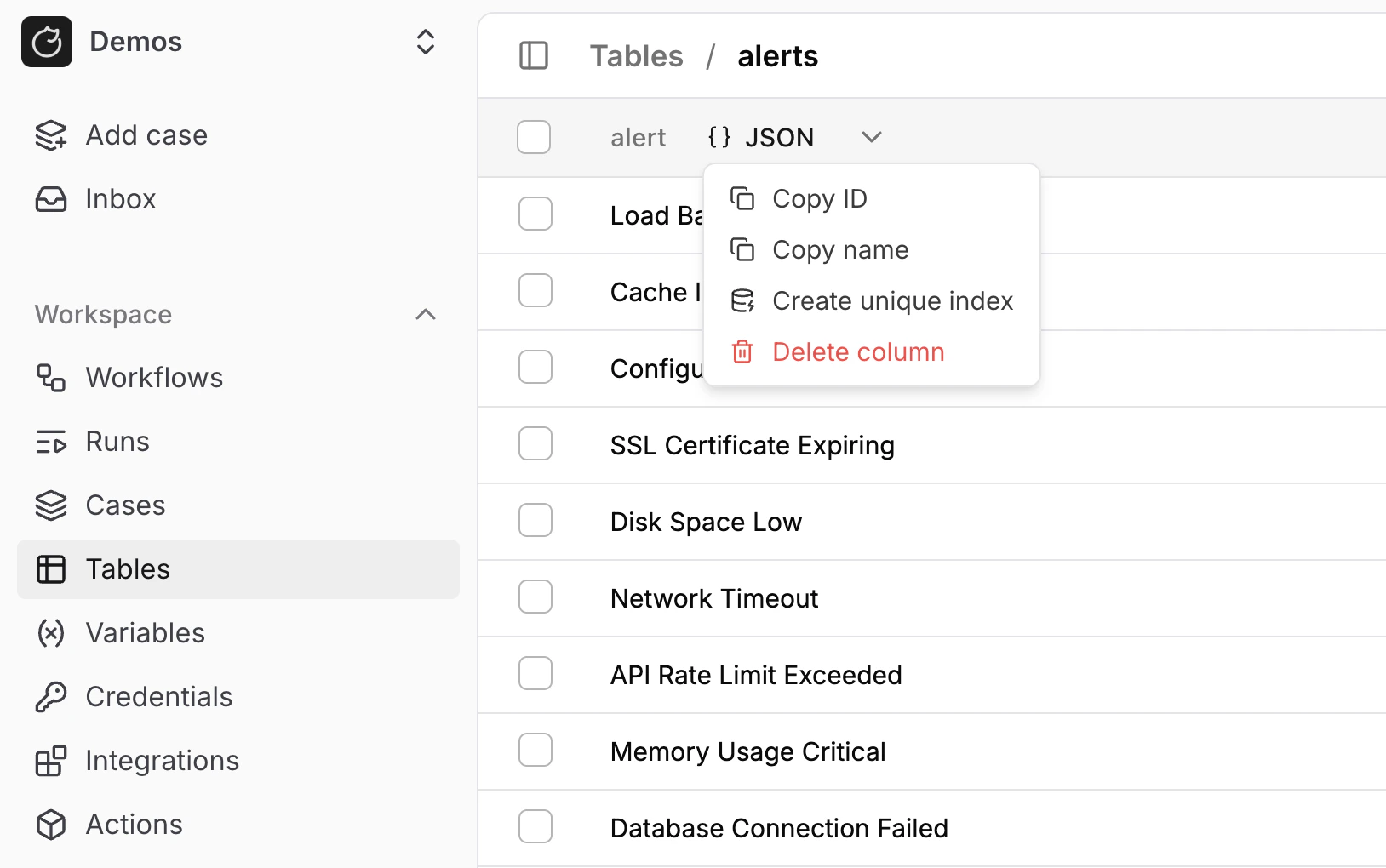
- One row per hostname
- One row per email address
- One row per alert ID
- One row per hash value
core.table.insert_row with upsert: true updates the existing row instead of creating a duplicate.
To create the index from a workflow definition, create the table with core.table.create_table, then set the column’s is_index with core.table.update_column:
is_index: true is not idempotent: a second call raises Table cannot have multiple unique indexes.
A workflow that repeats the index step on every run must guard it, and downstream steps need join_strategy: any:
Vector search
Enterprise Edition Vector search finds rows by meaning in theTEXT columns you choose.
Connect an LLM provider that offers an embedding model first: OpenAI, Gemini, Amazon Bedrock, Ollama, or vLLM.
On plans without vector search, the status badge and the Enable vector search menu item open an Enterprise only dialog.
1
Enable vector search on a column
Open the table, click the arrow in a 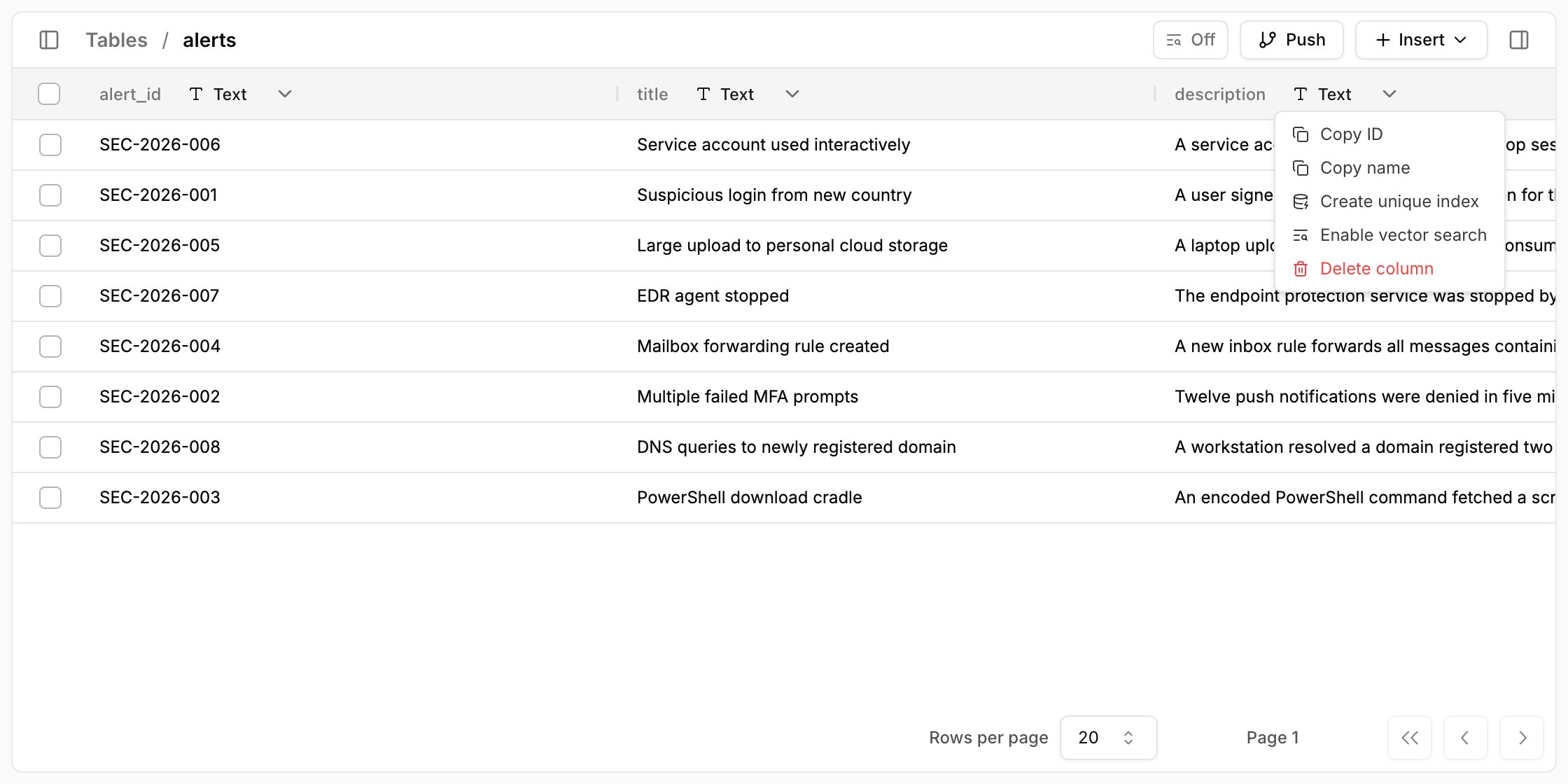
TEXT column header, and select Enable vector search.2
Confirm
The dialog names the provider and embedding model that receive the column’s text. Click 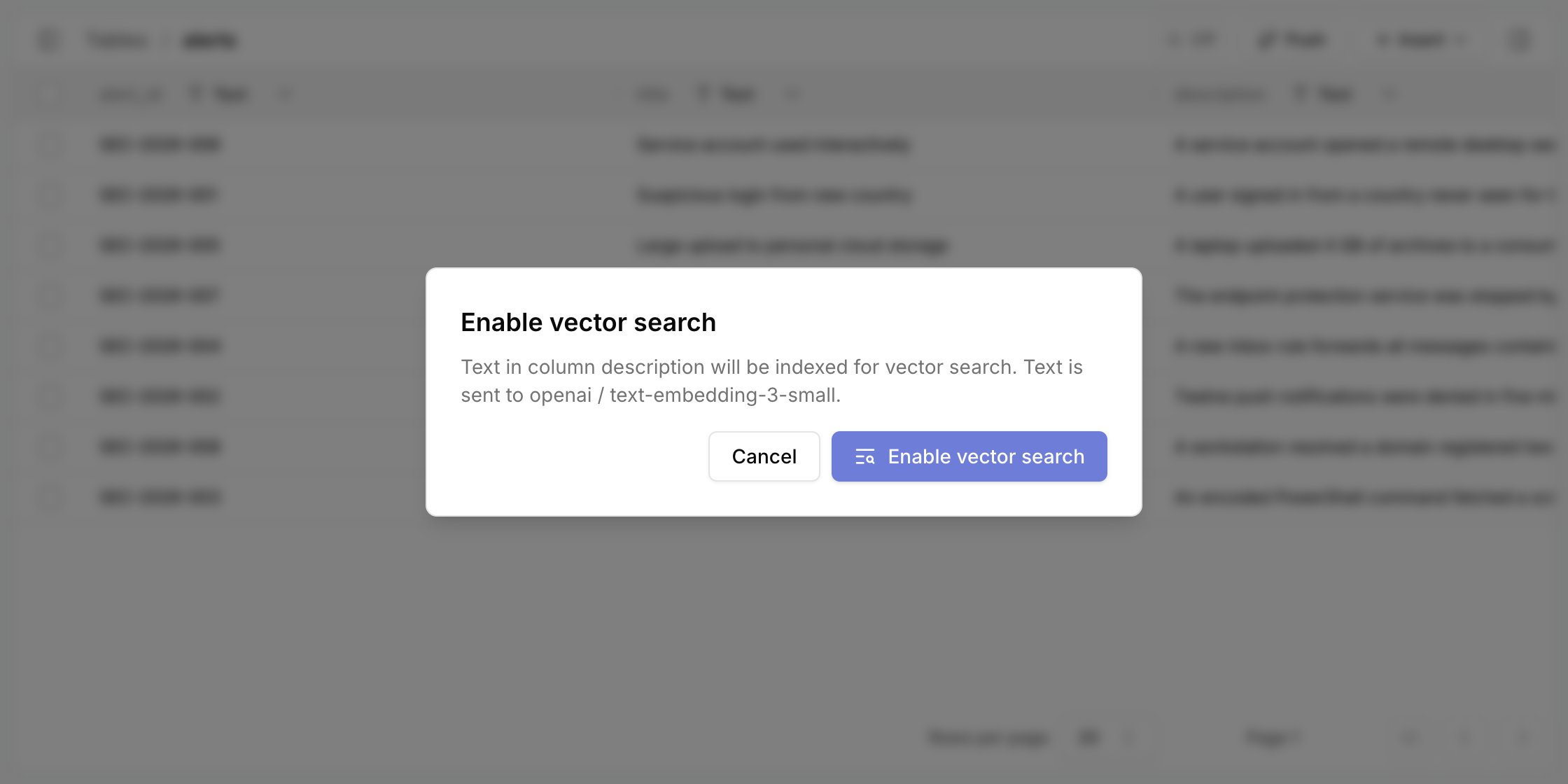
Enable vector search.3
Wait for the index
The status badge in the page header reads 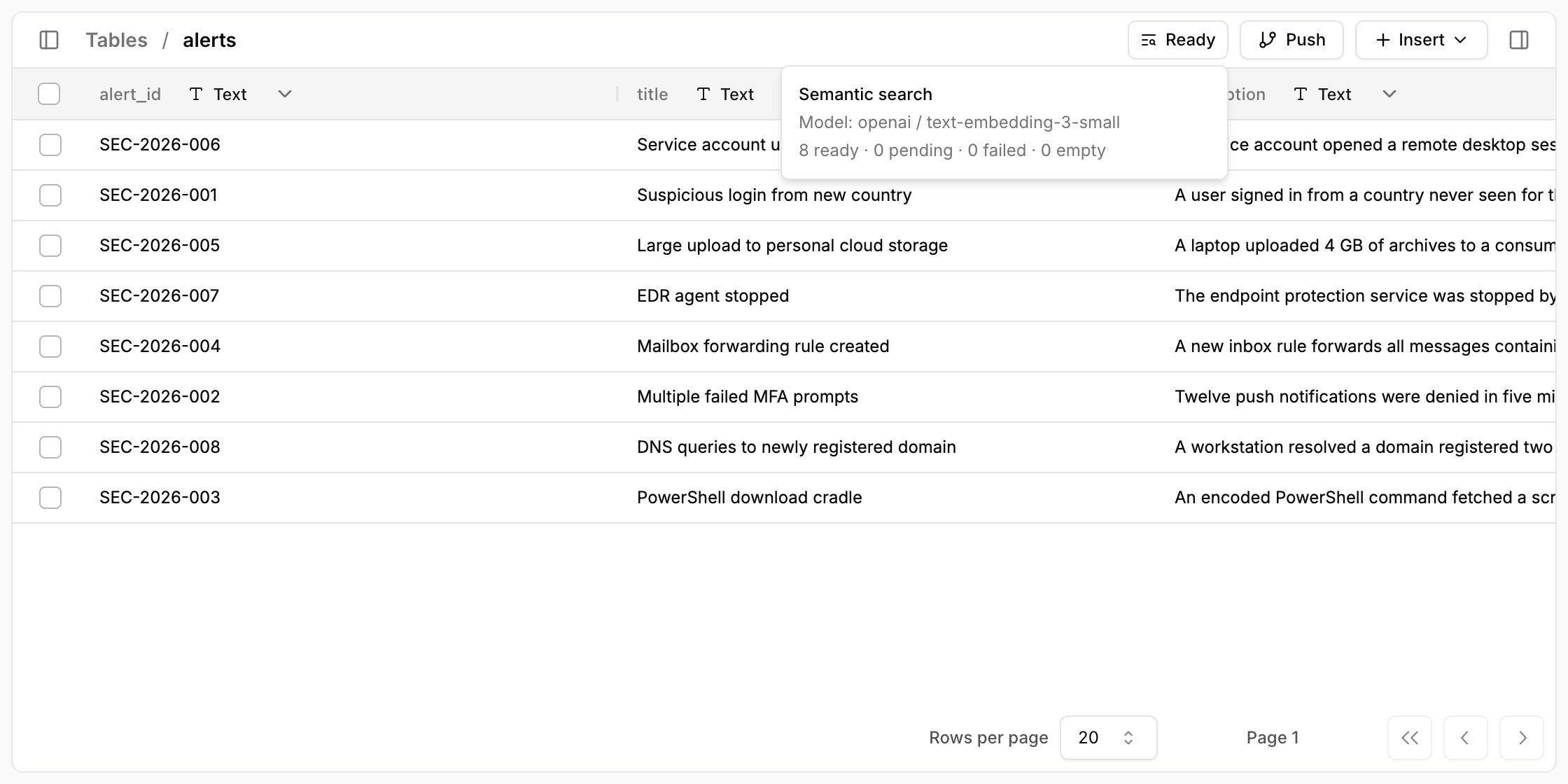
Indexing while Tracecat indexes the rows, then Ready.
Hover over the badge to see the embedding model and how many rows are ready, pending, failed, or empty.4
Search by meaning
Call
core.table.search from a workflow. Each result holds the row_id, a similarity score, and the matching excerpt.Disable vector search from the same menu; Tracecat rebuilds the index for the remaining columns.
core.table.search takes these arguments:
table: Required table name.query: Required search text, up to 512 tokens or the embedding model’s smaller input limit.limit: Optional rows per page, from 1 to 100. Defaults to 10.cursor: Optionalnext_cursorfrom the previous page. Keep the other arguments unchanged. Cursors expire after five minutes, and one search returns at most 100 rows across all pages.allow_partial: Optional boolean. Defaults tofalse, which fails while the index is still building. Set it totrueto search only rows that are already indexed.
items, next_cursor, has_more, and index.
Each item holds one distinct row: row_id, score, and match, where match names the column_name and the matching text.
score is cosine similarity, not a confidence level, so compare scores within one search rather than against a fixed threshold.
Table actions
Usecore.table.* actions when you want your workflows to work with tables directly.
- Tables to create tables, inspect metadata, and update table settings
- Columns to add, update, and delete columns
- Lookups to look up and search rows
- Rows to insert, update, and delete rows
- Export to download a table
- Use
core.table.insert_rowwithupsert: truewhen you want to update an existing row that matches a unique index
core.table.create_table takes columns as a JSON array of column objects.
This is the same schema you use for tables that you later link to cases.
name: Required string. Use letters, numbers, and underscores, and start with a letter or underscore.type: Required uppercase string. UseTEXT,INTEGER,NUMERIC,BOOLEAN,DATE,TIMESTAMPTZ,JSONB,SELECT, orMULTI_SELECT.nullable: Optional boolean. Defaults totrue.default: Optional value. It must match the column type.options: Optional array of strings. Required forSELECTandMULTI_SELECT, and invalid for other types.