

Why use a custom registry
- Version control your code separate from Tracecat
- Reuse your custom actions in multiple agents and workflows
- Easily update your custom actions across all agents and workflows
Permissions
Custom registry is an organization-level feature and syncs across all workspaces. You must have the “Organization Admin” role to add and manage the custom registry.Installation
1
Clone the custom registry starter kit
Clone the custom registry starter kit from GitHub.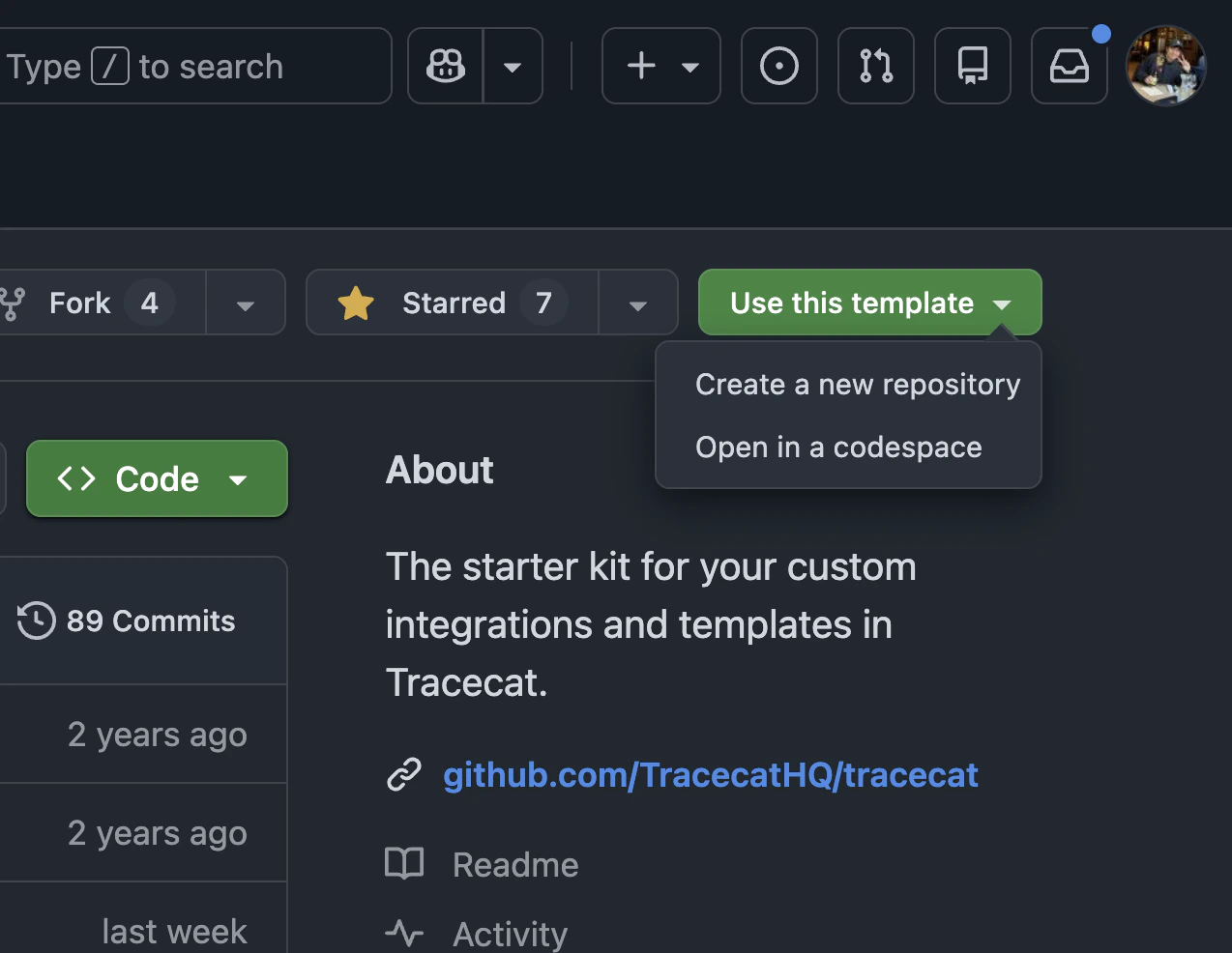
2
Add an SSH key
Tracecat clones the repository over SSH.
Generate an SSH key pair and add the public key to the repository as a read-only deploy key (GitHub: repository Settings -> Deploy keys).Go to Organization settings -> Custom registry -> Repository, click “Add SSH key” in the SSH key section, and paste the private key.
The name is fixed to 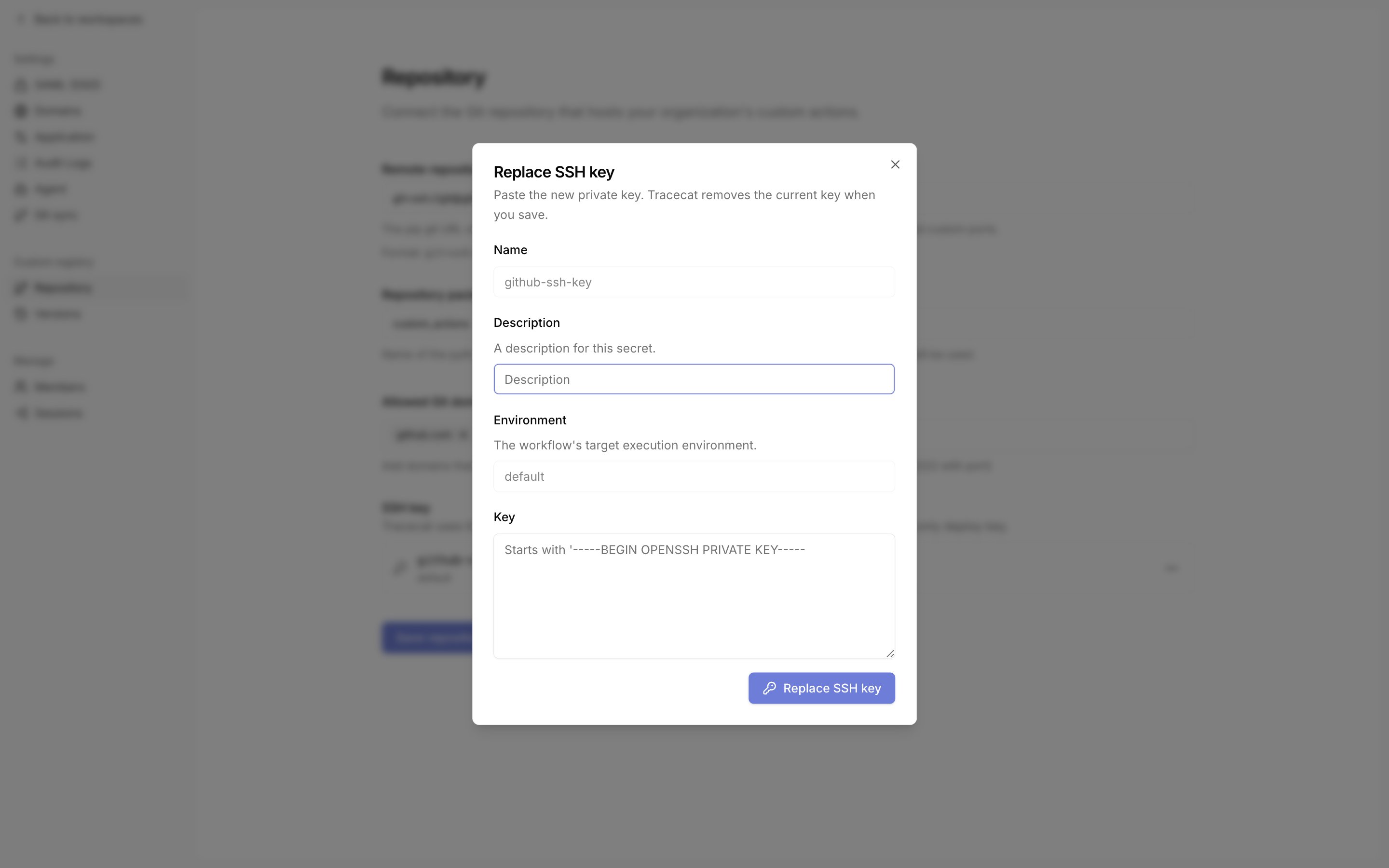
github-ssh-key and the environment to default. Tracecat looks the registry key up by this exact name, whichever Git host you use.
To rotate the key, click “Replace SSH key” in the same section.3
Add registry to Tracecat
Go to Organization settings -> Custom registry -> Repository.Set the remote repository URL, repository package name, and allowed Git domains, then click “Save repository settings”.
The remote repository URL is a pip URL of the form 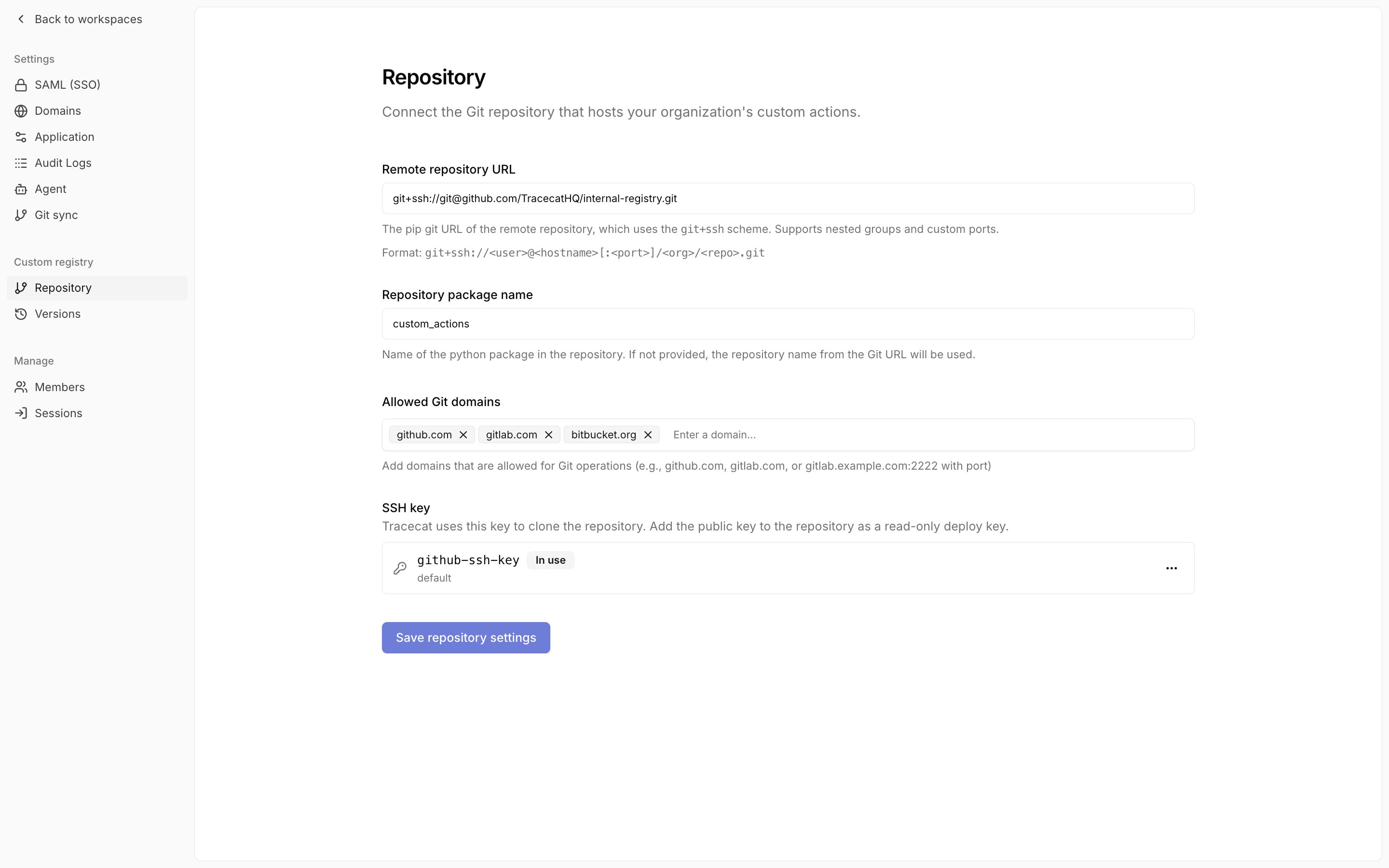
git+ssh://git@github.com/your-org/your-repo.git.
The package name is the name of the Python package (e.g. the parent folder named custom_actions in the starter kit) in the repo.4
Sync the registry
Go to Organization settings -> Custom registry -> Versions.
The table lists the commits on the branch named by the repository URL’s 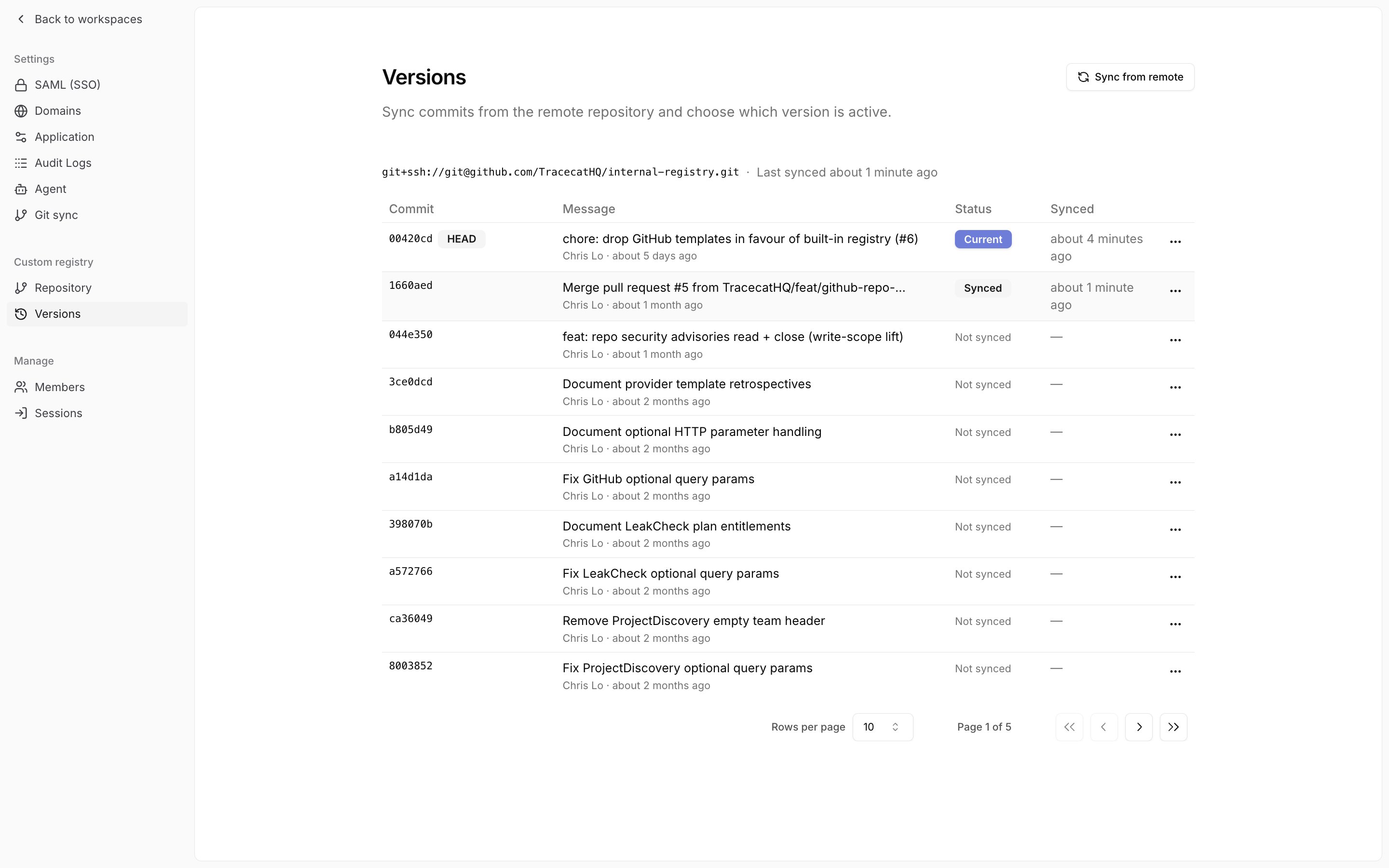
@ref suffix (main when absent), newest first, with a HEAD badge on the latest.Click “Sync from remote” in the page header and confirm to sync HEAD.
If the page shows an SSH error, check that the SSH key section on the Repository page lists github-ssh-key and that its public key is installed on the repository.Manage versions
Each sync creates a version pinned to its source commit. On the Versions page, every row shows the commit, its message and author, its status (Current, Synced, or Not synced), and when you last synced it.
Open the row menu to act on a version.
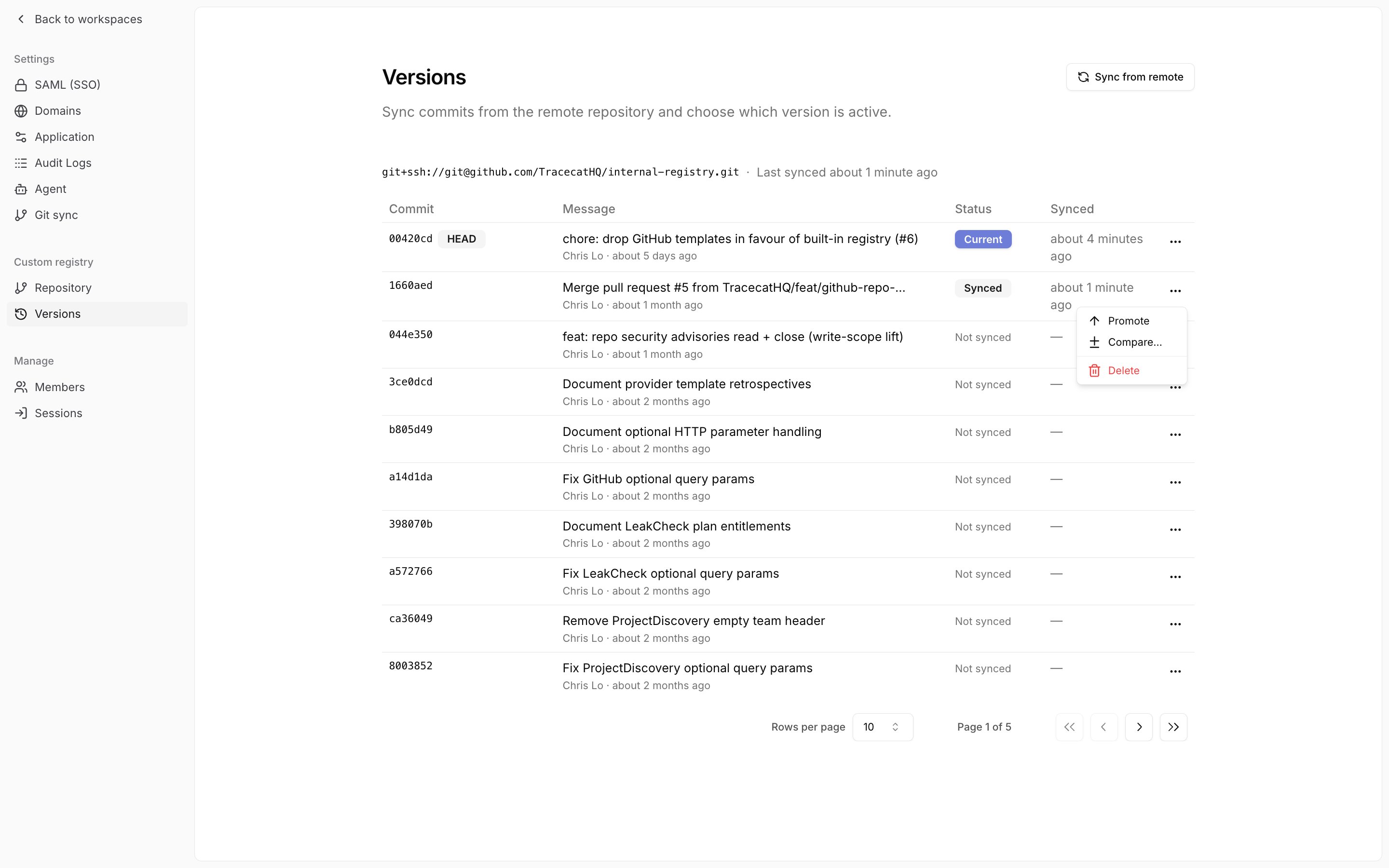
- “Sync this commit” syncs a commit you have not synced yet.
- “Promote” makes an already-synced version the current one. Promote an earlier version to roll back.
- “Compare…” shows the actions added, removed, and modified between two versions.
- “Delete” removes a synced version. Tracecat blocks deletion of the current version and of any version that published workflows use.
How custom registry works
When you sync a registry, Tracecat:- Pulls the latest code from the remote repository
- Converts the package and its dependencies into a tarball using
uv - Uploads the tarball to S3-compatible object storage
- Tarballs are stored in the bucket specified in the
TRACECAT__BLOB_STORAGE_BUCKET_REGISTRYenvironment variable
Published workflows run actions synced at the time of publication.
When triggered, the Tracecat executor pulls the pinned version of the platform registry and custom registry tarballs from S3.You must republish a workflow to use the latest platform and custom actions.
Even if there were no changes to the workflow itself.
FAQ
Does Tracecat support self-hosted Git repositories?
Does Tracecat support self-hosted Git repositories?
Yes. Tracecat works with Gitlab and GitHub Enterprise.
Can I rename my custom Python package name?
Can I rename my custom Python package name?
Yes. The package name from the starter kit is
custom_actions.
To rename it, you’ll need to rename the:custom_actionsfolder tomy_new_package_name- Project name in
pyproject.tomltomy_new_package_name
Can I rename the git repo?
Can I rename the git repo?
Yes. You can rename the git repo. It does not need to have the same name as the Python package.
How can I add new Python dependencies?
How can I add new Python dependencies?
You must specify new dependencies in the
dependencies section of the pyproject.toml file.Can I test actions without syncing on every change?
Can I test actions without syncing on every change?
Yes. For local Docker deployments, you can hot reload custom actions into Tracecat with a local registry.
See local development for more details.