

Correlations
Correlations show every other case that links the same table row. Use them to spot campaigns, repeat offenders, and shared infrastructure: if two cases link the same IP address row, the cases are related.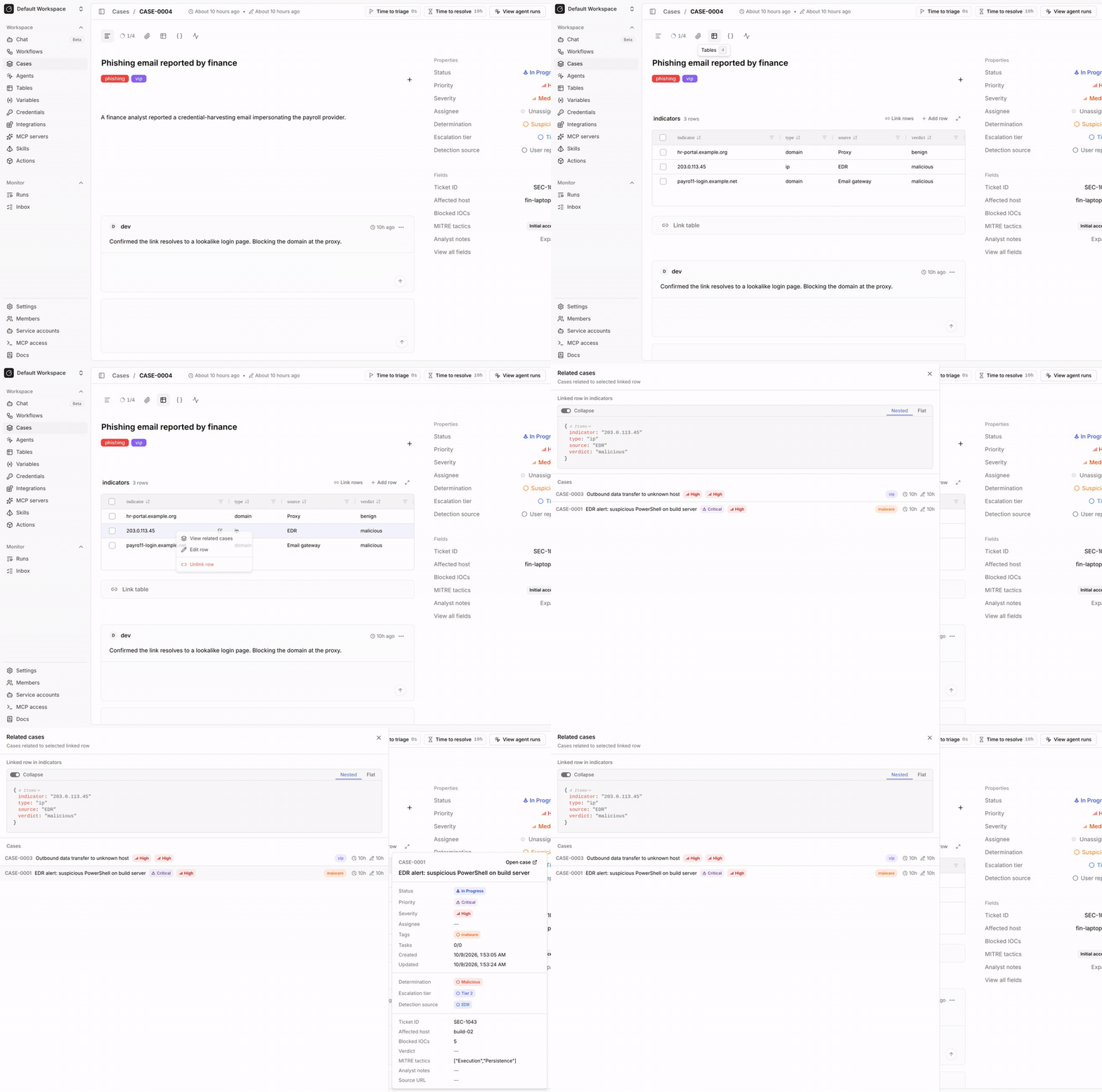
View related cases
1
Open the Tables tab
Open the case and select the Tables tab.
2
Right-click a row
Right-click a linked row and select
View related cases.3
Review the cases
The
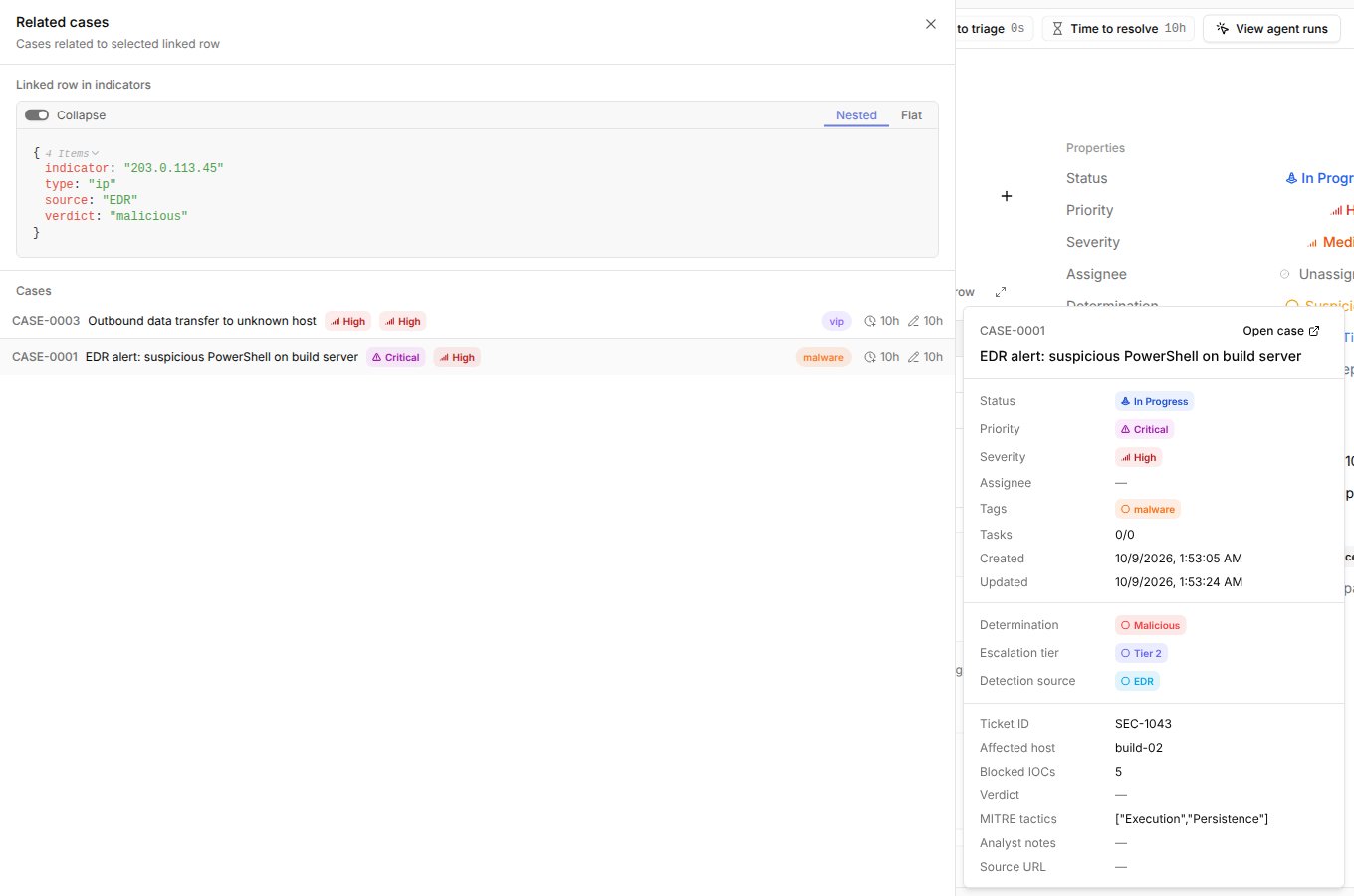
Related cases drawer shows the row’s data and every other case that links it.
The current case is left out.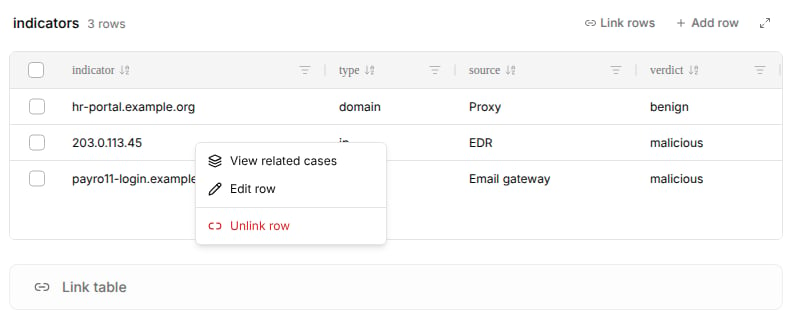
Open case, or Ctrl-click or Cmd-click the case, to open it in a new tab.
If more cases link the row, click Load more at the bottom of the list.
Correlate cases in workflows
Usecore.cases.list_cases_by_row to find cases that link a row.
Pass exclude_case_id to leave out the current case.
table_row_linked to comment on or escalate a case as soon as an analyst or workflow links a row that already appears in other cases.
Related pages
- See Linked rows to link indicators, assets, and detections to a case.
- See Linked row actions for every input of
core.cases.list_cases_by_row. - See Workflow triggers to run workflows when rows are linked or unlinked.