

Before you start
Your workspace role needs:agent:readto find preset agents in autocomplete.agent:executeto invoke the selected agent.case:updateto create the comment.
agent:read and agent:execute, @ behaves as regular comment text and never starts an agent run.
Without Enterprise, @ still opens the list, showing an Enterprise notice in place of agent names.
Mention an agent
- Open a case and start a new comment or reply.
- Type
@, then enter part of the preset agent’s name. - Select the agent from the autocomplete list.
- Add your request and submit the comment.
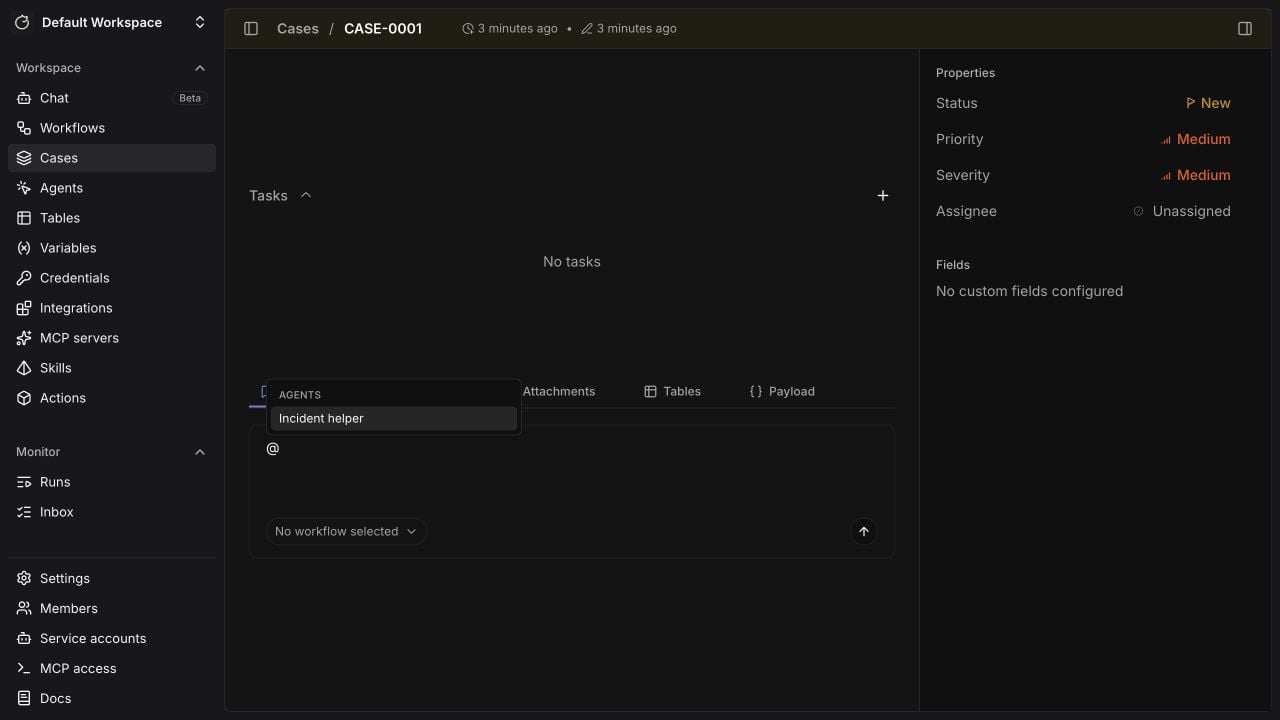
Follow the response
The comment thread shows when each mentioned agent is preparing, running, or unable to finish. Multiple mentions run independently and can finish in any order.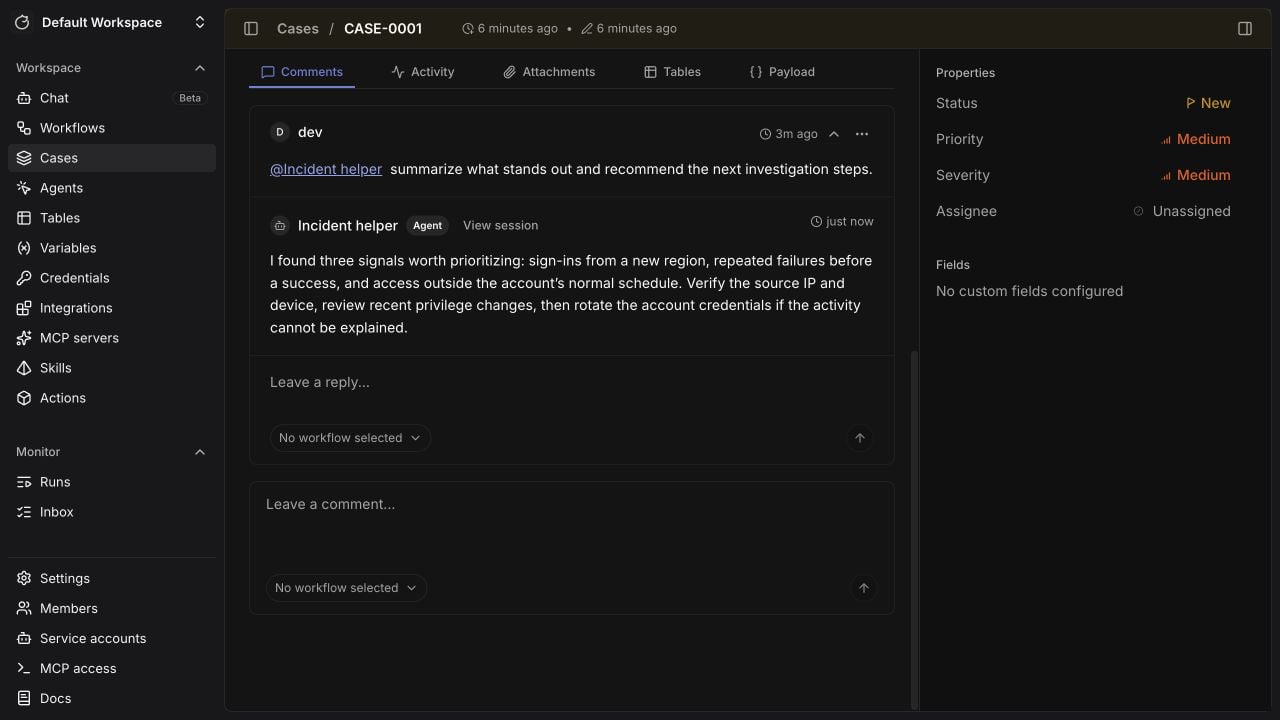
[Agent output truncated] when a longer response reaches that limit.
Agent context
The agent receives the current case context and the comment thread that contains the mention. The context identifies the mentioning user and asks the agent to write a self-contained reply. Each mention starts a new agent session. Later mentions receive the updated comment thread, but they do not receive another session’s private working transcript.View the full session
SelectView session from the agent activity or attributed reply to open the exact case chat session.
The session contains the full transcript, including tool calls, errors, and approval pauses that do not appear in the comment reply.
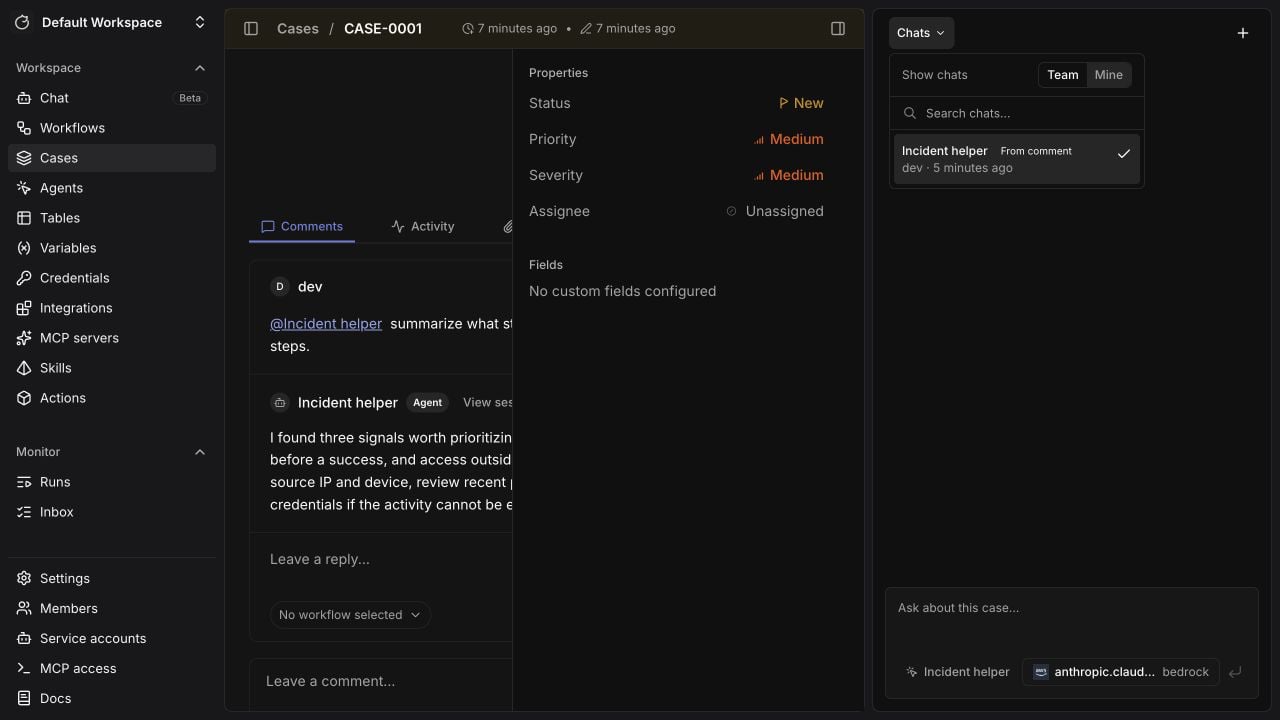
From comment badge in the case chat history.
Use the history search to find these sessions after the comment thread is no longer visible.
Run workflows from an agent
A mentioned agent can run workflows configured as tools on its preset. When you need fixed order, deterministic branching, or guaranteed steps, use a/ command to run the workflow directly.
Related pages
- See Case management to configure and manage case records.
- See AI agent to configure agent tools, outputs, and approvals.
- See Comment triggers to run a workflow from a case comment instead of invoking a preset agent.