

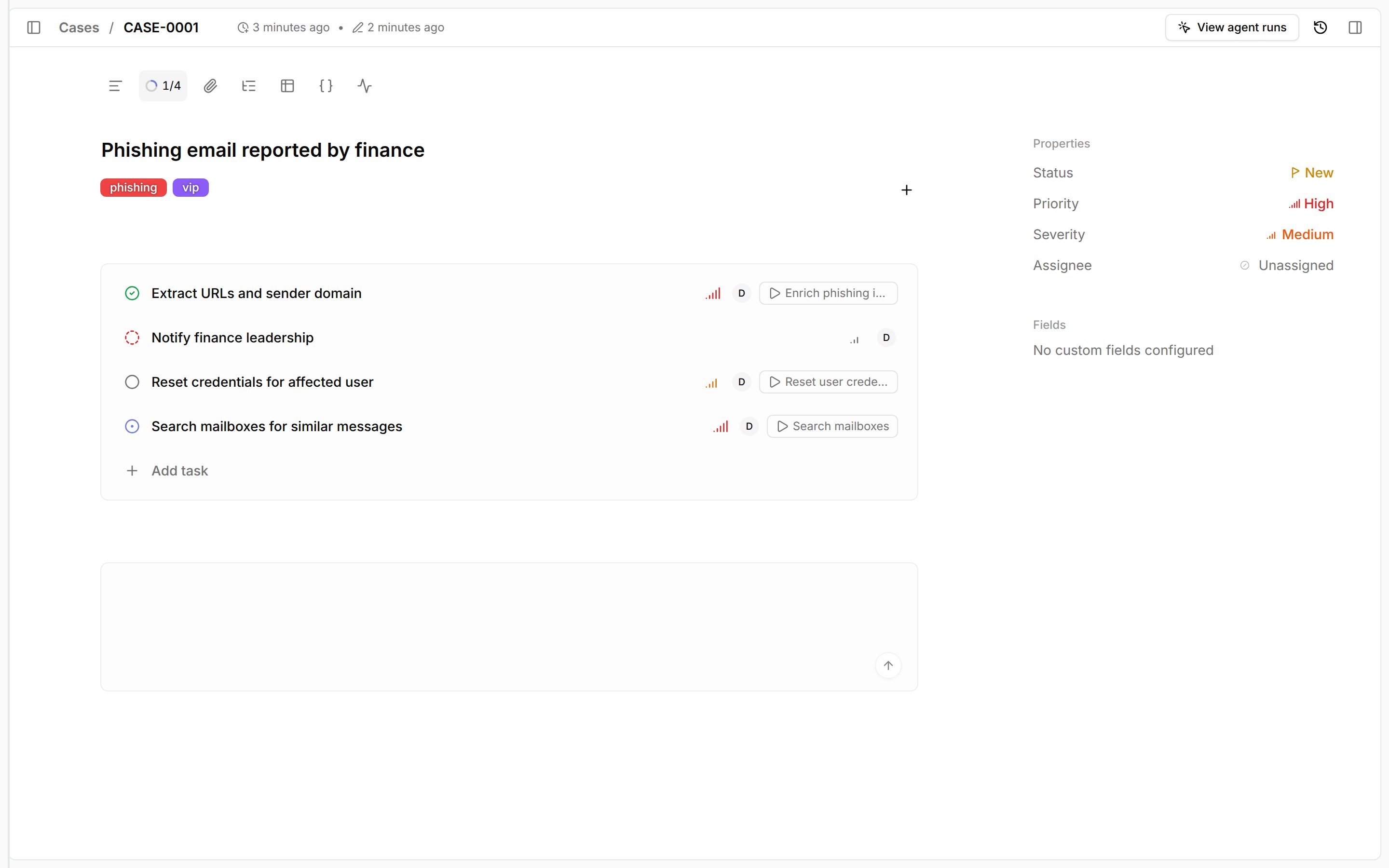
Add a task
- Open a case and select the tasks control in the case toolbar. It shows completed and total task counts, such as
1/4. - Select
Add task. - Enter a
Task titleand an optional description. - Set the status, priority, and assignee, then pick a workflow with
Workflow. - Select
Create task.
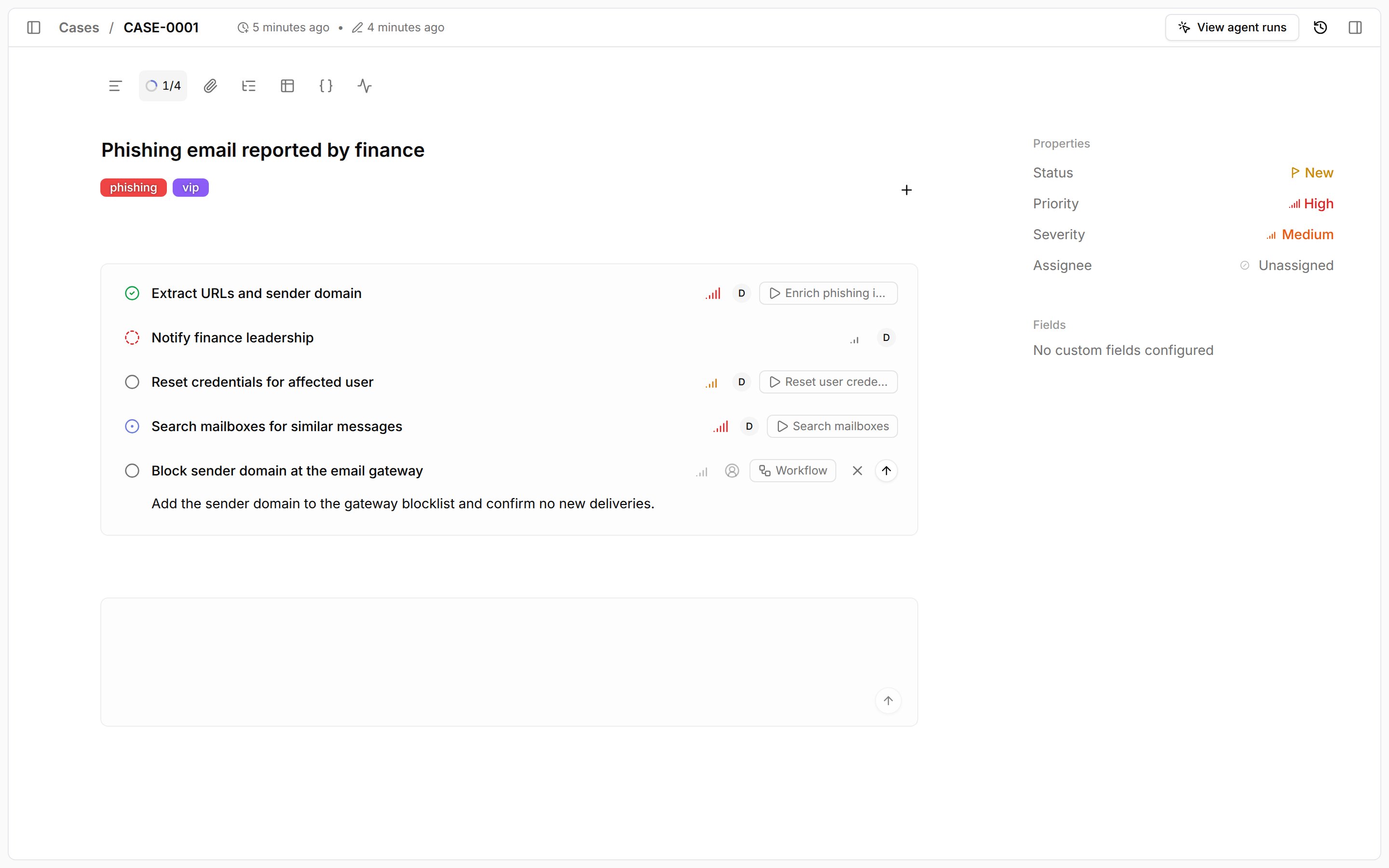
Track progress
The tasks control lists every task with its status so you can jump to open work from anywhere in the case.
Start workflows from tasks
1
Set a workflow
Pick a workflow with
Workflow when you add the task, or right-click the task and select Set workflow.2
Run the workflow
Select the workflow button on the task row, such as
Reset user credentials.
If the workflow has an Input schema, fill in Configure workflow inputs and select Trigger.
Otherwise, Tracecat passes generated case inputs; see Task triggers for the payload.Reset user credentials or Isolate host.
Use a case trigger instead when the workflow should run automatically.
View workflow runs for a task
Every run started from a task is linked to that task, so you can review what already ran before you run it again.1
Open the task menu
Right-click the task and select 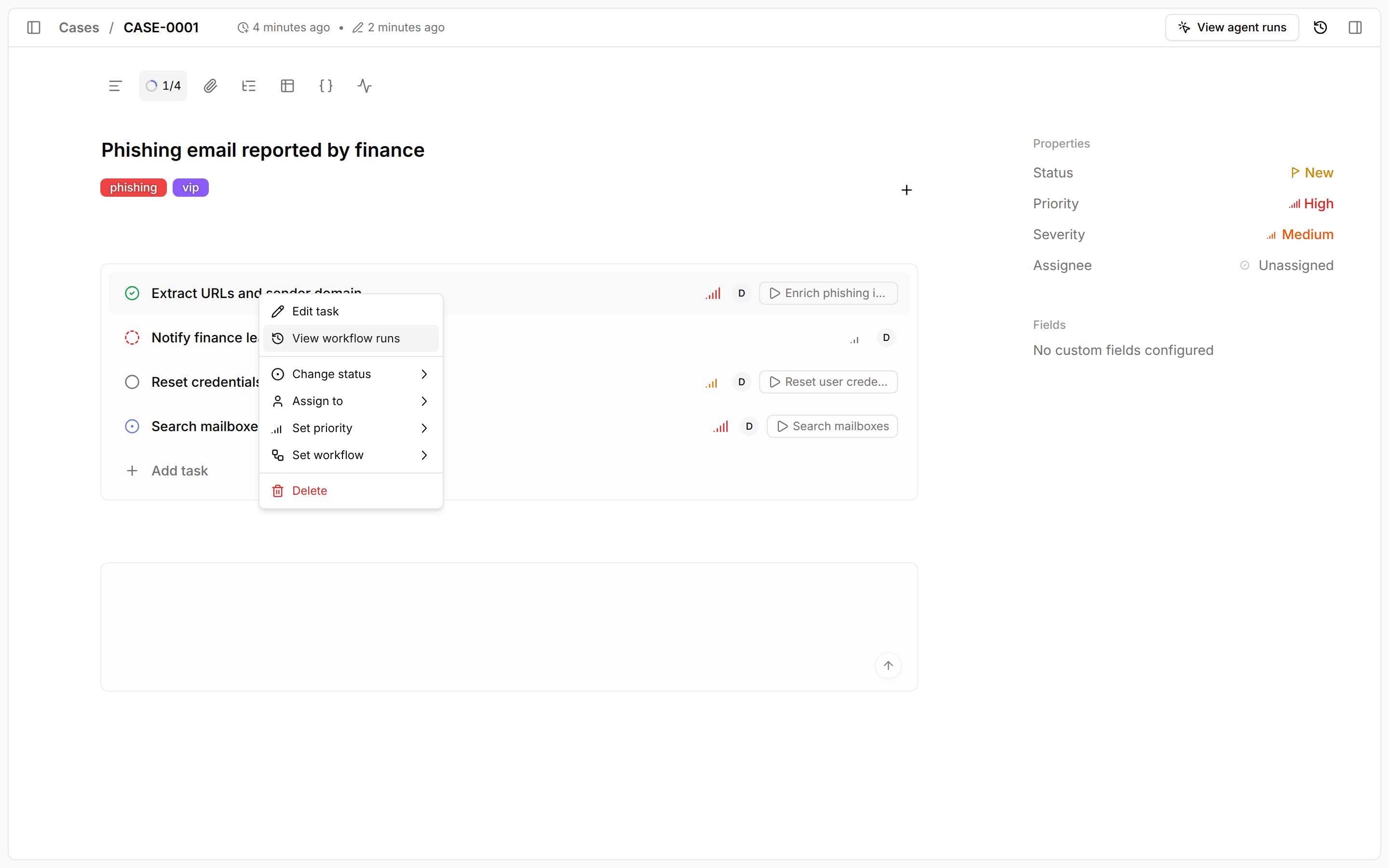
View workflow runs.2
Review the runs
The 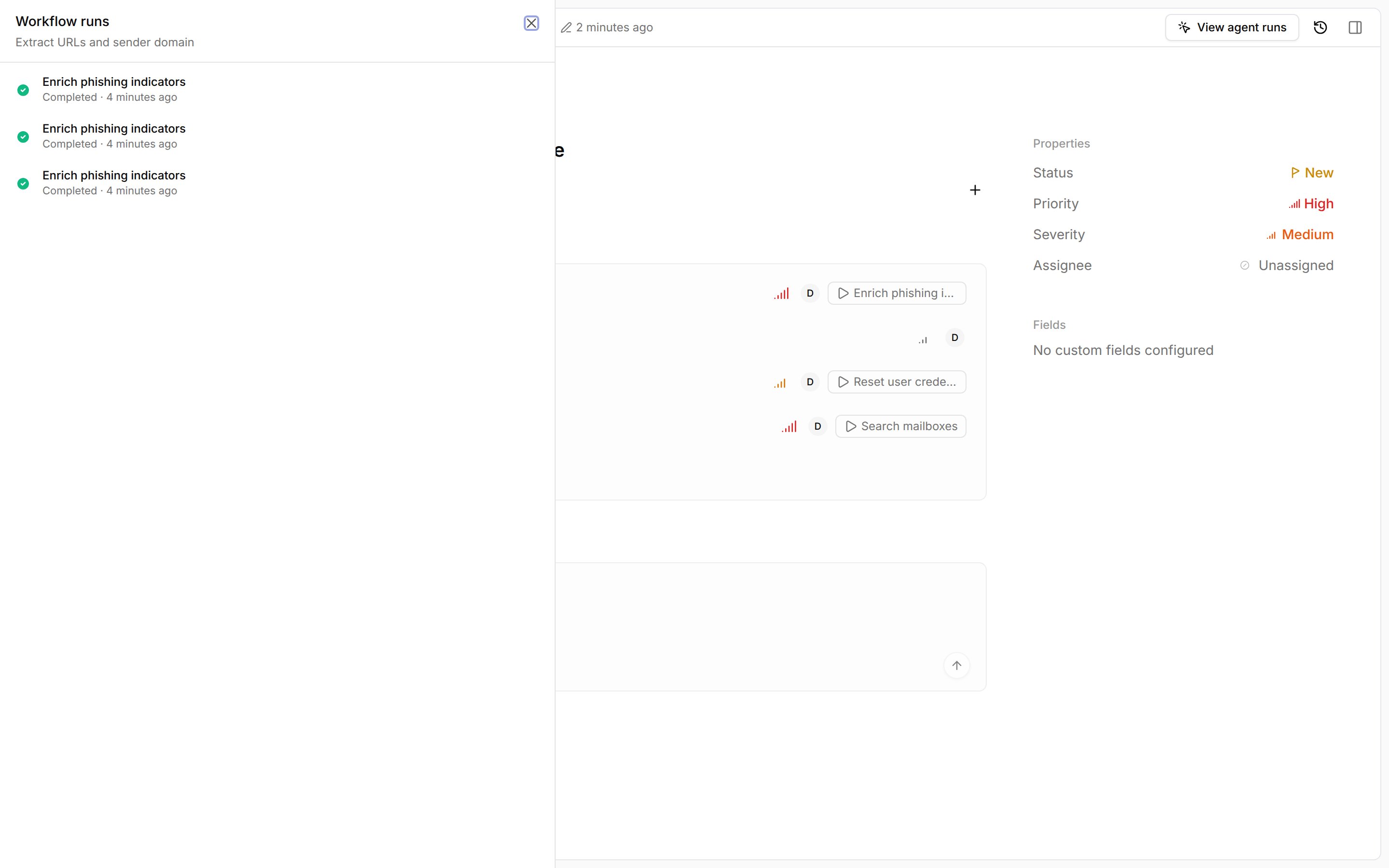
Workflow runs drawer lists the task’s runs, newest first, with each run’s workflow, status, and start time.
Select a run to open its execution in the workflow builder.
Select Load more to see older runs./ commands do not appear here.
Manage tasks from workflows
Usecore.cases.create_task, core.cases.update_task, and core.cases.list_tasks to add a response checklist when a case opens or to complete tasks as automation finishes.
task_created, task_status_changed, and task_assignee_changed.
Related pages
- See Workflow triggers to compare task workflows with case triggers and
/commands. - See Tasks for the task action inputs.
- See Task triggers to reference the task trigger payload.