

Agents from the workspace navigation to create one, then run it from a workflow with ai.preset_agent.
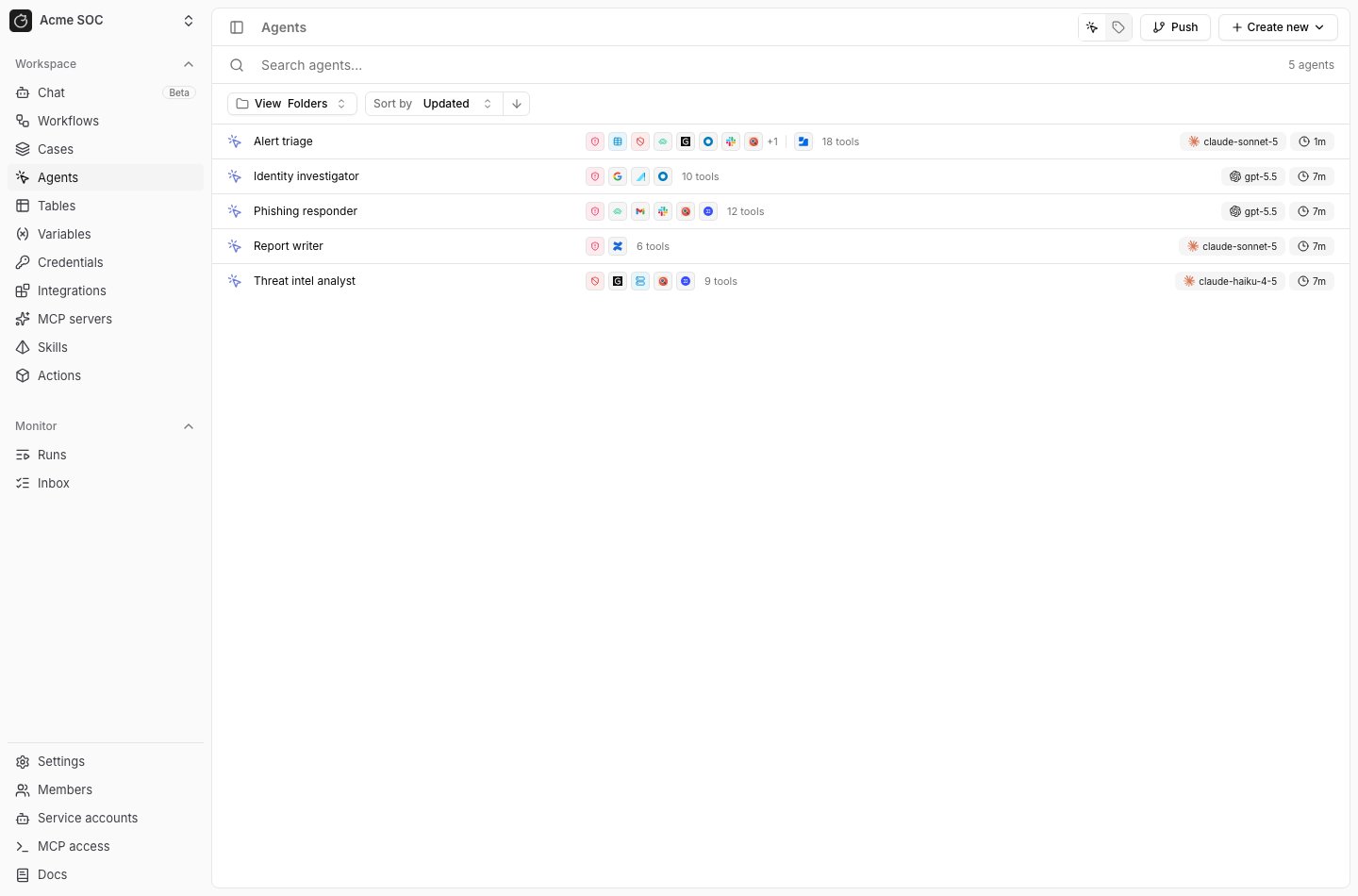
Configure a preset
ClickCreate new, name the preset, and write instructions in the editor.
Use the tabs in the side panel for the rest of the configuration:
Tools: SetModel,Thinking,Internet access, andRetries, then choose the tools the agent can call.Subagents: Attach other presets the agent can delegate to.Skills: Attach published skills.Output: Choose the format of the agent’s final answer.
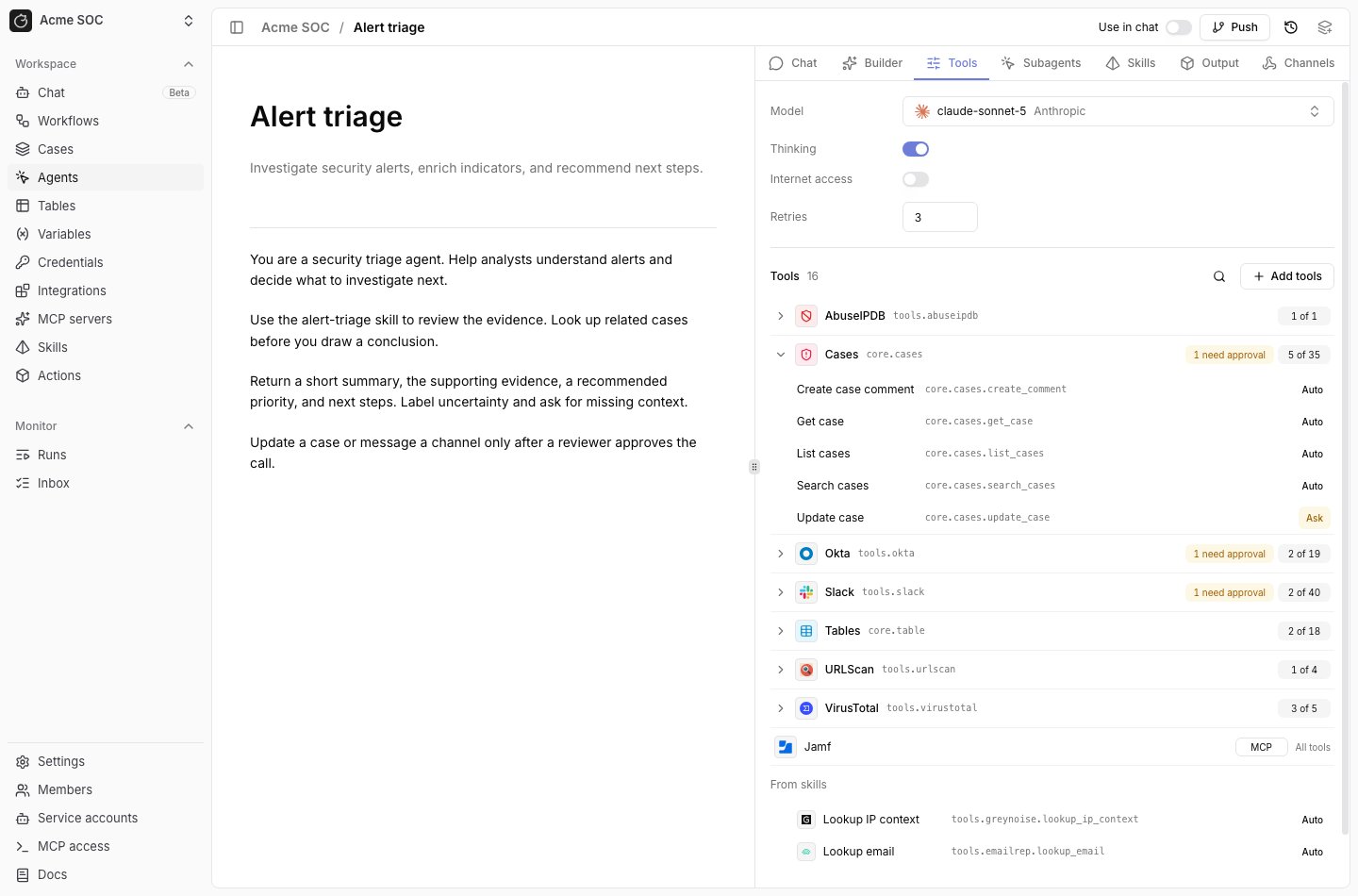
Tools list groups tools by namespace.
Each group shows how many of its tools the preset uses, such as 5 of 35, and expands to list them.
MCP integrations appear in the same list with an MCP badge, and tools from attached skills appear under From skills.
Click Publish version in the top right to save a change in any tab.
Add tools
In theTools tab, click Add tools and check the tools the agent needs.
An MCP server is one checkbox for the whole server.
The dialog counts the selected tools against the limit, such as 16 of 128 tools.
Registry actions from the preset and its skills count toward the limit. MCP tools do not.
Tracecat rejects a save over the limit with a message such as This agent has 160 tools; the limit is 128.
Each tool has an Auto or Ask toggle. See Human-in-the-loop to require approval before a tool runs.
Add subagents
A preset can delegate work to other presets in the workspace.- In the
Subagentstab, clickAdd subagentand choose a preset. - Expand the row and set:
Alias: The name the parent agent uses for the subagent. It defaults to the preset slug and must be unique on the parent.Delegate when: When the parent should hand work to this subagent.Max turns: The most turns the subagent can take. Leave it empty for no limit.
- Click
Publish version.
Ask can be attached only when an enabled agent backend supports subagent approvals.
The picker flags a preset that cannot be attached. Hover the row to see the reason.
Set the output format
In theOutput tab, choose a Format:
Text: The agent returns plain text. This is the default.Structured: The agent returns one typed value. Choose aTypeofString,Integer,Float, orBoolean, and turn onList of valuesto return a list.JSON schema: The agent returns JSON that matches the schema you enter.
Text unless a downstream step needs structured output.
To get structured output from a single workflow step without changing the preset, set
output_type on the ai.preset_agent action. It replaces the preset’s output type for that run.
Where tools come from
Three sources on the preset side make up what the agent can call:- Registry actions on the preset, added in the
Toolstab. The usual home for actions only this agent needs. - MCP integrations attached to the preset, also in the
Toolstab. An MCP integration reaches a preset directly and does not need to go through a skill. - A skill’s
metadata.tools, which takes registry actions and MCP references alike. Tools declared here travel with the skill’s instructions, so a group several agents reuse stays in one place.
namespaces filter set on the preset
through the API narrows the registry actions in that set; MCP tools are not filtered by it.
The Tools tab shows how many listed tools the filter blocks, with Clear to remove it.
A workflow run can swap one piece out. The actions input on the ai.preset_agent action
replaces the preset’s registry actions for that run instead of adding to them, so registry
actions a skill contributed are dropped for the run. MCP tools stay either way, and an
empty list is ignored. It is handy for running a preset with a different tool set in a
test or an eval.
Availability
Open source includes presets,tool_approvals and the agent inbox for reviewing tool calls before they run, skills, secrets and variables in preset instructions, and the MCP catalog connectors.
Enterprise Edition
Enterprise adds:
- Agent folders and tags to organize the
Agentspage. - Chatting with agents and approving tool calls from Slack through agent channels.
@agent mentions in workspace chat and case comments.
Related pages
- See AI agent for the
ai.preset_agentinputs and examples. - See Human-in-the-loop to require approval before a tool runs.
- See Skills to attach reusable instructions and files to a preset.
- See MCP servers to connect servers a preset can call.