

Require approval for tools
Choose where to set approvals based on how you run the agent:- Agent presets (recommended): Open the preset, select the
Toolstab, expand the tool’s group, and set the tool toAsk. Everyai.preset_agentrun and chat with the preset uses that setting. - MCP integrations: Turn on
Approvalfor a tool on a remote MCP integration. Approvals are not supported forstdioMCP servers. ai.agent: Settool_approvalson the action. Keys are action names, andtruerequires approval.
core.cases.update_case to Ask on a case-triage preset, then run it from a workflow:
core.cases.update_case and waits for a decision in the inbox.
A pause for a tool approval does not count toward the agent timeout.
The workflow-level timeout still bounds the whole run, including approval waits.
Set approvals on a preset
Each tool in a preset’sTools tab has a toggle:
Auto: The agent calls the tool without asking.Ask: The agent pauses before the call and waits for a decision in the inbox.
Publish version in the top right.
To change a whole group, right-click it and choose Require approval for all or Run all automatically.
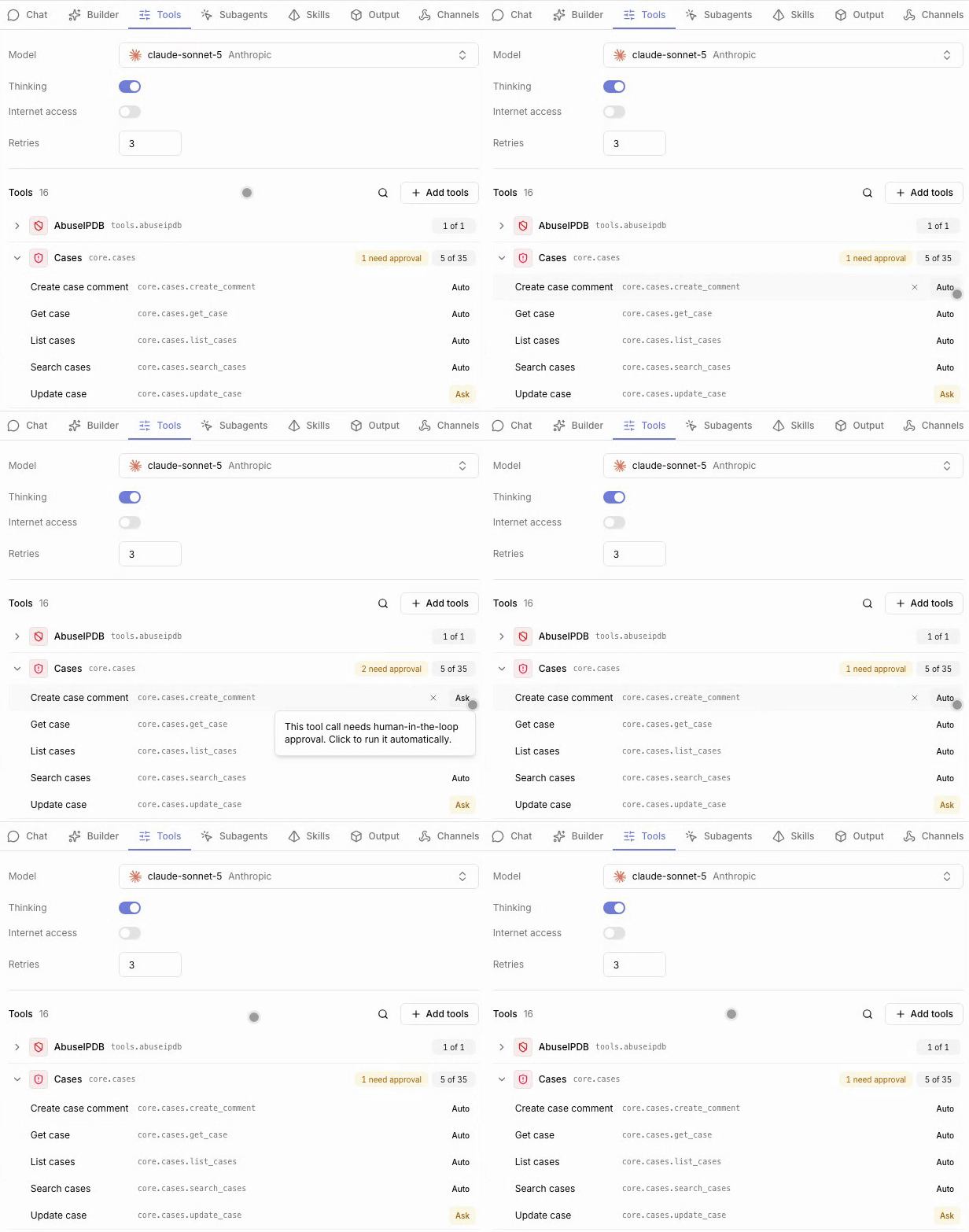
Ask shows a badge such as 1 need approval.
Tools from attached skills appear under From skills with the same toggle.
An MCP integration row shows the same badge for tools that require approval on the integration.
Review tool calls in the inbox
OpenInbox from the workspace navigation.
Runs waiting on a decision appear under Review required, and the sidebar badge shows how many are pending.
Your workspace role needs inbox:read to open the inbox, and agent:execute to submit a decision or reply to a run.
- Select a run to open its session and the pending tool call.
- Choose
Approve,Edit + approveto change the tool arguments, orDenywith an optional reason. - Click
Submit.
Availability
Tool approvals and the agent inbox are open source. Enterprise Edition Enterprise adds:- Chatting with agents and approving tool calls from Slack through agent channels.
View agent runson a case, which opens the inbox filtered to agent runs for that case.
Related pages
- See AI preset agent to add the tools you set to
Ask. - See AI agent for the
tool_approvalsinput on inline agents. - See MCP servers to require approval for MCP tools.