

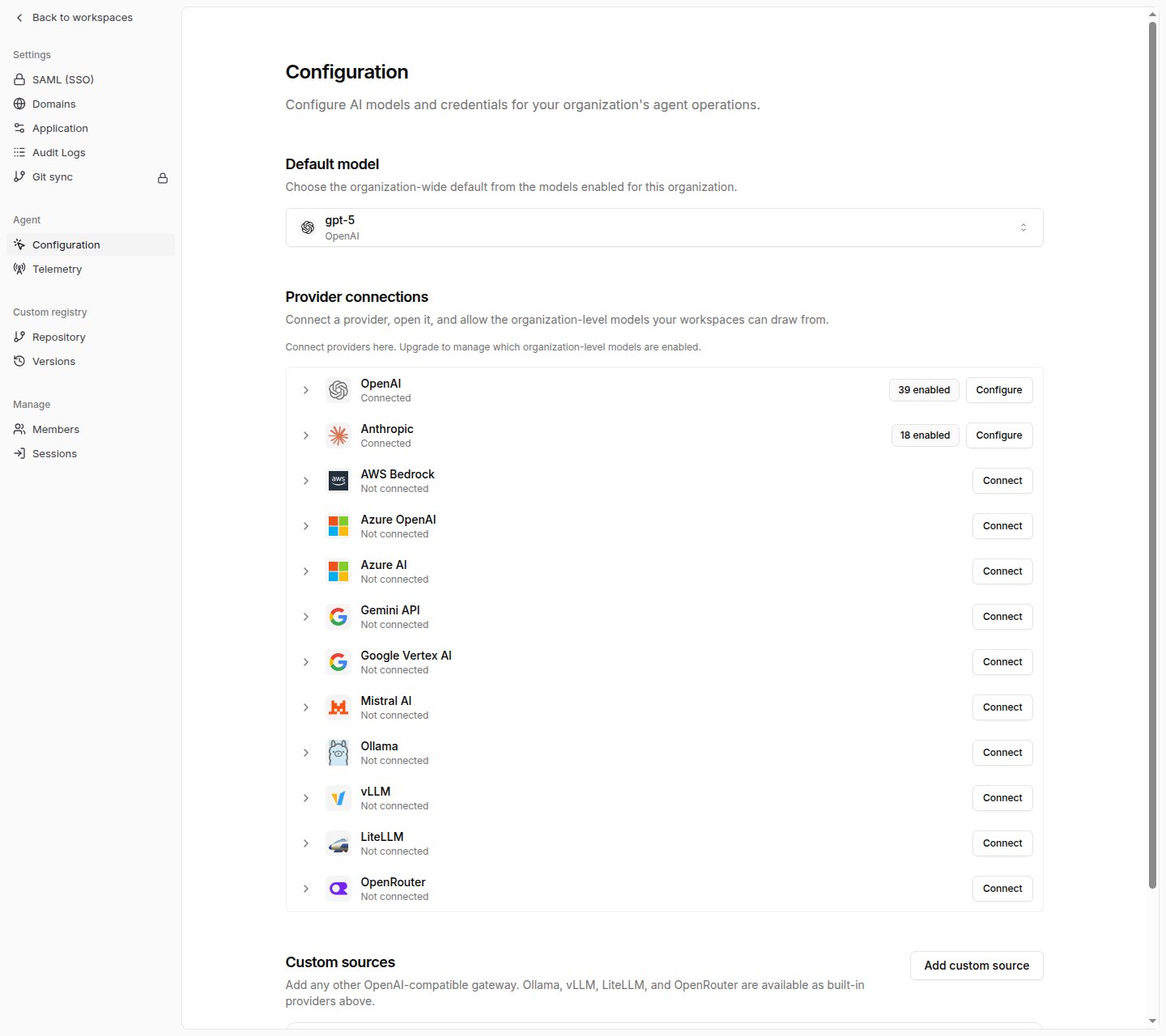
Supported providers
Tracecat lists providers in this order in Organization settings > Agent > Configuration.
Ollama, vLLM, and LiteLLM base URLs must include the
/v1 segment and be reachable from the Tracecat services. Inside a container, localhost points at the container itself, not your host. Base URLs that resolve to a private address also require TRACECAT__OUTBOUND_ALLOWED_PRIVATE_CIDRS; see Private endpoints.
Can’t find the provider you’re using? Add it as a custom source instead. See Custom LLM providers to connect any OpenAI-compatible gateway.
Connect a provider
1
Open agent configuration
Go to Organization settings, open Agent, then click Configuration.
2
Enter credentials
Click Connect next to the provider. Fill in the fields the dialog asks for, then click Save credentials.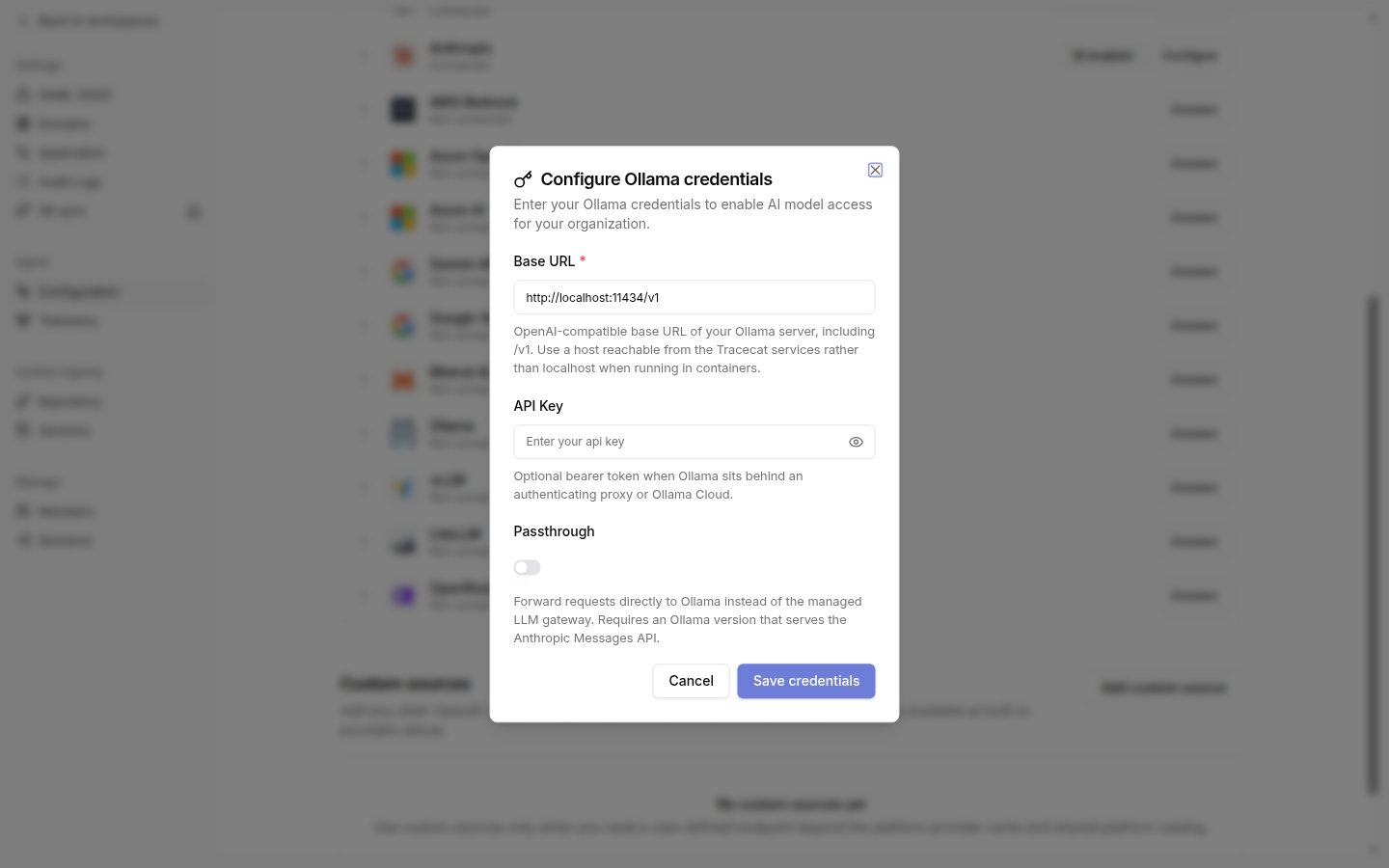
3
Allow models
Expand the provider row and click Allow next to each model you want to expose. The pill on the row shows how many models are enabled.Ollama, vLLM, LiteLLM, and OpenRouter discover models from the provider’s
/models endpoint when you save credentials. Click Refresh models on the row after you add or remove models upstream.4
Set the default model
Under Default model, pick one of the enabled models. Agents and AI actions use it whenever a preset or action does not set its own model.
Private endpoints
Tracecat resolves every provider base URL before it connects and rejects addresses that are private (10.0.0.0/8, 172.16.0.0/12, 192.168.0.0/16), loopback, link-local, or otherwise non-public. Saving credentials, Test connection, Refresh models, and agent runs against such an endpoint fail with Failed to discover models: Host is not allowed or Host is not allowed.
On-prem and in-cluster gateways such as http://litellm:4000/v1, http://vllm:8000/v1, or http://ollama.example.internal:11434/v1 are private endpoints. Allow them by setting TRACECAT__OUTBOUND_ALLOWED_PRIVATE_CIDRS on the api, agent-worker, litellm, and agent-executor services to a comma-separated list of the exact IPs or narrow CIDRs the gateway resolves to, then restart those services.
The allowlist applies to every workspace and also covers remote MCP servers, so list only endpoints you operate. Container hostnames such as
litellm or vllm resolve to addresses on the Docker Compose core network; run docker compose exec api getent hosts <hostname> to find the address to allow, or allow that network’s subnet from docker network inspect.
Passthrough
Ollama, vLLM, LiteLLM, and OpenRouter expose a Passthrough toggle that controls how agent requests reach the provider.
Leave passthrough off unless the endpoint serves the Anthropic Messages API itself. LiteLLM defaults to on because a LiteLLM proxy already handles routing; a second gateway in front of it adds a hop without adding capability.
Related pages
- See Custom LLM providers for connecting an OpenAI-compatible gateway that is not listed above.
- See AI agent for the
ai.agentandai.preset_agentaction reference, including per-agent model overrides. - See AI action for single-call LLM workflow actions.
- See Air-gapped deployment for running Ollama or vLLM without internet access.