

Filter the case list
SelectFilter above the case list, choose a property, then pick its values.
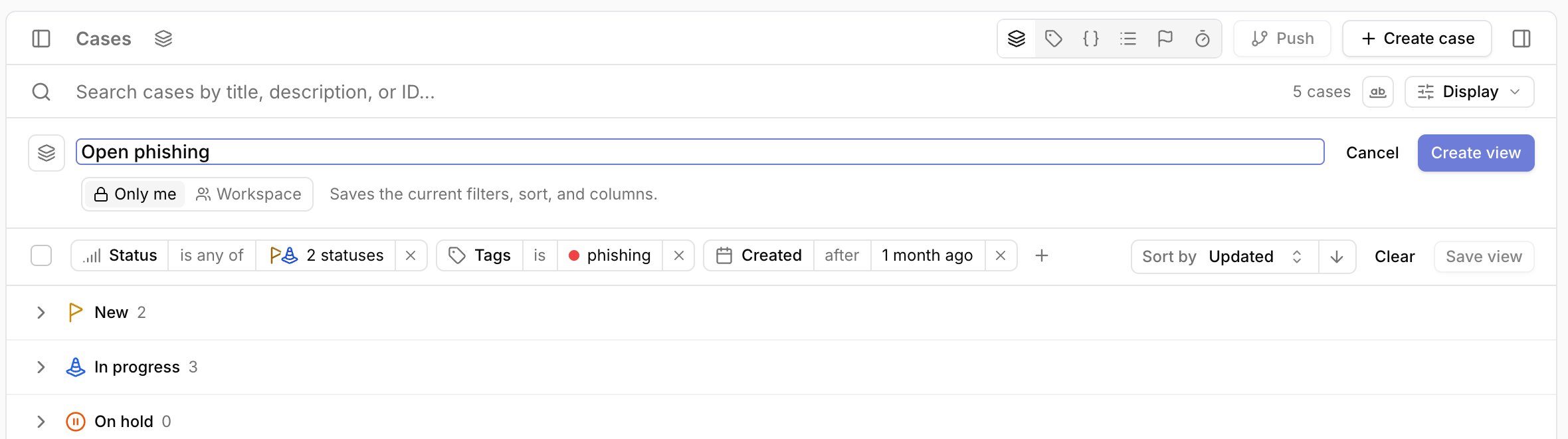
Each filter you apply appears as a chip, such as Status is any of 2 statuses.
To skip the property step, type a value such as phishing and select it from the results.
- Select the operator to switch between
isandis not.Status,Priority, andSeveritysupportis not. - Select the value to change it.
- Select
×to remove the filter.Clearremoves every filter.
Updated and Created take a preset, such as 1 week ago, or a custom range.
Save a view
- Filter and search the case list, set the sort, and choose columns in
Display. - Select
Save viewat the end of the filter row. - Enter a name and choose
Only meorWorkspace. - Select
Create view.
1 week ago covers the last week every time it runs.
A custom range keeps its fixed dates.
Open and change a view
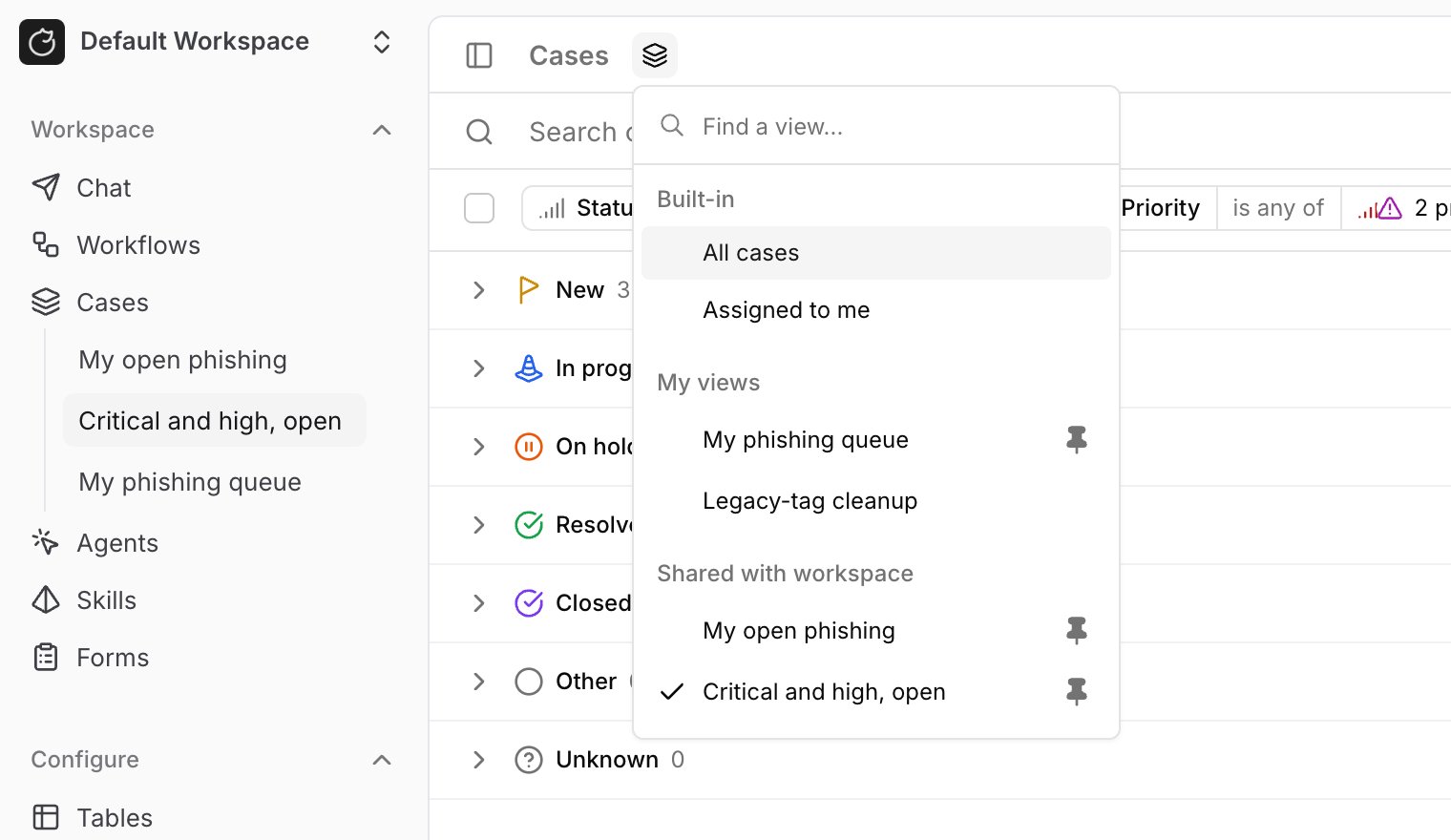
Select theCustom case views icon next to the Cases title to list every view you can open, grouped under Built-in, My views, and Shared with workspace.
Pinned views also appear under Cases in the sidebar.
Select All cases to return to your own filters.
When you change the filters, search, sort, or columns of an open view, the filter row shows:
Resetrestores the saved view.Save as newsaves your changes as a new view.Saveupdates the view. It appears only for views you can edit.
Edit view... to rename it or change who can see it, Duplicate..., Pin to sidebar, Copy link, and Delete.
Deleting a view leaves its cases unchanged.
Personal and shared views
Only meviews are visible only to you. Tracecat deletes them when your user is removed.Workspaceviews are visible to everyone in the workspace. Sharing a view requires thecase:updatepermission.- The owner of a shared view and anyone with
case:updatecan edit or delete it. Only the owner can make it personal again. - Pins belong to each user. Pinning a shared view adds it to your sidebar only.
Me to build a shared view that shows each viewer their own cases.
Built-in view
Assigned to me shows open cases assigned to you, including sub-cases.
Open means every status except Resolved and Closed.
The built-in view is read-only, so use Save as new to keep a changed copy.
Select its pin in the views menu to add it to the sidebar.
Deleted tags and options
If a tag or dropdown option that a view filters on is deleted, the view shows a chip such as1 deleted tag or option.
A filter left with nothing to match shows no cases.
Update the filters and select Save to fix the view.
Run views from workflows
Usecore.cases.list_case_views to list views, then pass a view’s id to core.cases.search_cases as view_id.
- Workflows can run shared views only.
- A view that filters on
Me, includingAssigned to me, fails in a workflow, because a workflow runs without a signed-in user. view_idsets the search criteria. Addfiltersto narrow the view. Other matching inputs, such asstatus, are rejected.- The view’s saved order applies unless you pass
order_by. Withoutorder_by,sortonly changes the direction. - Paging and result options such as
limitstill apply.
Use views from MCP
Agents connected to the Tracecat MCP server can manage and run views withlist_case_views, create_case_view, update_case_view, pin_case_view, unpin_case_view, and search_cases with view_id.
MCP calls run as your user, so personal views and Me filters work.
Related pages
- See Cases for the full
core.cases.search_casesandcore.cases.list_case_viewsinput reference. - See Dropdowns to add classifications that become case list filters.
- See Tracecat MCP for setup and the full list of MCP tools.