

To chat with a preset agent in Slack without building workflows, use Channels (Enterprise).
Slack apps
A Slack app sends Slack activity to Tracecat webhooks. Your workflows reply withtools.slack actions.
Slack expects an
HTTP 200 within 3 seconds. echo=true answers the URL verification challenge. echo=true&empty_echo=true returns the empty 200 Slack expects for interactions and slash commands. empty_echo only applies together with echo=true.
Use one workflow per Slack feature. Each webhook URL starts one workflow.
Slack app settings pages live at https://api.slack.com/apps/<app-id>/<page>. Find the app ID in Basic Information on Slack apps.
App manifest and scopes
The manifest requests these bot token scopes. Edit scopes later inOAuth & Permissions (/apps/<app-id>/oauth).
Remove the slash_commands, event_subscriptions, or interactivity block if you don’t use that feature. See the app manifest reference.
Optional scopes
Optional scopes
Add these only for the
tools.slack actions you use.Create the app
Before you start, publish each workflow, copy its webhook URL (https://<tracecat-host>/api/webhooks/<workflow-id>/<webhook-secret>), and leave webhook API key authentication off. Slack can’t send the x-tracecat-api-key header and must reach Tracecat over public HTTPS.
1
Create the app from a manifest
Open Slack apps, click
Create New App > From a manifest, pick your workspace, and paste the manifest above with your webhook URLs.2
Install the app
Open
Install App (/apps/<app-id>/install-on-team) and click Install to Workspace.3
Save the bot token in Tracecat
Copy the
Bot User OAuth Token (xoxb-...) from OAuth & Permissions (/apps/<app-id>/oauth). In Tracecat, set SLACK_BOT_TOKEN on the slack credential.4
Invite the app
In each channel the app should read, run
/invite @<app-name>.Event subscriptions
Run a workflow when something happens in Slack, such as a user mentioning@Tracecat.
1
Turn on events
Open 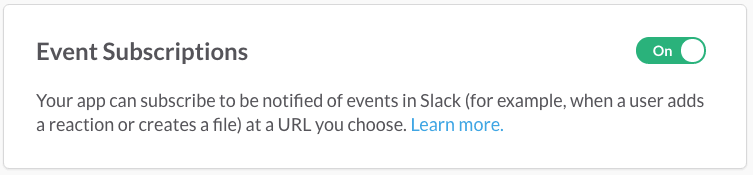
Event Subscriptions (/apps/<app-id>/event-subscriptions) and turn on Enable Events.2
Set the request URL
Paste the webhook URL with 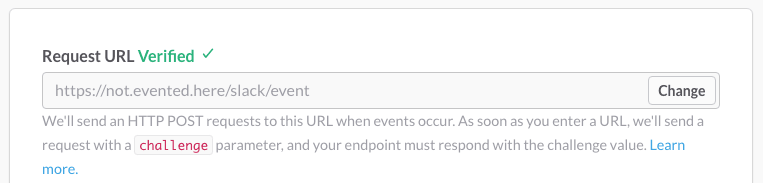
?echo=true. Slack shows Verified when Tracecat echoes the challenge.3
Subscribe to app_mention
Under
Subscribe to bot events, add app_mention, then click Save Changes.app_mention. It only fires when a user mentions the app. Message events such as message.channels start a run for every message in every channel the app is in.
Other common bot events
Other common bot events
TRIGGER.event. The verification request also starts a run, so skip it with run_if:
200 in 3 seconds. Deduplicate on TRIGGER.event_id.
Interactivity
Run a workflow when a user clicks or submits something in a message or modal your workflow posted.1
Turn on interactivity
Open
Interactivity & Shortcuts (/apps/<app-id>/interactive-messages) and turn on Interactivity.2
Set the request URL
Paste the webhook URL with
?echo=true&empty_echo=true, then click Save Changes.action_id or type.
Common interactive components
Common interactive components
Build messages and modals in Block Kit Builder.
payload form field. Parse it with FN.deserialize_json:
block_actions payloads for every field.
Slash commands
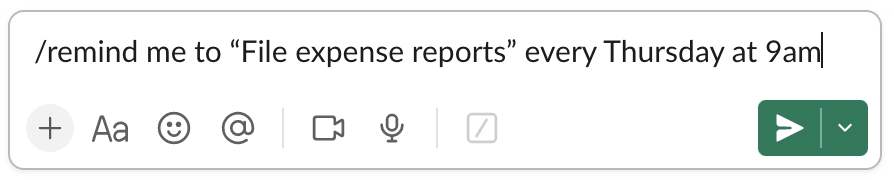
Let users run a workflow on demand, such as/tracecat lookup 1.2.3.4.
1
Create the command
Open
Slash Commands (/apps/<app-id>/slash-commands) and click Create New Command.2
Set the request URL
Enter the command, such as
/tracecat, and paste the webhook URL with ?echo=true&empty_echo=true. Click Save.3
Reinstall the app
Reinstall the app so Slack adds the
commands scope.TRIGGER:
Microsoft Teams bots
Coming soon.References
- Events API and request URL verification
- Handling user interaction
- Implementing slash commands
- Block Kit
- App manifest reference
- Scopes reference
- Verifying requests from Slack