

form.
The Input schema sets each field’s name, type, and default. A field is required when its input has no default. The form config only controls how the form looks.
Create a form
1
Publish the workflow
Add an Input schema to the workflow and publish it. A form goes online only when its workflow is published.
2
Create the form
Open 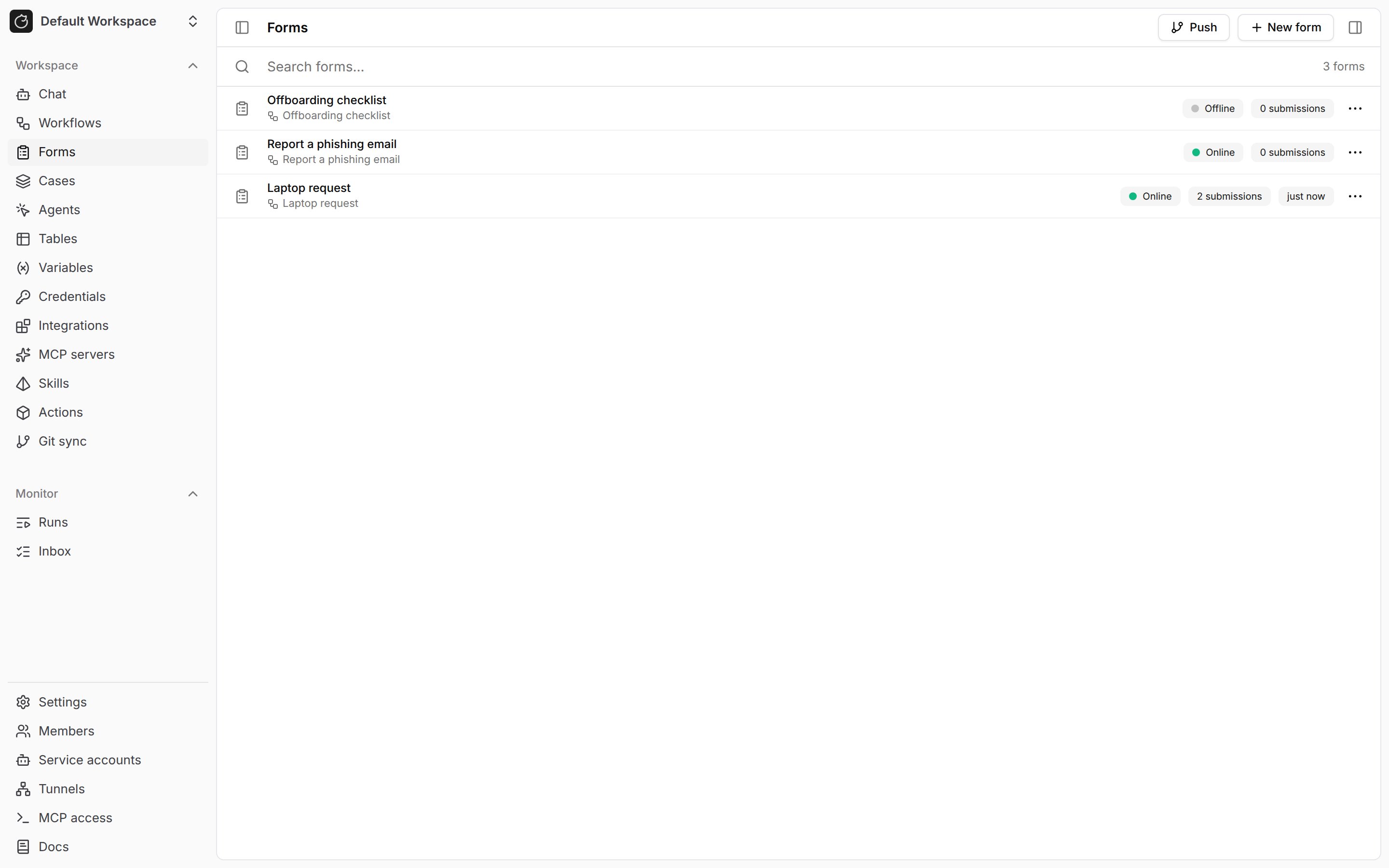
Forms in the workspace sidebar, click New form, and pick the workflow. New forms start offline.3
Lay out the form
Edit the YAML on the form’s 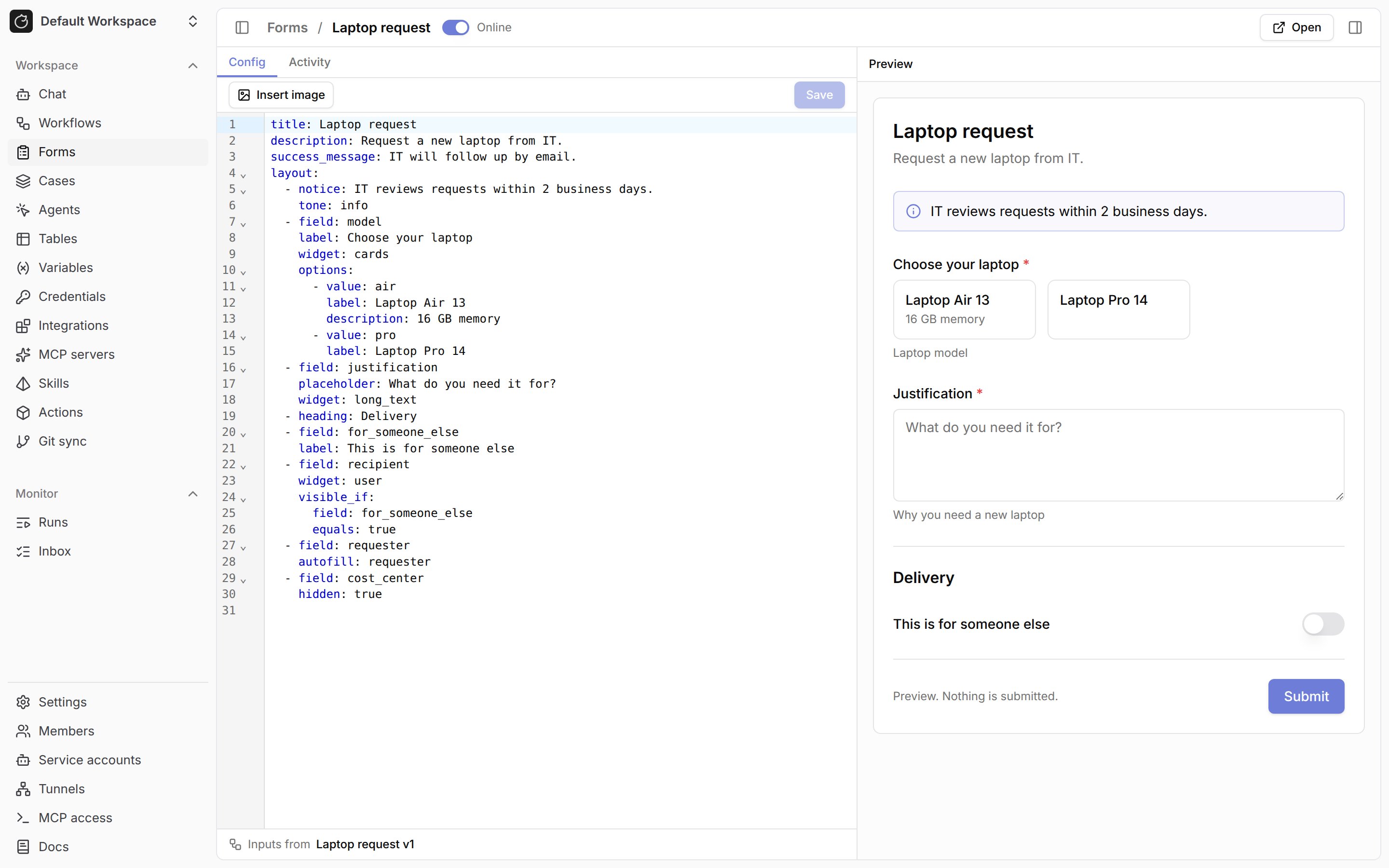
Config tab. The Preview pane updates as you type, and the editor marks each problem on its line. See Form config for every key.4
Turn the form online
Switch the toggle in the form’s header to
Online.5
Share the link
Click
Open and share the form’s URL, /forms/{form_id}. Members with form:read in the workspace can open it.To create a form from the workflow builder, open the trigger panel, go to the 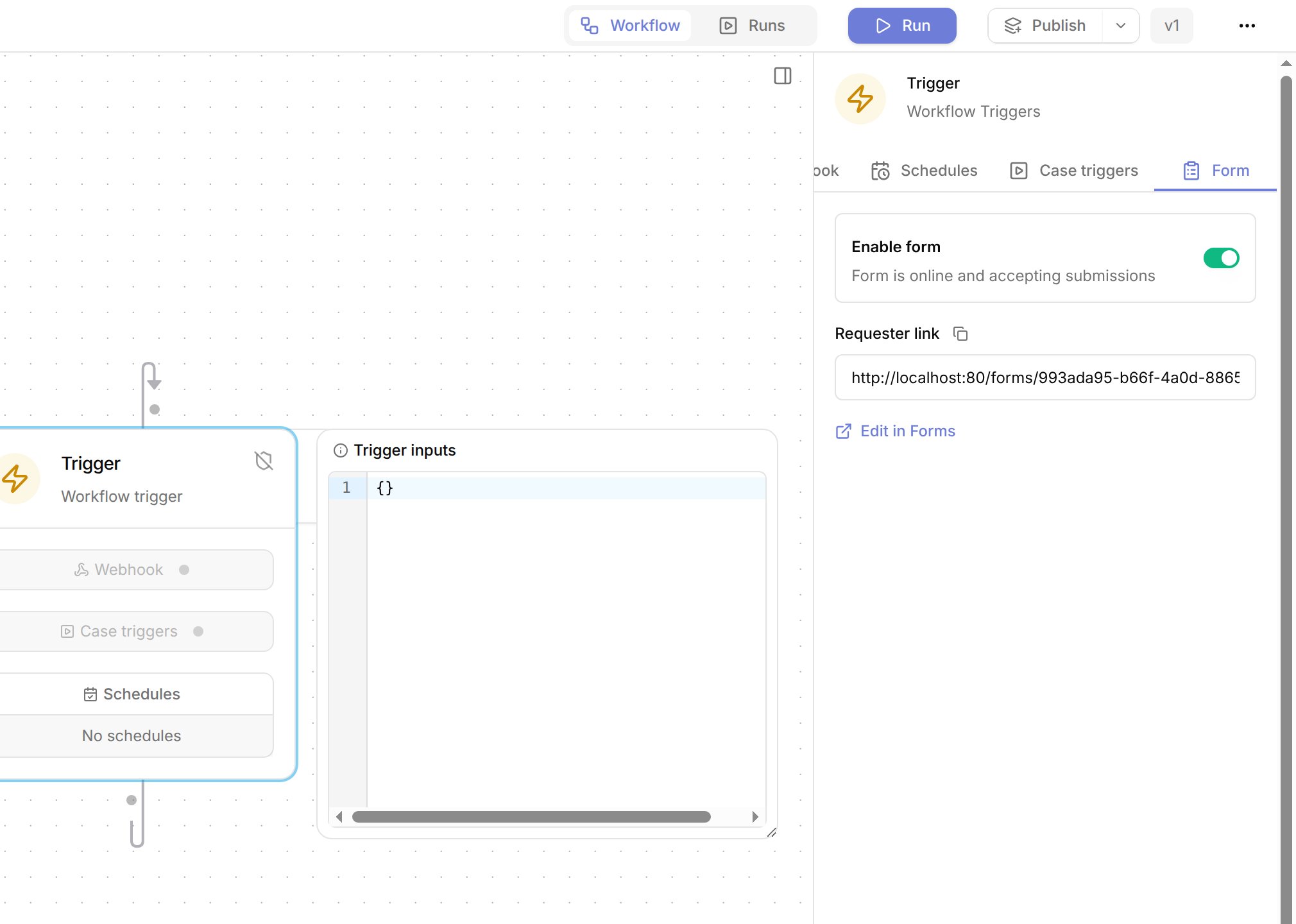
Form tab, and turn on Enable form. The tab shows the Requester link and an Edit in Forms link to the config.Don’t see
Forms in the sidebar? It needs form:read plus form:update or form:submission:read. See Permissions.Fill in a form
-
Open
/formsto see the online forms you can fill in, grouped by workspace, or open a shared form link.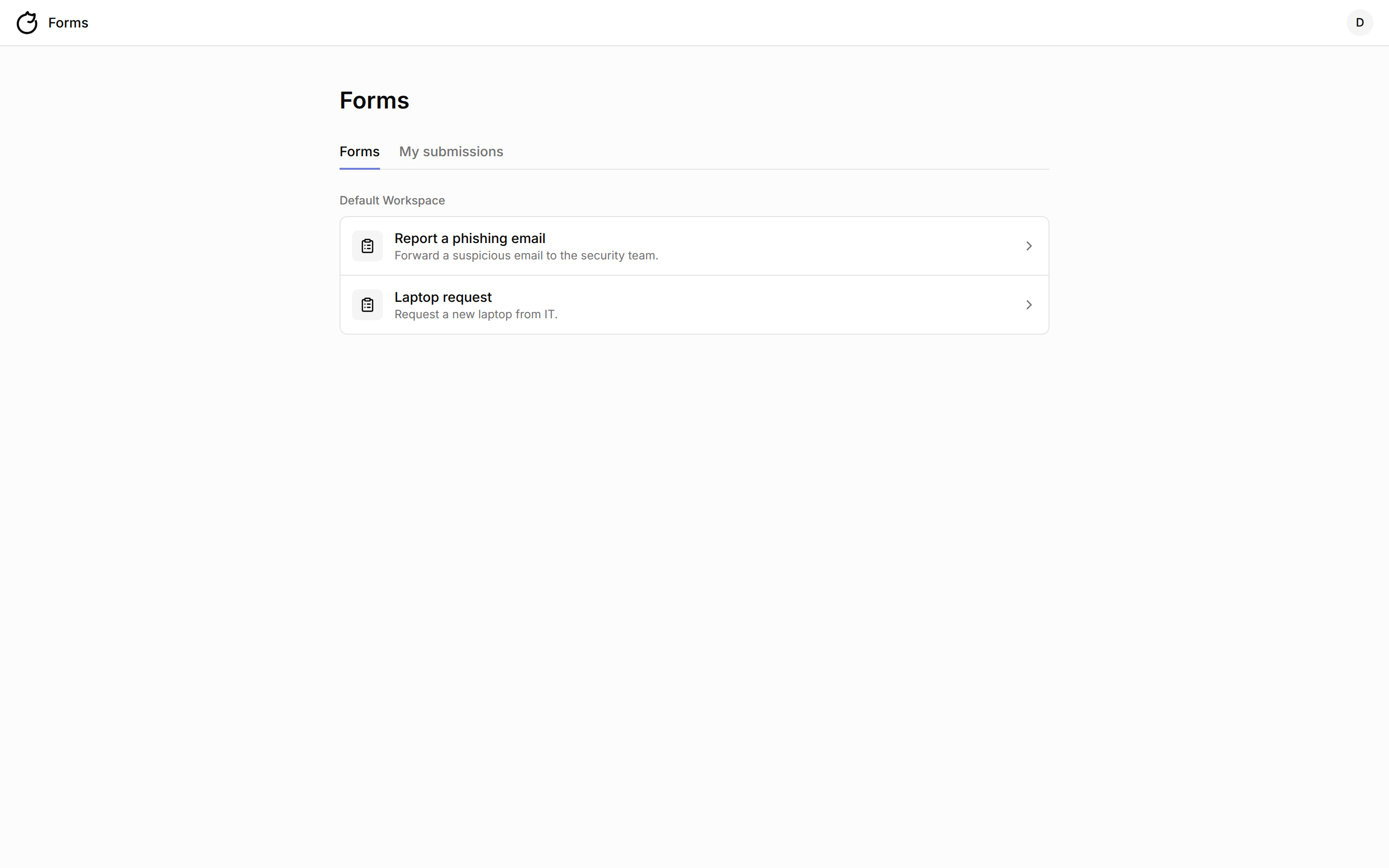
-
Fill in the fields and click
Submit.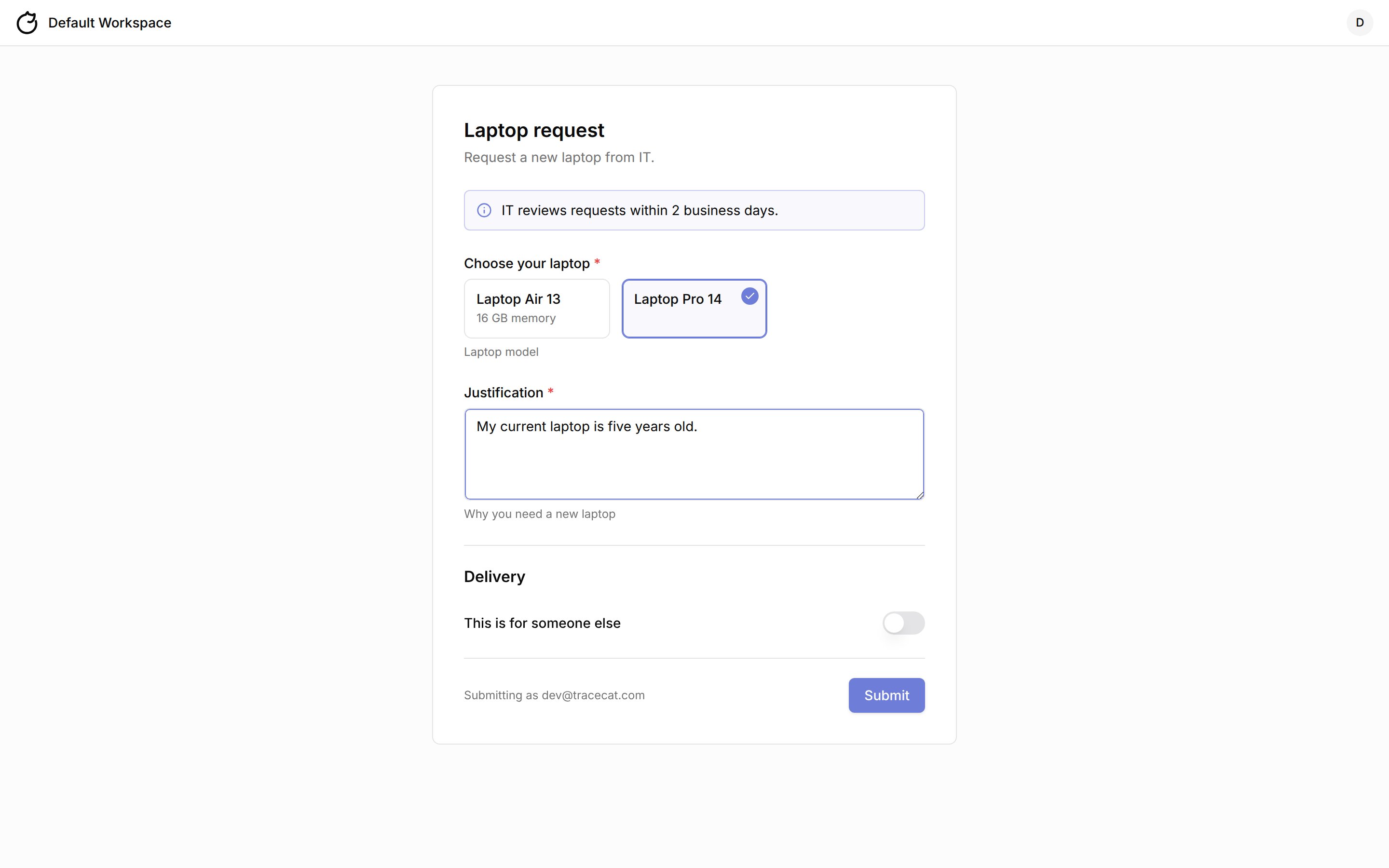
-
Note the reference, such as
FRM-8F3C2A1C, shown with the form’ssuccess_message. Find past submissions on theMy submissionstab of/forms.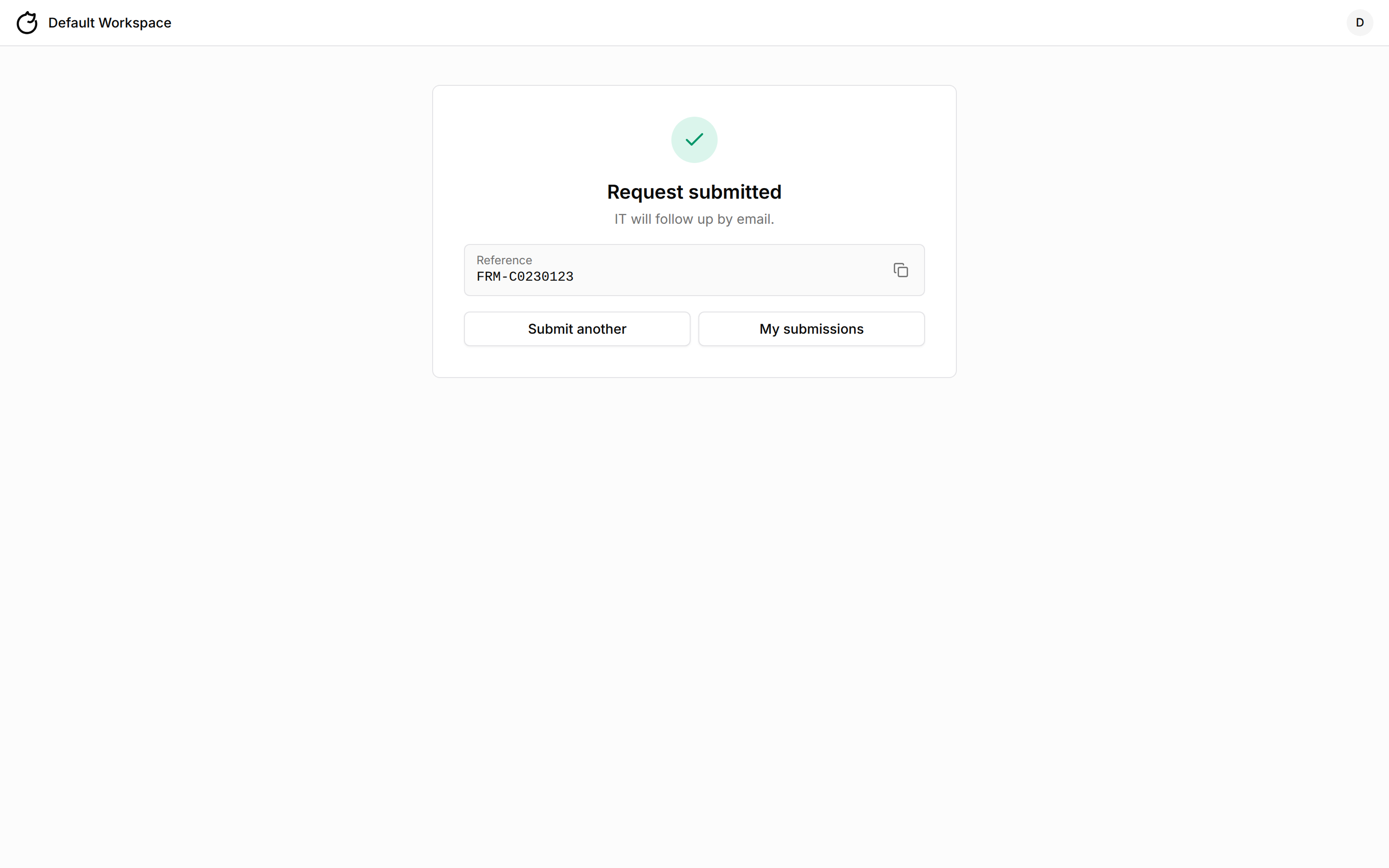
form:submit sees the form read-only. An offline form shows This form isn't accepting requests. A member who holds form:read and no workspace:read lands on /forms when they open Tracecat.
Activity
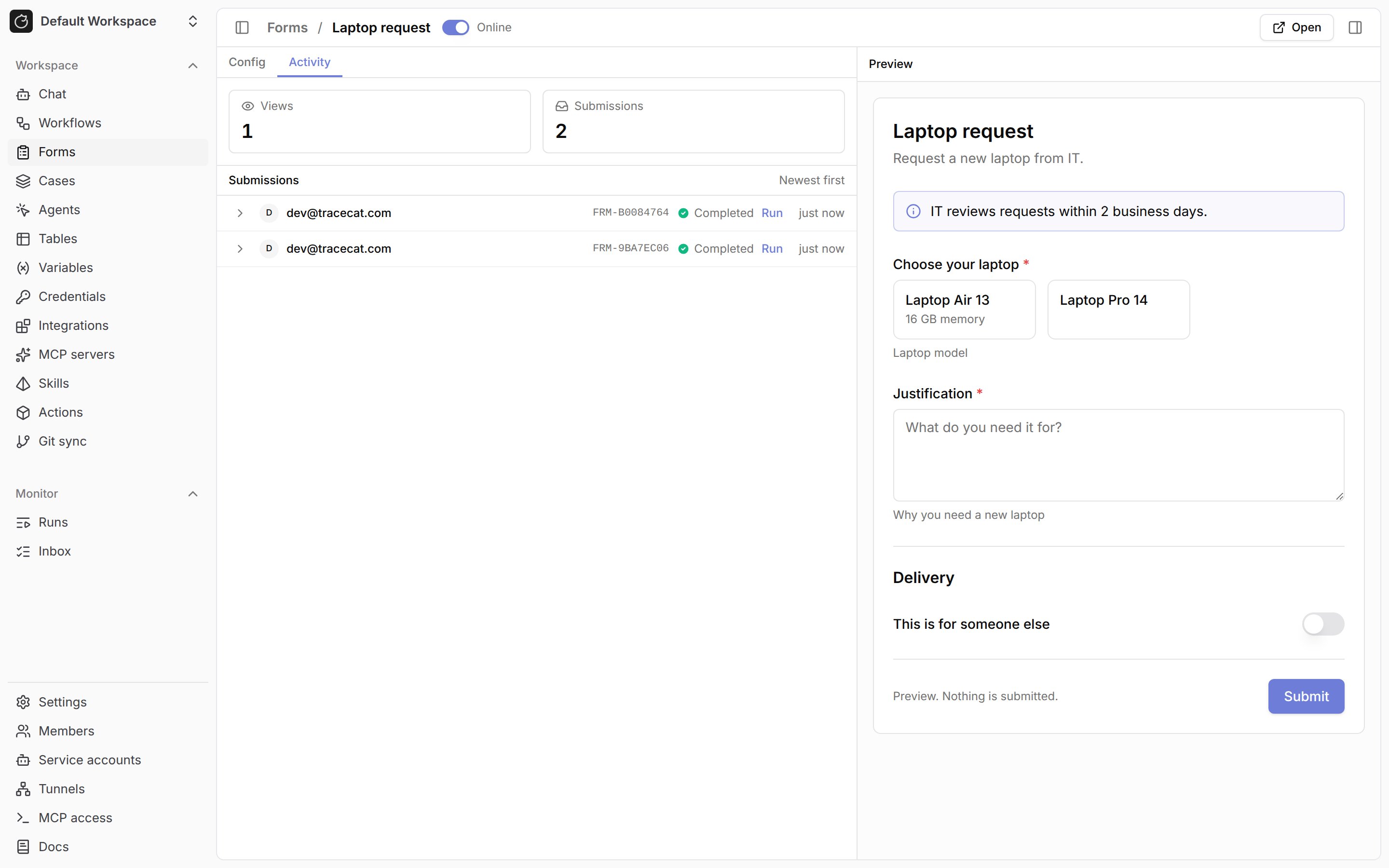
TheActivity tab of a form shows Views and Submissions counts and lists submissions newest first. Each row shows the submitter, the reference, the run status, and a Run link. Expand a submission to read its answers. Tracecat counts one view per user per form every five minutes.
core.forms.list_submissions and submitted_before, then delete each with core.forms.delete_submission. See Forms actions.
What the workflow receives
TRIGGER holds one key per input, validated against the Input schema. For the example config:
ENV.workflow.trigger_type is form. The run records the requester as the user who triggered it and executes with the workflow runner’s permissions, as a webhook run does, so a requester needs no workflow or action scopes.
Form config
Every key is optional, and Tracecat rejects keys outside this reference. Tracecat refuses to save a config with errors. Saving replaces the whole config and drops YAML comments.
Each
layout entry has exactly one of these keys:
A
field entry also takes widget, options, visible_if, autofill, hidden, accept, and max_files, described in the sections below, and these text keys:
Text keys hold at most 255 characters (
title, heading, label, placeholder, and an option’s value and label) or 10,000 (description, success_message, help, text, notice, and an option’s description). A layout holds at most 200 entries and options at most 100 choices.
This config:
Widgets
A field withoutwidget uses the default widget for its input type. T | None behaves as T.
Input types outside the
Default for column, such as dict, duration, any, or str | int, have no default widget. Set widget: user or widget: file on a dict or list[dict] input, or fill the input with autofill or its default. An input with a default and no widget stays off the form and takes its default. The user widget searches active members of the organization.
A shown field starts with its input’s default, so a non-null default must be a valid answer for the field. user and file fields start empty instead, and Tracecat applies their default on submission. Tracecat doesn’t check the defaults of hidden and autofill inputs, or of inputs with no widget, as answers.
Integers in a form stay between -9,007,199,254,740,991 and 9,007,199,254,740,991, the range a browser holds exactly. That covers the default of an int input, hidden or shown, an integer visible_if value, and an answer to an int input, including one sent as text or as a whole-number float. Outside the range, a default or visible_if value is a config error and an answer fails with invalid_value. float inputs are unaffected, since a browser holds every float exactly.
Options and images
options is a list of choices. Each choice has a unique value and optional label, description, and image.
- For an
enum[...]orlist[enum[...]]input, options decorate the enum’s values. Eachvaluemust be an enum value, and Tracecat appends the values you leave out. - For a
strorlist[str]input, options define the allowed values.select,multi_select, andcardsrequire them.
cards widget shows each choice as a card with its image, label, and description. An image is an inline data URI: data:image/png;base64,..., data:image/jpeg;base64,..., or data:image/webp;base64,.... Each image is at most 100 KB decoded, and the images in one form total at most 1 MB.
Insert image on the Config tab takes a PNG, JPEG, or WebP file, resizes it to 320 px on its long edge, and inserts the data URI at the cursor.
Conditional fields
visible_if shows a field only while another field equals a value, as recipient does in the example. A field takes one rule:
- The conditional input has a default, which the workflow receives while the field is not shown.
- The controlling field sits earlier in the form, has no
visible_ifof its own, and has typestr,int,float,bool, orenum[...]. equalsis a string, number, or boolean the controlling field can take. For a field with options, it is one of their values.
Autofill
autofill fills an input on the server when the requester submits. The field stays off the form.
Tracecat rejects an autofill input sent in
values with unknown_field, so a requester value is always a verified Tracecat user.
A service account that submits through the API has no user profile, so it has no requester values, and a user may have no first or last name. An input whose value is missing takes its default. Without a default it holds null if its type takes null, such as str | None, and otherwise the submission fails with required. To record your own end user, add an ordinary input such as end_user_email and send it in values.
Hidden fields
hidden: true keeps an input off the form, and the workflow receives the input’s default, so the input needs one. A field with hidden or autofill takes no other key, and a field can’t be both.
File uploads
Thefile widget lets requesters attach files. A dict input takes one file. A list[dict] input takes up to max_files files, from 1 to 10 (default 10). accept lists up to 20 extensions such as .pdf, MIME types such as application/pdf, or wildcards such as image/*. Without accept, the field takes every type the workspace allows.
accept, its content matches its declared type, and it is not empty and at most TRACECAT__MAX_ATTACHMENT_SIZE_BYTES (20 MB by default). One requester holds at most 20 uploaded files on one form before submitting. An uploaded file that no submission claims within 24 hours expires. Tracecat deletes expired files every 10 minutes.
Read a file’s content in the workflow with core.forms.download_file, passing ${{ TRIGGER.quote.id }} as file_id. The requester who uploaded a file can download it before and after submitting. A member with form:submission:read can download every submitted file from the Activity tab. Deleting a submission, its form, or the form’s workflow deletes its files.
Permissions
Assign
Intake only (workspace-intake) to members who only fill in forms. It holds form:read and form:submit and no other workspace access. The Forms sidebar entry and a form’s config need form:update or form:submission:read on top of form:read. See Roles and permissions for assigning roles.
Edit a form in workspace chat
Open the chat panel on a form’s page and describe the change, such asMake model a card picker. Workspace chat knows which form is open, edits it with the core.forms.list_forms, core.forms.get_form, and core.forms.update_form tools, and the editor and preview refresh. The Tracecat MCP server exposes the same operations as list_forms, get_form, and update_form.
Git sync
Git sync stores a form in its workflow’sworkflows/<id>/definition.yml as a form: block: the form config followed by status.
Applying a pull that carries a
form: block needs form:create and form:update. Applying a pull that sets a form offline or clears its config needs form:update. A dry run needs neither.
A Tracecat instance on a version without Forms writes definition.yml without the form: block, so the next pull on a newer instance takes that form offline and clears its config. Upgrade every instance that pushes to the repository before you build forms in it.
REST API
Build your own frontend on these endpoints. The API Reference tab documents the request and response bodies of every forms endpoint, including the builder endpoints that create, update, andvalidate a form. Workspace endpoints accept a signed-in user or a service account API key. /intake endpoints accept a signed-in user only.
List endpoints take
limit (default 20, at most 200) and cursor, and return items with next_cursor. The submissions list also takes submitted_after and submitted_before.
Responses return workflow_id as a short wf_... ID, and requests accept either ID form. The forms list returns workflow_id and workflow_title only to callers with form:update or form:submission:read. The users endpoint needs an online form with a user field unless the caller holds form:update.
Render and submit
render returns title, description, success_message, definition_version, config_version, and blocks. A block’s type is heading, text (Markdown), notice (with tone), divider, or field. A field block carries name, label, help, placeholder, widget, required, multiple, default, options, visible_if, and config. A file field’s config holds accept, max_files, and max_file_size in bytes. Hidden and autofill inputs are absent. Show a field with visible_if only while the named field equals equals, and treat a controlling field that is empty or not sent as its default.
Send the answers keyed by field name, with the definition_version and config_version from render. Send each value as the workflow receives it (see Widgets), except that a user field takes a user_id from the users endpoint and a file field takes an uploaded file’s id. A field with multiple set to true takes a list.
201 response is the receipt: id, reference, submitted_at, and success_message.
Without form:submission:read, a caller reads only their own submissions: answers holds the fields the form showed them when they submitted, and definition_version, wf_exec_id, and run_status are null.
Upload and download files
Upload each file before you submit, asmultipart/form-data with one file part. Name the file field in the field query parameter. A 201 response is the file object; send its id as the field’s value.
download_url, file_name, and content_type. download_url is a short-lived URL that downloads the file as an attachment. The endpoint returns 404 for a file the caller cannot read.
Errors
Submit and upload errors returndetail.code and detail.message.
A field error’s
code is required, unknown_field, invalid_value, invalid_option, invalid_date, invalid_user, invalid_file, or too_many_files. invalid_file means a file ID is not a file you uploaded to that field of this form in the last 24 hours, or a submission already holds it. too_many_files means the field got more files than its max_files.